
Resource packs for Minecraft Java — page 128
Resource packs: list



Visuals
Distinct item textures! See the secrets your items hold. Works in Vanilla 1.21.5+ 🌈Install
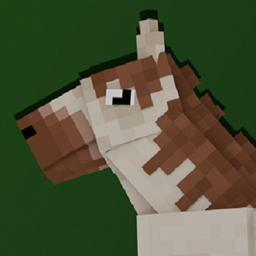
Better Horses x Fresh Animations
A Fresh Animations Add-on for Better Horses!Install

Nature Revamp - 3D Models for Plants, Dripstone, Mushrooms, Crimson/Warped Fungus and more!
3D Models for Flowers, Crimson/Warped Fungus and more!Install

Kova
Glowup Update - Part 1Install

Hold in hands
This resource pack adds first-person hands that hold items, enhancing immersion by allowing players to see their character's hands holding tools, weapons, and other objects in Minecraft.Install

Smaller Crosshair
Makes the Minecraft Crosshair 1 pixel smaller. aka: Small CrosshairInstall

UltimaCraft Leaf
Add-on for Ultimacraft, which adds bushy leaves and falling leaves animation.Install

Round Moon HD
It's the real moon! And it's huge!Install
CozyUI+
Modifies the User Interface into a neat and subtle high-definition style, covering all the vanilla UI elements as well as many useful client mods.Install

Technicality
Minimalist Machines Reved and RevivedInstall
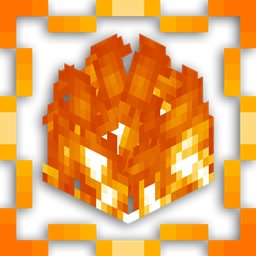
Low Fire Texture
his pack reduces the height of the fire animation, ensuring that it doesn't obstruct your view when your character is on fire.Install

AmbientSounds: Remastered Sounds Pack
Brings realistic and beautiful ambience into Minecraft!, as a resource pack port of AmbientSounds5 mod!Install
Quart!
Minecraft's smallest resource pack yet! 4xInstall
ALLPVP
This Texture Pack Brings High Quality And Beautiful PVP Textures To Minecraft! All textures in this pack are created by me and i took inspiration from other packs.Install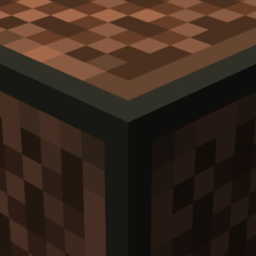
BetterSounds
Improve your immersion with beautiful soundscapes!Install

ItzRealMe Vanilla Overlay
ItzRealMe's Official Overlay for people to use. It features many quality of life aspects in order to uplevel your PvP Skills.Install
shureee's Note Blocks
Simple Note Block info with a colored keyboard, note name, and instrument type!Install

Biome Edition Visual Traveler's Titles
Give a RPG feeling to your exploration for every new biome you'll cross, even those from Terralith and more...Install

Deep Origins Overlays
Subtle block transitions | Requires FusionInstall
Pillager's Gun: Tacz + Tracers
Adds Visible, Emissive tracers to replace the barely visible bullets fired from pillagers. Requires EMF and ETF.Install
TFC TNG Sphax BDcraft 64x
PureBDcraft Texture Pack port for TFCInstall

Fossils and Archeology Loading Backgrounds
New Loading backgrounds from the Fossils and Archeology Mod!Install

Doki Doki Literature Club! Custom GUI Pack
Doki Doki Literature Club! Custom GUI PackInstallFAQ
Do I need Forge or Fabric for a resource pack?
No. A resource pack works on the regular game with no loaders or mods. Click “Install” and Millida Launcher will put the pack into the right modpack — then just enable it in the settings.
What do 16×, 32×, 64× mean?
The resolution of a single texture in pixels. 16× matches the original game, 32× and 64× are more detailed and heavier, and 128× and up put a noticeable load on your graphics card.
Will a pack made for another version work?
Most likely partly: older packs don't have textures for newer blocks, so those will stay default. The game won't break, though.
How is a texture pack different from a resource pack?
Only by name and age. Before version 1.6 the sets were called texture packs and changed only textures; in 1.6 resource packs replaced them and also change sounds, fonts and the interface. Old texture packs for 1.5 and below do not work on new versions without conversion.
Which texture packs are best for PvP?
PvP packs: 16× resolution or lower, shortened swords, low fire, a clear sky and bright particles. They barely load the computer and make the opponent easier to see. These packs are collected in the PvP theme.
How do I install a resource pack?
Press Install and Millida Launcher puts the pack into the resourcepacks folder of the right instance. Then enable it in the game: Options, then Resource Packs. Manually, the archive goes into resourcepacks inside the game folder, no need to unpack it.
Resource packs for Minecraft Java
A resource pack changes how the game looks and sounds: block and item textures, fonts, the interface, sounds. It doesn't touch the game's code, so it needs no mod loader and breaks nothing on a server — the pack only works on your screen. That's exactly why a resource pack is safer than any mod: the worst that happens on a version mismatch is that some textures stay default.
Textures, texture packs and resource packs are essentially the same thing: since version 1.6 Mojang calls these sets resource packs, but the old name is still searched more often. PvP packs are a big genre of their own: shortened swords, low fire, bright particles and 16× resolution or lower, so the opponent stands out and the frame rate does not drop. Such packs are most often made for 1.8.9 and 1.16.5, the versions many PvP servers run on.
The key thing about a pack is its resolution. The game's default textures are 16×16 pixels; 32× and 64× packs look more detailed, while 128× and up need a real graphics card and are usually paired with shaders. On a weak machine it makes sense to stay at 16× or go for packs that deliberately simplify graphics for more FPS. Every pack here lists its game version, author and license, and all released versions are gathered on one card. Put the downloaded archive in the resourcepacks folder and enable it in the game settings.