

ALLPVP Resource pack for Minecraft 1.20.1, 1.21.1
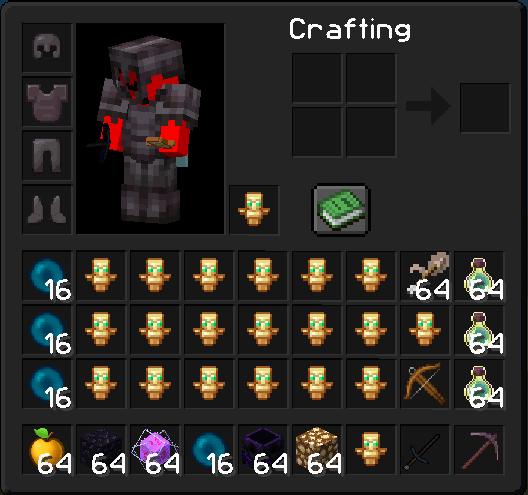
This Texture Pack Brings High Quality And Beautiful PVP Textures To Minecraft! All textures in this pack are created by me and i took inspiration from other packs.
About the ALLPVP resource pack
Elevate your gameplay with this PvP texture pack, crafted for both clarity and performance. Every block and item is designed to be clean and easy to see, helping you react faster in combat. Weapons and armor feature sharp, detailed textures, while the hotbar and inventory are streamlined for quick access. Visual effects like hits, explosions, and particles are clear and well-defined, ensuring every battle feels precise and engaging. Whether you’re dueling in arenas or defending your base, this pack balances visibility, speed, and style, giving you a confident edge in every fight.
How to install ALLPVP
Install Millida Launcher
The launcher is free: download it at millida.net/launcher and sign in with any nickname.
Click “Install” on this page
The launcher opens and installs the resource pack for Minecraft 1.20–26.2 automatically.
Launch the game
A profile with it appears in the launcher: click “Play”.
Versions
With dependencies
| Minecraft | Loader | File | Date | Actions |
|---|---|---|---|---|
| 1.21 | — | AllPVP+704 KB 41 |
FAQ
Which Minecraft versions does ALLPVP work on?
There are files for 1.20–26.2, 23 versions in total. The newest is 26.2.
How do I download ALLPVP?
With Millida Launcher: it installs ALLPVP into a modpack by itself, for the right game version and loader. The launcher is free.
Reviews
Be the first to rate ALLPVP


