
Resource packs for Minecraft Java 1.7.7
Resource packs: list



Icon Xaero's
Icon mod for xaero's map and minimap Many icon modInstall

Cubic Sun & Moon
Recreates the Sun and the Moon in 3D and is compatible with mods that add sky features.Install
Invictus - Vanilla
Soartex reimagined ~ modeled and animatedInstall

Definitive SGA Translator
Be able to read enchantment table languageInstall

CozyUI+
Modifies the User Interface into a neat and subtle high-definition style, covering all the vanilla UI elements as well as many useful client mods.Install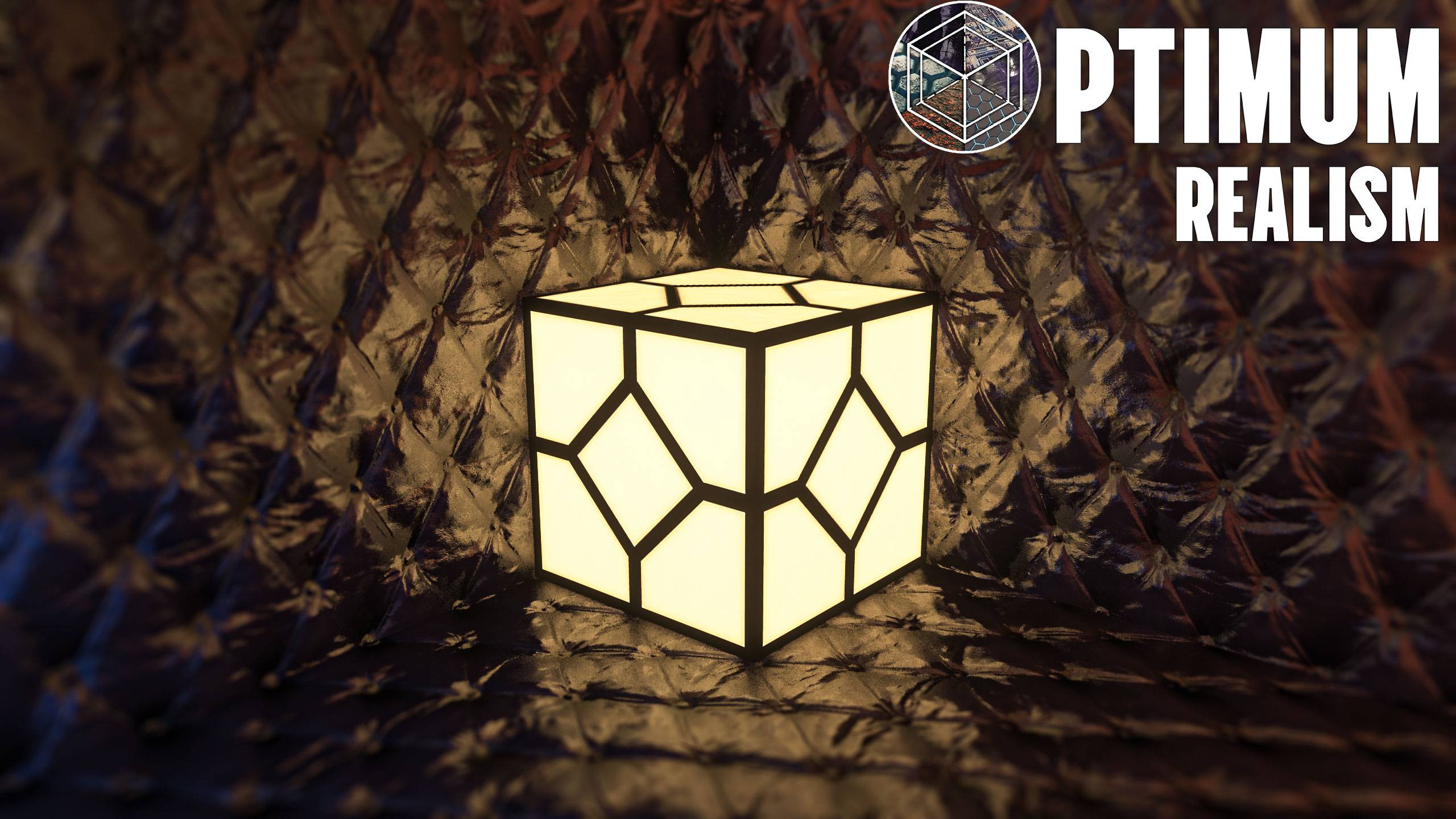
Optimum Realism POM & PBR 64x/128x/256x/512x
A realistic-themed resourcepack for Minecraft Java EditionInstall

Borderless Glass (No OptiFine Needed) Bedrock Support!
Borderless Glass - A Resource Pack that eliminates the border from all types of glass blocks.Install

No Pumpkin Blur
No Pumpkin Blur [beta 1.6.6 - 26.3]Install

Better Lower Fire - Visibility Improved - Reduced Screen Obstruction
Low Fire optimizes the player’s view in Minecraft by reducing the height of fire animations, minimizing screen coverage and enhancing visibility, particularly during combat situations where clear sight is crucial.Install

Colourful containers GUI
A container GUI replacement mod that hopes to match the menu to every one of Minecraft's colourful interactable blocks.Install
Simple Click
Replace the old UI click with a quiet and modern.Install
Aures - Create Style for Refined Storage
The container mod is now in brass color!Install

Transparent Pumpkin Overlay - Full Clear Visibility
Transparent Pumpkin Overlay transforms the traditional pumpkin head blur in Minecraft into a clear, transparent view, allowing players to enjoy full visibility while wearing pumpkins.Install

John Smith Legacy - Modded
John Smith Technician's Remix is a variation of the original John Smith texture pack which is designed for use with modded Minecraft.Install

Keep Inventory On - Better Enhanced Gameplay
Keep Inventory ON is a practical texture pack for Minecraft that automatically sets the game rule to keep inventory on death, allowing players to retain their items and experience, thus reducing the penalties of dying in-game.Install

Invisible Item Frames
A Resource Pack that makes Item Frames invisible.Install

Beyond The Lands
Medieval and Fantasy pack, with custom models, connected textures and moreInstall
Horror Ambience Music: Echoes
Replaces all of minecraft's music with Dark atmospheric soundscapesInstall

Optimum Realism
Realistic 64x Minecraft pack with PBR, POM, and custom models with 3M+ downloads across platformsInstall

Colourful containers Dark Mode GUI
A container GUI replacement mod that hopes to match the menu to every one of Minecraft's colourful interactable blocks.Install

Fullbright
Simple fullbright resource pack compatible with 26.4 for Vanilla,Optifine,Vulkan and Sodium.Install

Fantasy 3D Weapons CIT
Adds 3D weapon models to MC! (Custom Item Textures)Install

No Cave Ambience
Get rid of creepy cave ambience sounds (eerie noise)InstallFAQ
Do I need Forge or Fabric for a resource pack?
No. A resource pack works on the regular game with no loaders or mods. Click “Install” and Millida Launcher will put the pack into the right modpack — then just enable it in the settings.
What do 16×, 32×, 64× mean?
The resolution of a single texture in pixels. 16× matches the original game, 32× and 64× are more detailed and heavier, and 128× and up put a noticeable load on your graphics card.
Will a pack made for another version work?
Most likely partly: older packs don't have textures for newer blocks, so those will stay default. The game won't break, though.
How is a texture pack different from a resource pack?
Only by name and age. Before version 1.6 the sets were called texture packs and changed only textures; in 1.6 resource packs replaced them and also change sounds, fonts and the interface. Old texture packs for 1.5 and below do not work on new versions without conversion.
Which texture packs are best for PvP?
PvP packs: 16× resolution or lower, shortened swords, low fire, a clear sky and bright particles. They barely load the computer and make the opponent easier to see. These packs are collected in the PvP theme.
How do I install a resource pack?
Press Install and Millida Launcher puts the pack into the resourcepacks folder of the right instance. Then enable it in the game: Options, then Resource Packs. Manually, the archive goes into resourcepacks inside the game folder, no need to unpack it.
Resource packs for Minecraft Java 1.7.7
Resource packs for Minecraft 1.7.7: 110 items in the Resource packs section. Compatibility is checked against the files, not the description: only items with a build for exactly these conditions stay in the list.
The key thing about a pack is its resolution. The game's default textures are 16×16 pixels; 32× and 64× packs look more detailed, while 128× and up need a real graphics card and are usually paired with shaders. On a weak machine it makes sense to stay at 16× or go for packs that deliberately simplify graphics for more FPS. Every pack here lists its game version, author and license, and all released versions are gathered on one card. Put the downloaded archive in the resourcepacks folder and enable it in the game settings.