
Resource packs for Minecraft Java — page 127
Resource packs: list


Better Gravestones
Get better looking gravestones ! Made for the GraveStone Mod.Install
Dramatic Animations
Not-so-serious Animation Replacements!Install

Create: Copper & Zinc [Datapack]
This datapack adds recipes for Veridium and Asurine from the Create mod, to give the player renewable sources of Copper and Zinc.Install

Unique Dark Hotbar Add-On
Hotbar Add-On for Unique Dark | Changes the style of the hotbarInstall

[HMI] Mars' Cold Hands
Adds hand shaking effects when walking on snow block and ice, packed ice, blue ice and powder snow! Requires Hold My Items v5.1+.Install

NBArmors HD TP
The official HD Texture Pack for my mod NBArmors. This texture pack modifies the appearance of the armor of my mod, to a more HD texture. 55 HD armors for now... More detail in the texture for the mod.Install

UHC Basics
A UHC (ultra hardcore) texturepack that is tailored towards Minecraft UHC players! Great for UHC pvpInstall

Mushoku Tensei Jobless Reincarnation Custom GUI Pack
Mushoku Tensei Jobless Reincarnation Custom GUI PackInstall

Create: Old Copper Stuffs
Brings Back Create's Copper Stuffs Textures Such as Scaffoldings, All fluid items, Copper Building Blocks, and More To pre 6.0.0!Install
Better Villages - Immersive Engineering Compatibility
Adds compatibility between Better Villages and Immersive EngineeringInstall

GUI
Transparent and Clear GUI for versions 1.20 - 26.2 that is minimalist and does not obstruct the view. It only changes the UI without changing the icons...Install

Wynnic Uniques Compendium
Adds unique weapon skins for items on the Wynncraft server. Requires Chime/Optifine.Install
Mandalorian Armor
Replaces all common Armour and Armor Trim with Mandalor armour.Install

Tuttas Retextures: Exposure Edition
Retro Exposure Edition; Polaroids too!!Install

Potion Recipes: Vanilla Edition!
This resource pack allows you to see all the possible potion recipes on the brewing stand UI, with the visual look of Vanilla Minecraft!Install
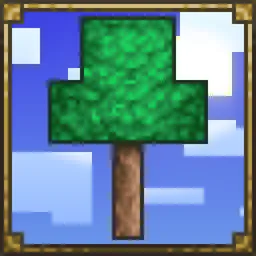
Terrarian Spirit
Terraria-themed Minecraft HUD and GUI (& more!)Install
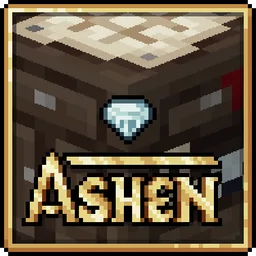
Ashen + Appleskin Support
A small, 16x pack adding compatibility between Ashen 16x and AppleskinInstall

Amne's Archon Renewed Spanish Translations
Unofficial spanish Archon Renewed mod translation.Install

No Explosions Particles
Useful for crystal pvp, it can reduce lag.Install

Unity: Dark Edition
Dark loading screen, GUIs, and elements to make things easier on the eyes!Install

All The Plushies | Anime Totems
Various anime textures for totems | 180 variantsInstall
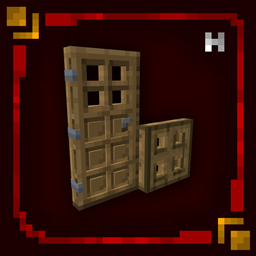
Hellim's 3D Doors & Trapdoors
Enhances doors and trapdoors with refined 3D structure and layered detail, adding depth and architectural presence while preserving their original vanilla style.Install

Undopia 3D Spawner
Gives the Mob Spawner a 3 dimensional modelInstallFAQ
Do I need Forge or Fabric for a resource pack?
No. A resource pack works on the regular game with no loaders or mods. Click “Install” and Millida Launcher will put the pack into the right modpack — then just enable it in the settings.
What do 16×, 32×, 64× mean?
The resolution of a single texture in pixels. 16× matches the original game, 32× and 64× are more detailed and heavier, and 128× and up put a noticeable load on your graphics card.
Will a pack made for another version work?
Most likely partly: older packs don't have textures for newer blocks, so those will stay default. The game won't break, though.
How is a texture pack different from a resource pack?
Only by name and age. Before version 1.6 the sets were called texture packs and changed only textures; in 1.6 resource packs replaced them and also change sounds, fonts and the interface. Old texture packs for 1.5 and below do not work on new versions without conversion.
Which texture packs are best for PvP?
PvP packs: 16× resolution or lower, shortened swords, low fire, a clear sky and bright particles. They barely load the computer and make the opponent easier to see. These packs are collected in the PvP theme.
How do I install a resource pack?
Press Install and Millida Launcher puts the pack into the resourcepacks folder of the right instance. Then enable it in the game: Options, then Resource Packs. Manually, the archive goes into resourcepacks inside the game folder, no need to unpack it.
Resource packs for Minecraft Java
A resource pack changes how the game looks and sounds: block and item textures, fonts, the interface, sounds. It doesn't touch the game's code, so it needs no mod loader and breaks nothing on a server — the pack only works on your screen. That's exactly why a resource pack is safer than any mod: the worst that happens on a version mismatch is that some textures stay default.
Textures, texture packs and resource packs are essentially the same thing: since version 1.6 Mojang calls these sets resource packs, but the old name is still searched more often. PvP packs are a big genre of their own: shortened swords, low fire, bright particles and 16× resolution or lower, so the opponent stands out and the frame rate does not drop. Such packs are most often made for 1.8.9 and 1.16.5, the versions many PvP servers run on.
The key thing about a pack is its resolution. The game's default textures are 16×16 pixels; 32× and 64× packs look more detailed, while 128× and up need a real graphics card and are usually paired with shaders. On a weak machine it makes sense to stay at 16× or go for packs that deliberately simplify graphics for more FPS. Every pack here lists its game version, author and license, and all released versions are gathered on one card. Put the downloaded archive in the resourcepacks folder and enable it in the game settings.