
Resource packs for Minecraft Java 1.21 — page 51
Resource packs: list



Gramophone/Phonograph Jukebox
This pack changes the jukebox in Minecraft to a classic gramophone/phonograph!Install

Low Fire, Shield & More
Low Fire, Shield, Grass & More, Less obstruction for your game screensInstall

Smaller Crosshair
Makes the Minecraft Crosshair 1 pixel smaller. aka: Small CrosshairInstall

Cobblemon Animon
Download Animon - Cobblemon Anime Sound Replacement 0.6.4 on Modrinth. Supports 1.21.1 Minecraft. First Published July 27, 2024.Install

Iris Buttons Everywhere
Changes textures of buttons in all menus to Iris Shaders button texture.Install

Farmer's Delight Refabricated Ashen Compat
A resource pack that adapts Farmer's Delight Refabricated to the Ashen visual style.Install

Bare Bones x Particle Effects
Particles effects with the style of the trailersInstall

Fast Better Grass For Simple Grass Flowers
A texture that adds compatibility between Fast Better Grass and Simple Grass Flowers texturesInstall

Sakura
Pink Crystal PvP resourcepack for modern minecraft versions with audioInstall
Everything Animated!
Animate your minecraft! Adds animations for items without optifine.Install

Copper Lighter
A simple, vanilla-friendly 3D copper lighter, that replaces flint and steel. who lights a fire with flint and steel anymore?!?Install
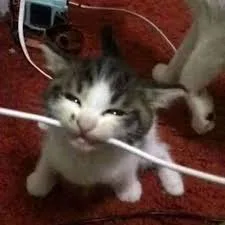
Animated Cat Biting Wire Totem Reskin
The cat-biting electrical wire meme as a totem reskin with an activation sound when the totem is used. This is the animated version where he opens his mouth and bites the wire.Install

Os' Crops
This pack changes the crops to be variated shapes and rotations, and also adds a pleasing aesthetic change. The final stage of each crop is easily identifiable so you know when to harvest.Install
Primeval Music
A Music pack designed for Jurassic period themed modpack'sInstall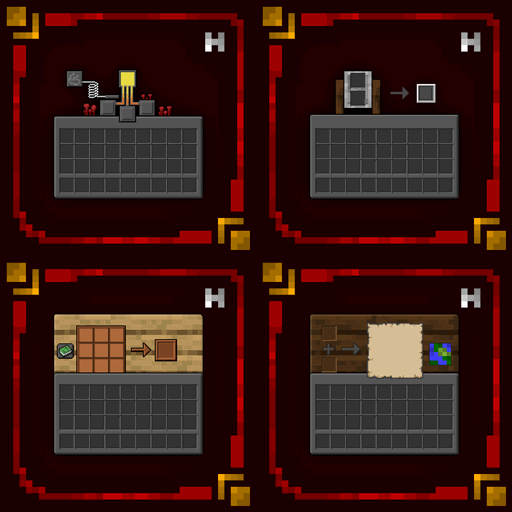
Hellim's Dark Mode
This resourcepack makes your GUI & HUD better and darker, additionally, dd support for new mods with each update.Install

mullak99's Faithful [32x]
A variation of the Failthful 32x Resource PackInstall

Gray's 3D items
New 3D models for various items and toolsInstall

Mizuno's Better Grass
A better grass for Mizuno's craft16Install
Life Series Armor
Armor textures from the Life Series by grianInstall

Whimscape + Exploration
This resource pack brings a bundle of mods focused on exploration for the Whimscape style!Install

Ashen Emissive Ores
Glowing ore textures for Ashen 16x.Install

True Doors
Makes doors look more real in your hand. INCLUDES SUPPORT FOR 55+ MODS!Install

Grassy Grass
Much more lush, grassier and fancier grass!InstallFAQ
Do I need Forge or Fabric for a resource pack?
No. A resource pack works on the regular game with no loaders or mods. Click “Install” and Millida Launcher will put the pack into the right modpack — then just enable it in the settings.
What do 16×, 32×, 64× mean?
The resolution of a single texture in pixels. 16× matches the original game, 32× and 64× are more detailed and heavier, and 128× and up put a noticeable load on your graphics card.
Will a pack made for another version work?
Most likely partly: older packs don't have textures for newer blocks, so those will stay default. The game won't break, though.
How is a texture pack different from a resource pack?
Only by name and age. Before version 1.6 the sets were called texture packs and changed only textures; in 1.6 resource packs replaced them and also change sounds, fonts and the interface. Old texture packs for 1.5 and below do not work on new versions without conversion.
Which texture packs are best for PvP?
PvP packs: 16× resolution or lower, shortened swords, low fire, a clear sky and bright particles. They barely load the computer and make the opponent easier to see. These packs are collected in the PvP theme.
How do I install a resource pack?
Press Install and Millida Launcher puts the pack into the resourcepacks folder of the right instance. Then enable it in the game: Options, then Resource Packs. Manually, the archive goes into resourcepacks inside the game folder, no need to unpack it.
Resource packs for Minecraft Java 1.21
Resource packs for Minecraft 1.21: 1,675 items in the Resource packs section. Compatibility is checked against the files, not the description: only items with a build for exactly these conditions stay in the list.
The key thing about a pack is its resolution. The game's default textures are 16×16 pixels; 32× and 64× packs look more detailed, while 128× and up need a real graphics card and are usually paired with shaders. On a weak machine it makes sense to stay at 16× or go for packs that deliberately simplify graphics for more FPS. Every pack here lists its game version, author and license, and all released versions are gathered on one card. Put the downloaded archive in the resourcepacks folder and enable it in the game settings.