
Resource packs for Minecraft Java 1.21 — page 52
Resource packs: list


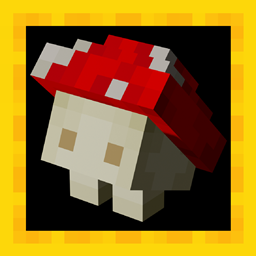
Mushroom Golems
Adds Mushroom Golems statues.Install
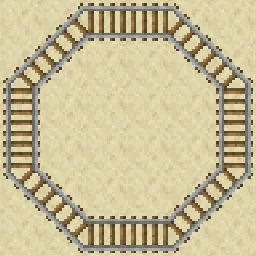
Diagonal Rails
Makes corner rails into perfect diagonals.Install

Arcle's Medieval Containers
This pack gives all the containers a medieval look!Install

Beezy's Enhanced Endermen
Beezy's CEM Endermen OverhaulInstall

GUI
Transparent and Clear GUI for versions 1.20 - 26.2 that is minimalist and does not obstruct the view. It only changes the UI without changing the icons...Install

Saarcraft iOser100 Edition
The whole Ioser100 experienceInstall

Zerotekz's Blades of War [DISCONTINUED]
3D Weapon PackInstall

Create: Old Copper Stuffs
Brings Back Create's Copper Stuffs Textures Such as Scaffoldings, All fluid items, Copper Building Blocks, and More To pre 6.0.0!Install

PVP Swords
This texture gives a makeover to all Minecraft swordsInstall

MrOres 3D Glowing (Optifine/Continuity)
Transforms Minecraft Ores to 3D Glowing models. Works with Optifine/Continuity (Fabric, Forge, NeoForge, Quilt, etc.).Install
Dramatic Animations
Not-so-serious Animation Replacements!Install

Mushoku Tensei Jobless Reincarnation Custom GUI Pack
Mushoku Tensei Jobless Reincarnation Custom GUI PackInstall

No Explosions Particles
Useful for crystal pvp, it can reduce lag.Install
Better Villages - Immersive Engineering Compatibility
Adds compatibility between Better Villages and Immersive EngineeringInstall
Terrarian Spirit
Terraria-themed Minecraft HUD and GUI (& more!)Install
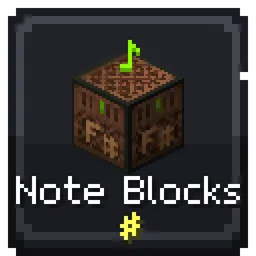
shureee's Note Blocks
Simple Note Block info with a colored keyboard, note name, and instrument type!Install
Ashen + Appleskin Support
A small, 16x pack adding compatibility between Ashen 16x and AppleskinInstall

Tuttas Retextures: Exposure Edition
Retro Exposure Edition; Polaroids too!!Install

All The Plushies | Anime Totems
Various anime textures for totems | 180 variantsInstall

ItzRealMe Vanilla Overlay
ItzRealMe's Official Overlay for people to use. It features many quality of life aspects in order to uplevel your PvP Skills.Install
Lower Shield PVP
Fixes The Minecraft Shield Covering The Entire Screen.Install
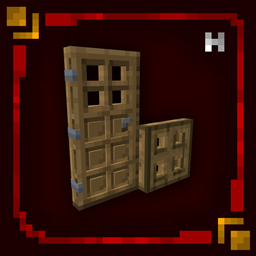
Hellim's 3D Doors & Trapdoors
Enhances doors and trapdoors with refined 3D structure and layered detail, adding depth and architectural presence while preserving their original vanilla style.Install

Cuter: GraveStone
Resource Pack of that revamps the GraveStone Mod in my art style.InstallFAQ
Do I need Forge or Fabric for a resource pack?
No. A resource pack works on the regular game with no loaders or mods. Click “Install” and Millida Launcher will put the pack into the right modpack — then just enable it in the settings.
What do 16×, 32×, 64× mean?
The resolution of a single texture in pixels. 16× matches the original game, 32× and 64× are more detailed and heavier, and 128× and up put a noticeable load on your graphics card.
Will a pack made for another version work?
Most likely partly: older packs don't have textures for newer blocks, so those will stay default. The game won't break, though.
How is a texture pack different from a resource pack?
Only by name and age. Before version 1.6 the sets were called texture packs and changed only textures; in 1.6 resource packs replaced them and also change sounds, fonts and the interface. Old texture packs for 1.5 and below do not work on new versions without conversion.
Which texture packs are best for PvP?
PvP packs: 16× resolution or lower, shortened swords, low fire, a clear sky and bright particles. They barely load the computer and make the opponent easier to see. These packs are collected in the PvP theme.
How do I install a resource pack?
Press Install and Millida Launcher puts the pack into the resourcepacks folder of the right instance. Then enable it in the game: Options, then Resource Packs. Manually, the archive goes into resourcepacks inside the game folder, no need to unpack it.
Resource packs for Minecraft Java 1.21
Resource packs for Minecraft 1.21: 1,675 items in the Resource packs section. Compatibility is checked against the files, not the description: only items with a build for exactly these conditions stay in the list.
The key thing about a pack is its resolution. The game's default textures are 16×16 pixels; 32× and 64× packs look more detailed, while 128× and up need a real graphics card and are usually paired with shaders. On a weak machine it makes sense to stay at 16× or go for packs that deliberately simplify graphics for more FPS. Every pack here lists its game version, author and license, and all released versions are gathered on one card. Put the downloaded archive in the resourcepacks folder and enable it in the game settings.