
Resource packs for Minecraft Java 1.21 — page 70
Resource packs: list


Unrandom Textures
Removes the random rotations from blocks introduced with 1.8's "Alternate Blocks" option and made permanent in 1.9.Install
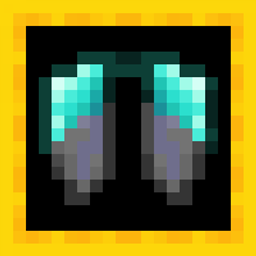
Upgraded Elytra
Changes the texture of elytra to match the armor.Install

Better Borderless Glass
Borderless Glass, but it works with any resource pack! No mods required!Install

Better Clearer Glass
Adds clearer glass to vanilla Minecraft.Install

Mizuno's Hat Variants
Hat Variants for Mizuno's Craft16Install

Health Game Advice Splash Screen
Bringing China's Healthy Game Advice to MC Java EditionInstall

Lad's Skybox
A night sky filled with nebulae and wonder.Install

Potato
just a random resource pack that potato-ifes minecraftInstall

Pixel Perfection Fidelity
A cozy medieval 16x16 texture pack, originally by XSSheep.Install
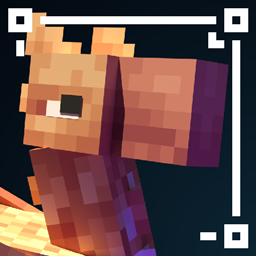
The Great Shrimpsby
Reworks Minecraft's features in new and unique ways with a fantasy aesthetic, but maintains the original styleInstall

3D Plus
Makes most things in minecraft 3D / Torches, Lanterns, Ladders, Rails, Plants and etc.Install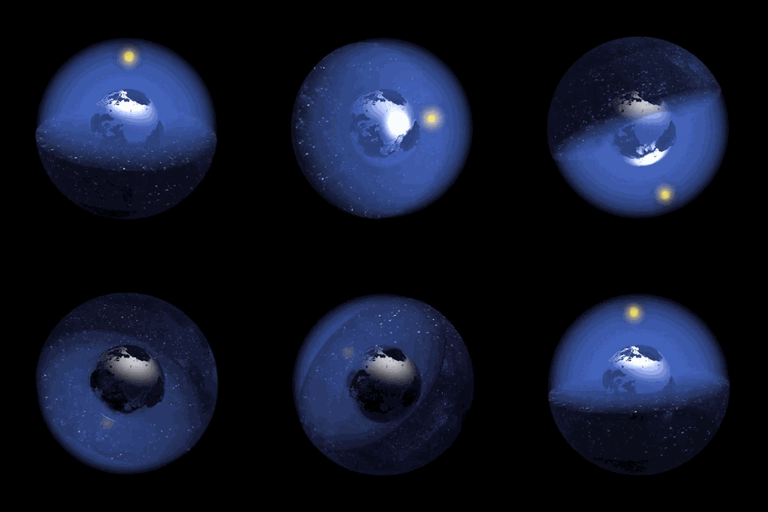
Border Expands Per Day Datapack
World Border Expands Per Minecraft DayInstall

Zerotekz's Mythic Weapons [DISCONTINUED]
2D - Weapon PackInstall

Glow Ores - Heycronus
Makes Minecraft ores glow for better visibilityInstall
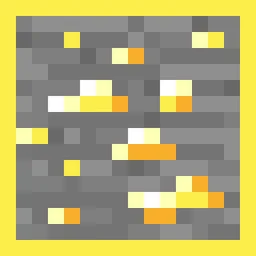
Ore Grids
Adds an outline to each ore. Mod support!Install

Blacksea animation for punchy(黑海)
A resource pack built on the Punchy mod that swaps out the axe animations in-game for ones inspired by the 'Black Sea' weapon from Delta Force."Install

Waystones Emissive
Waystones with emissive labPBR texture for shadersInstallFAQ
Do I need Forge or Fabric for a resource pack?
No. A resource pack works on the regular game with no loaders or mods. Click “Install” and Millida Launcher will put the pack into the right modpack — then just enable it in the settings.
What do 16×, 32×, 64× mean?
The resolution of a single texture in pixels. 16× matches the original game, 32× and 64× are more detailed and heavier, and 128× and up put a noticeable load on your graphics card.
Will a pack made for another version work?
Most likely partly: older packs don't have textures for newer blocks, so those will stay default. The game won't break, though.
How is a texture pack different from a resource pack?
Only by name and age. Before version 1.6 the sets were called texture packs and changed only textures; in 1.6 resource packs replaced them and also change sounds, fonts and the interface. Old texture packs for 1.5 and below do not work on new versions without conversion.
Which texture packs are best for PvP?
PvP packs: 16× resolution or lower, shortened swords, low fire, a clear sky and bright particles. They barely load the computer and make the opponent easier to see. These packs are collected in the PvP theme.
How do I install a resource pack?
Press Install and Millida Launcher puts the pack into the resourcepacks folder of the right instance. Then enable it in the game: Options, then Resource Packs. Manually, the archive goes into resourcepacks inside the game folder, no need to unpack it.
Resource packs for Minecraft Java 1.21
Resource packs for Minecraft 1.21: 1,674 items in the Resource packs section. Compatibility is checked against the files, not the description: only items with a build for exactly these conditions stay in the list.
The key thing about a pack is its resolution. The game's default textures are 16×16 pixels; 32× and 64× packs look more detailed, while 128× and up need a real graphics card and are usually paired with shaders. On a weak machine it makes sense to stay at 16× or go for packs that deliberately simplify graphics for more FPS. Every pack here lists its game version, author and license, and all released versions are gathered on one card. Put the downloaded archive in the resourcepacks folder and enable it in the game settings.