
Resource packs for Minecraft Java 1.21 — page 34
Resource packs: list


Bare Bones PBR x128
Bare Bones PBR with x128 textures | Trailer style !Install
Jade Better Dark Theme
A better version of Jade's dark theme made to match with Status Effect Timer or Status Effect Bars.Install

Semos Animations Lib
Entity animations library pack for ressources packs.Install
Horror Cave Sounds
Pack changes all vanilla cave sounds into something actually scaryInstall

Enchantment Enhancements
Gives enchanted books a new unique look!Install

Animated Furnaces
Adds animation to the furnace, fixes smoker and blast furnace.Install

Refined Storage - ReCreated
Makes Refined Storage better fit with Create ModInstall

Created Pretty Pipes
Create Like textures for Pretty Pipes mod!Install

Clear Water!
Turns down the transparency of the water so you can actually see!Install
Zero's Modern Crosshair
A more modern crosshair.Install

Cobweb Outlines
Makes webs have a block outline for better visibility.Install

BEST PACK PVP
This pack contains everything you need to play PVP professionally. +FPS -LAGInstall

Lootr Retextured
Changes the textures for LootrInstall

Diamond SMP PVP default TexturePack
This is a texture pack for pvp. i have never really seen any default packs with all the perks. so i desided to make one thank you for downloading. watch this to see the hit sound https://youtu.be/q03l5rLDkRgInstall

Farcr's Better Dirt
Significantly improves the game's most iconic block: Dirt!Install

Os' 3D Iron Bars
This pack changes iron bars to be darker to match the chain, and cleans up the textures. Also, there won't be any Z-fighting since it's 3D. 2D version is available, but doesn't remove the Z-fighting.Install
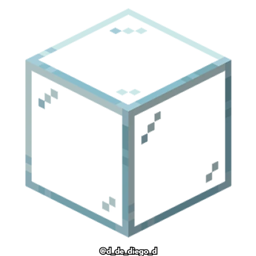
Connected Glasses
This texture pack connects the textures of the glass, so that it is not noticeable that it is a different block.Install

Catppuccin UI
A soothing pastel UI-Pack for Minecraft based on the Catppuccin colour scheme. ⛏️Install

Night Vision Craft
Night Vision Craft improves nighttime visibility in Minecraft, making exploration in caves, seas, and dark areas safer and more exciting.Install
Low Fire EXTREME
This Resourcepack aims to make the fire overlay even lower then other packsInstall

Fast Grass + FPS Boost
Smooth, clean grass blocks for calmer and more consistent terrain.Install

JermsyBoy's Vanilla Edits
Vanilla+ Resource PackInstall
Mini's Cobblemon Icons
Shuffle Style Cobblemon Icons for xearo's minimap that combine's my favorite features of Keice's Icons, E19' Icons, and over 1000 Custom Shiny Icons.InstallFAQ
Do I need Forge or Fabric for a resource pack?
No. A resource pack works on the regular game with no loaders or mods. Click “Install” and Millida Launcher will put the pack into the right modpack — then just enable it in the settings.
What do 16×, 32×, 64× mean?
The resolution of a single texture in pixels. 16× matches the original game, 32× and 64× are more detailed and heavier, and 128× and up put a noticeable load on your graphics card.
Will a pack made for another version work?
Most likely partly: older packs don't have textures for newer blocks, so those will stay default. The game won't break, though.
How is a texture pack different from a resource pack?
Only by name and age. Before version 1.6 the sets were called texture packs and changed only textures; in 1.6 resource packs replaced them and also change sounds, fonts and the interface. Old texture packs for 1.5 and below do not work on new versions without conversion.
Which texture packs are best for PvP?
PvP packs: 16× resolution or lower, shortened swords, low fire, a clear sky and bright particles. They barely load the computer and make the opponent easier to see. These packs are collected in the PvP theme.
How do I install a resource pack?
Press Install and Millida Launcher puts the pack into the resourcepacks folder of the right instance. Then enable it in the game: Options, then Resource Packs. Manually, the archive goes into resourcepacks inside the game folder, no need to unpack it.
Resource packs for Minecraft Java 1.21
Resource packs for Minecraft 1.21: 1,675 items in the Resource packs section. Compatibility is checked against the files, not the description: only items with a build for exactly these conditions stay in the list.
The key thing about a pack is its resolution. The game's default textures are 16×16 pixels; 32× and 64× packs look more detailed, while 128× and up need a real graphics card and are usually paired with shaders. On a weak machine it makes sense to stay at 16× or go for packs that deliberately simplify graphics for more FPS. Every pack here lists its game version, author and license, and all released versions are gathered on one card. Put the downloaded archive in the resourcepacks folder and enable it in the game settings.