
Resource packs for Minecraft Java 1.21 — page 24
Resource packs: list


Invisible Armor Model
Invisible Armor Model is a resource pack for Minecraft Java Edition that removes the visual model of armor.Install
Immersive Interfaces - Mod Support Unofficial
Shrimp's Immersive Interfaces Add-on: This Texture Pack adds small details to some mods to fit more with Immersive Interfaces.Install

WU_SHUANGCB's Zombie Skin
Zombies are entwined with an unknown virus, giving them a more oppressive appearance.Install

BACAP Language Pack
Translates BlazeandCave's Advancements Pack into other languages.Install

Cartoon Texture Pack
Googly eyes! Goofy grins! Turn your world into a toon with this pack. A port from Legacy Console Edition.Install

Norse Mythology Mash-up
Are you heroic enough to enter the Great Hall, Valhalla? Find out in the Norse Mythology Mash-up! A port from Legacy Console Edition.Install

Quark Vanilla Resource Overrides
A removed feature from Quark now on VanillaInstall

Torturable Healthbars
Instead of a health bar above the entity, health is shown as visual injuries on the mobInstall

Subtle Font Tweaks
This subtle Minecraft font pack makes lowercase letters smaller and rounder and centers capitalized letters. They are minor changes with a fresh new feel.Install

Super Mario Mash-up
Super Mario meets Minecraft! A port from Legacy Console Edition.Install

Mizuno Better Leaves
Better Leaves for Mizuno Craft without any mods.Install
That Time I Got Reincarnated as a Slime Custom GUI Pack
That Time I Got Reincarnated as a Slime Custom GUI PackInstall

Unique Dark Refined
Dark UI with unique textures for functional blocks. Different version of Unique DarkInstall

Whimscape Leaves Add-on
Bushy leaves add-on for WhimscapeInstall

Small Handhelds
Makes items held in a hand smaller and therefore less obstructive. All items, blocks, weapons and tools in the game are supported. Now configurable with Respackopts!Install

Knight'sArmory32X32
Epic-Knight and its addons mods all in 32x, Realistic & Historical.Install

VanillaXBR
Minecraft upscaled. A smooth and familiar look to the game.Install
Spawned Eggs
Replaces spawn egg textures with blocky mob icons.Install

Clayful 128x
Minecraft in a Claylike, Sculpted Way! 128xInstall

Music and Melody RP
Completely overhauls and reimagines the vanilla Minecraft soundtrack with a plethora of new, fitting and atmospheric music tracks that blend perfectly with vanilla. Formerly known as Legacies MusicInstall

Fresh Food
A Minecraft resource pack that adds 3D food models and eating animations!Install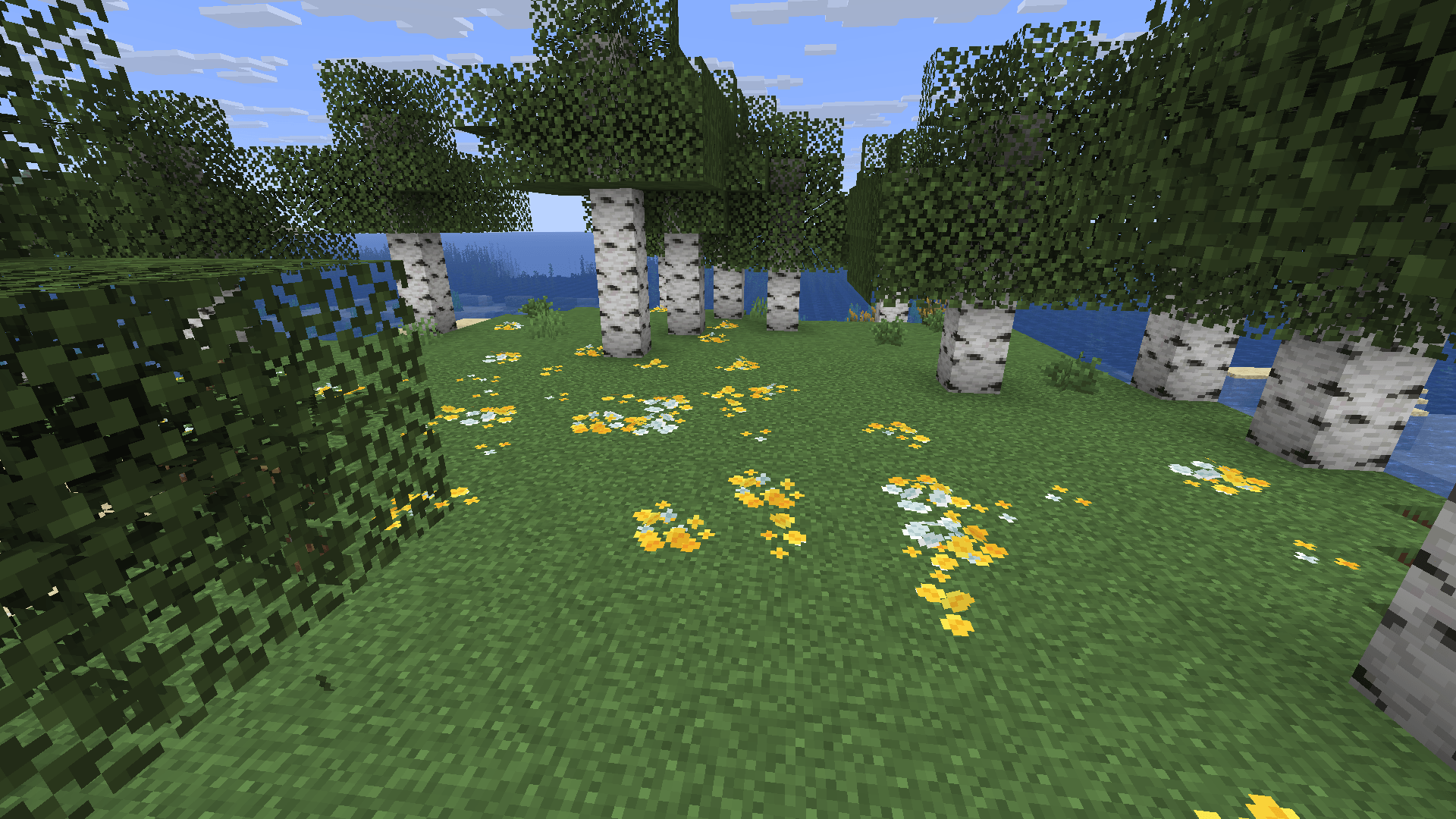
Bushy pink petals, wildflowers & leaf litter
New pink petals, wildflowers & leaf litter modelInstall

Icons Removed ADS
Removes the annoying logo from Icons resourcepackInstallFAQ
Do I need Forge or Fabric for a resource pack?
No. A resource pack works on the regular game with no loaders or mods. Click “Install” and Millida Launcher will put the pack into the right modpack — then just enable it in the settings.
What do 16×, 32×, 64× mean?
The resolution of a single texture in pixels. 16× matches the original game, 32× and 64× are more detailed and heavier, and 128× and up put a noticeable load on your graphics card.
Will a pack made for another version work?
Most likely partly: older packs don't have textures for newer blocks, so those will stay default. The game won't break, though.
How is a texture pack different from a resource pack?
Only by name and age. Before version 1.6 the sets were called texture packs and changed only textures; in 1.6 resource packs replaced them and also change sounds, fonts and the interface. Old texture packs for 1.5 and below do not work on new versions without conversion.
Which texture packs are best for PvP?
PvP packs: 16× resolution or lower, shortened swords, low fire, a clear sky and bright particles. They barely load the computer and make the opponent easier to see. These packs are collected in the PvP theme.
How do I install a resource pack?
Press Install and Millida Launcher puts the pack into the resourcepacks folder of the right instance. Then enable it in the game: Options, then Resource Packs. Manually, the archive goes into resourcepacks inside the game folder, no need to unpack it.
Resource packs for Minecraft Java 1.21
Resource packs for Minecraft 1.21: 1,675 items in the Resource packs section. Compatibility is checked against the files, not the description: only items with a build for exactly these conditions stay in the list.
The key thing about a pack is its resolution. The game's default textures are 16×16 pixels; 32× and 64× packs look more detailed, while 128× and up need a real graphics card and are usually paired with shaders. On a weak machine it makes sense to stay at 16× or go for packs that deliberately simplify graphics for more FPS. Every pack here lists its game version, author and license, and all released versions are gathered on one card. Put the downloaded archive in the resourcepacks folder and enable it in the game settings.