
Resource packs for Minecraft Java 1.21 — page 21
Resource packs: list



xali's Potions - Addon
Fan made extension to xali's potionsInstall

PvP Essentials 1.21+
Every Essential YOU Need For PvP! Includes No Bobber, No Fire, Low Shield, Small Totem Pop, & More!Install

Realistic Animals
A resourcepack that changes the appearance of some of the vanilla animals!Install

Low Shield PvP
This texture pack makes your shield lower so that you can PvP better.Install

Fullbright
Simple fullbright resource pack compatible with 26.4 for Vanilla,Optifine,Vulkan and Sodium.Install

Drodi's Blazes
Remodels the Blaze and adds a rare Wildfire variant!Install

Fresh Animations: Classic Horses
Recreates the old look for horses, but with Fresh Animations. An official FA extension.Install
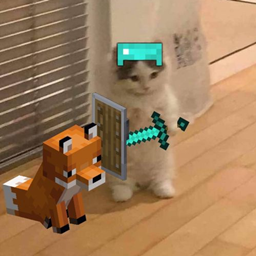
Connected Texture+
Do you feel frustrated by disconnected and repetitive block textures? Connected Texture+ solves this problem!!Install

Better Scaffolding Visibility
Better Scaffolding removes the middle texture for better visibility. A simple resource pack that makes climbing easier to see where you're going.Install

Greek Mythology Mash-up
Build a pantheon fit for the gods, trap the Minotaur in an elaborate maze, or set sail for adventures across the sea – the world is your square oyster! A port from Legacy Console Edition.Install

Slightly Improved Font (32x)
This resource pack adds a slightly improved version of vanilla Minecraft font (32x version)Install

Realistic Chests
Forget about the boring look of vanilla chests, now you will have more realistic textures!Install

ZombieCraft Additions
Compat Texture pack made for ZombieCraftInstall

Shasskor's Pride Bees
A resourcepack that turn some of the worlds bees into pride flags!Install
K-On!! Custom GUI Pack
K-On!! Custom GUI PackInstall

Prettier Sheep
Remodelled Sheep with more variantsInstall

Recolourful Containers GUI + HUD (DARK)
Do you want more immersive and more colourful GUIs and HUD? Than this pack is for you! NOW IN DARKInstall

No Explosion Particles
This texture pack removes particles created by explosions. Immediately makes you better at crystal PvP.Install

Candy Texture Pack
Indulge your sweet tooth with this sugar-coated texture pack! A port from Legacy Console Edition.Install

Unique Potions By Blond
Distinct potions that look kinda coolInstall

Vanilla Mashup (PBR)
Vanilla style pack with PBR and connected textures.Install

Armorstands Reimagined
The Armorstand Reimagined!Install

Bare Bones - Connected Glass
Makes glass blocks and panes connect seamlessly!InstallFAQ
Do I need Forge or Fabric for a resource pack?
No. A resource pack works on the regular game with no loaders or mods. Click “Install” and Millida Launcher will put the pack into the right modpack — then just enable it in the settings.
What do 16×, 32×, 64× mean?
The resolution of a single texture in pixels. 16× matches the original game, 32× and 64× are more detailed and heavier, and 128× and up put a noticeable load on your graphics card.
Will a pack made for another version work?
Most likely partly: older packs don't have textures for newer blocks, so those will stay default. The game won't break, though.
How is a texture pack different from a resource pack?
Only by name and age. Before version 1.6 the sets were called texture packs and changed only textures; in 1.6 resource packs replaced them and also change sounds, fonts and the interface. Old texture packs for 1.5 and below do not work on new versions without conversion.
Which texture packs are best for PvP?
PvP packs: 16× resolution or lower, shortened swords, low fire, a clear sky and bright particles. They barely load the computer and make the opponent easier to see. These packs are collected in the PvP theme.
How do I install a resource pack?
Press Install and Millida Launcher puts the pack into the resourcepacks folder of the right instance. Then enable it in the game: Options, then Resource Packs. Manually, the archive goes into resourcepacks inside the game folder, no need to unpack it.
Resource packs for Minecraft Java 1.21
Resource packs for Minecraft 1.21: 1,675 items in the Resource packs section. Compatibility is checked against the files, not the description: only items with a build for exactly these conditions stay in the list.
The key thing about a pack is its resolution. The game's default textures are 16×16 pixels; 32× and 64× packs look more detailed, while 128× and up need a real graphics card and are usually paired with shaders. On a weak machine it makes sense to stay at 16× or go for packs that deliberately simplify graphics for more FPS. Every pack here lists its game version, author and license, and all released versions are gathered on one card. Put the downloaded archive in the resourcepacks folder and enable it in the game settings.