
Resource packs for Minecraft Java 1.21 — page 15
Resource packs: list


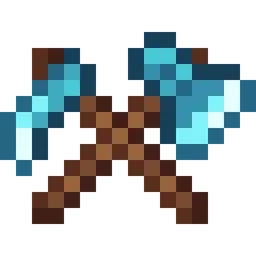
Fresh Weapons & Tools
Fresh vanilla-style weapons and tools with unique details for different materialsInstall

Better BetterX
This pack replaces a few BetterX textures with ones that feel more in line with other mods/vanilla. This pack is still useable in 1.20.1Install
No Block Break Particles
A simple resource pack that aims to remove all the block breaking particles in all versions it can without causing issues with the game.Install

Anti Xray
This is a simple resource pack which tries to prevent xray texture packs in 1.15+ when used as a server resource pack.Install

Reanimated Blue
Realistic physics-like animations that let you feel the impact of every interaction with mobs | Reanimated from the ground up.Install

Squareful
SquarePattern Renaming to Squareful URL not changed SquarePattern: More square texture. Remove the ambiguity of a large number of arc pixels in the vanilla version.Including GUI no longer has rounded corners.Install

Clear Lava and Water
This texture pack deletes lava and water overlay (you will see everything in lava and water clearly). Now works with Sodium!Install

Shelviety
Unifies regular and chiseled bookshelves, and adds variations to regular bookshelves.Install
Neko's Enhanced Tools and Armor (NETA)
Better tool and armour textures!Install
Rent-A-Girlfriend Custom GUI Pack
This is a GUI packed themed towards the show "Kanojo, Okarishimasu" or otherwise known as "Rent-A-Girlfriend". Don't hesitate to comment down below , I have even changed hot bar as well hope you enjoy.Install

RealisCraft JE: Realistic Default Textures
Texture pack for Minecraft provides a realistic look with detailed textures and natural lighting effects. Perfect for fans of natural aesthetics.Install

Faithless
Faithful to vanilla, yet a complete overhaul! - Building, Redstone, Survival, PvP... All in one.Install

Xaero's Map Translation
Xaero系列的地图mod的简体中文汉化:小地图MiniMap,世界地图 World Map, Better PVP Translation to Simplified Chinese for Xaero's MiniMap, Xaero's World Map, Better PVP.Install

Doggy Talents Next 16x16 texture pack
makes the 64x64 textures 16x16Install

Cute Pumpkin
A simple resource pack that replaces the carved pumpkin's spooky face with a cute and friendly one.Install
Jujutsu Kaisen Custom GUI Pack
Jujutsu Kaisen Custom GUI PackInstall

Obscuria's Tools
Enhanced tools textures!Install

Vanilla Evolved
A vanilla minecraft resource pack with an enhanced artistic vision through the use of custom models and textures.Install

Ozocraft Remix
Classic Ozocraft with updatesInstall
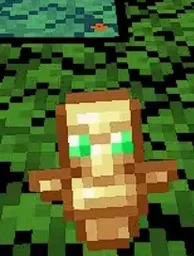
small totem pop
A simple texture pack that makes the totem pop animation on your screen smaller so you dont turn blind immediately. can be used as an overlay with other packsInstall

Spectral
A gentle 16x16 resource pack with a familiar yet unique feel.Install

Vanilla-Plus
smooth rework of vanilla textures, with focus on tools, “standard survival” items, particles and moreInstall
Presence Footsteps Sounds
A port of Presence Footsteps mod, but as a resources pack!InstallFAQ
Do I need Forge or Fabric for a resource pack?
No. A resource pack works on the regular game with no loaders or mods. Click “Install” and Millida Launcher will put the pack into the right modpack — then just enable it in the settings.
What do 16×, 32×, 64× mean?
The resolution of a single texture in pixels. 16× matches the original game, 32× and 64× are more detailed and heavier, and 128× and up put a noticeable load on your graphics card.
Will a pack made for another version work?
Most likely partly: older packs don't have textures for newer blocks, so those will stay default. The game won't break, though.
How is a texture pack different from a resource pack?
Only by name and age. Before version 1.6 the sets were called texture packs and changed only textures; in 1.6 resource packs replaced them and also change sounds, fonts and the interface. Old texture packs for 1.5 and below do not work on new versions without conversion.
Which texture packs are best for PvP?
PvP packs: 16× resolution or lower, shortened swords, low fire, a clear sky and bright particles. They barely load the computer and make the opponent easier to see. These packs are collected in the PvP theme.
How do I install a resource pack?
Press Install and Millida Launcher puts the pack into the resourcepacks folder of the right instance. Then enable it in the game: Options, then Resource Packs. Manually, the archive goes into resourcepacks inside the game folder, no need to unpack it.
Resource packs for Minecraft Java 1.21
Resource packs for Minecraft 1.21: 1,674 items in the Resource packs section. Compatibility is checked against the files, not the description: only items with a build for exactly these conditions stay in the list.
The key thing about a pack is its resolution. The game's default textures are 16×16 pixels; 32× and 64× packs look more detailed, while 128× and up need a real graphics card and are usually paired with shaders. On a weak machine it makes sense to stay at 16× or go for packs that deliberately simplify graphics for more FPS. Every pack here lists its game version, author and license, and all released versions are gathered on one card. Put the downloaded archive in the resourcepacks folder and enable it in the game settings.