
Resource packs for Minecraft Java — page 149
Resource packs: list


Kakariko Village Texture Pack
Kakariko Village Texture PackInstall

Cross Totem
A catholic cross resourcepack that turns the totem into a catholic cross and plays music when activated.Install

GildedGUI
A dark stone menu gui with a fancy golden trim.Install

BetterAfterLife
Texture overhaul for After Life.Install

3D Vanilla
Vanilla-friendly resource pack adding depth to blocks through subtle 3D models.Install

Matcha Block Overlays
Matcha version of Block Overlays | Continuity or Fusion requiredInstall

Improved RUS Sodium/Embeddium translation
Improves russian translate for Embeddium/Sodium and it for some addonsInstall

Wood Totem Cross
Replaces totem with a wood crossInstall

Pride Pack
A LGBTQ+ pride themed resource pack for Minecraft.Install
ShiNeaL's Simplacity
16x Simplistic / Plastic PackInstall

Small TotemPop
A Simple Texture pack that makes the pop particles clean and small. Nothing moreInstall
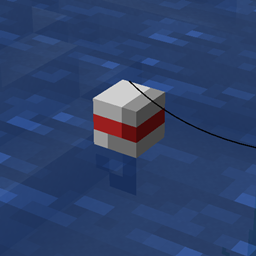
fishing hook bobber 3D
Replaces the 2D fishing hook with a 3D oneInstall

Different Celestisynth Recipes
Alternate Recipes for CelestisynthInstall

Update Edition
Replace Java Edition with the title of your version!Install

Cobblemon 3D Pokenavs
A resourcepack that adds 3D models to the mod's pokenavs: Cobblemon PokenavInstall
Dyes Textures Backport
Ports dye textures from new versionsInstall

Monumenta MMO Resource Pack
The official resource pack for the Monumenta ServerInstall
Windbell
Smooth, and support for more than 40 mods!Install

FA: Player Extension X Better Combat
FA: Player Extension Compat is a resource pack that fixes animation conflicts between Fresh Animations (FA: Player Extension) and the PlayerAnimator mod. Must be placed above Fresh Animations in the resource pack list.Install

Excalibur | Modern World Creation Compat
Compatibility patch between Excalibur resourcepack and Modern World Creation mod.Install
xali's Enhanced Jungle Wood
Immerse yourself in the vibrant world of Minecraft's jungle with Xali's Enhanced Jungle Wood. Experience a complete transformation of textures, bringing the true essence of the wilderness to life.Install

Grimdark Pirate Pack
This combat pack includes Pirate themed armor, weapons and tools inspired by the age of pirates. Grab your cutlass and flintlock while gilding your look with sea-worthy armor trims.Install

Custom Background HD
Change your Minecraft menu background with any image of your choiceInstallFAQ
Do I need Forge or Fabric for a resource pack?
No. A resource pack works on the regular game with no loaders or mods. Click “Install” and Millida Launcher will put the pack into the right modpack — then just enable it in the settings.
What do 16×, 32×, 64× mean?
The resolution of a single texture in pixels. 16× matches the original game, 32× and 64× are more detailed and heavier, and 128× and up put a noticeable load on your graphics card.
Will a pack made for another version work?
Most likely partly: older packs don't have textures for newer blocks, so those will stay default. The game won't break, though.
How is a texture pack different from a resource pack?
Only by name and age. Before version 1.6 the sets were called texture packs and changed only textures; in 1.6 resource packs replaced them and also change sounds, fonts and the interface. Old texture packs for 1.5 and below do not work on new versions without conversion.
Which texture packs are best for PvP?
PvP packs: 16× resolution or lower, shortened swords, low fire, a clear sky and bright particles. They barely load the computer and make the opponent easier to see. These packs are collected in the PvP theme.
How do I install a resource pack?
Press Install and Millida Launcher puts the pack into the resourcepacks folder of the right instance. Then enable it in the game: Options, then Resource Packs. Manually, the archive goes into resourcepacks inside the game folder, no need to unpack it.
Resource packs for Minecraft Java
A resource pack changes how the game looks and sounds: block and item textures, fonts, the interface, sounds. It doesn't touch the game's code, so it needs no mod loader and breaks nothing on a server — the pack only works on your screen. That's exactly why a resource pack is safer than any mod: the worst that happens on a version mismatch is that some textures stay default.
Textures, texture packs and resource packs are essentially the same thing: since version 1.6 Mojang calls these sets resource packs, but the old name is still searched more often. PvP packs are a big genre of their own: shortened swords, low fire, bright particles and 16× resolution or lower, so the opponent stands out and the frame rate does not drop. Such packs are most often made for 1.8.9 and 1.16.5, the versions many PvP servers run on.
The key thing about a pack is its resolution. The game's default textures are 16×16 pixels; 32× and 64× packs look more detailed, while 128× and up need a real graphics card and are usually paired with shaders. On a weak machine it makes sense to stay at 16× or go for packs that deliberately simplify graphics for more FPS. Every pack here lists its game version, author and license, and all released versions are gathered on one card. Put the downloaded archive in the resourcepacks folder and enable it in the game settings.