
Resource packs for Minecraft Java — page 122
Resource packs: list

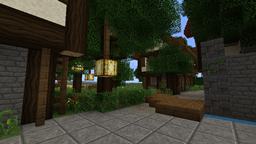

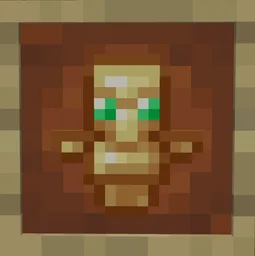
No Totem Pop Particles for Crystal PvP
This resource pack removes all particles when your totem inevitable pops.Install

No Explosion Particles
This Pack removes explosion particles and makes you better at crystal PVPInstall

Os' Amethyst Harvest Indicator
This pack animates the final stage of the amethyst cluster so you know which ones are ripe for the harvest. Unlike other packs that break your immersion by putting an exclamation mark above the block, this adds an aesthetic glint and sparkle animation.Install

LabPBR Emissive Ores [No Optifine required]
Adds emissive ores using LabPBR format.Install

One Piece GUI Pack
Overhauled Minecraft GUI in the theme off One Piece.Install

Extra Flowery GUI
An addon to Overgrown Flowery GUI modernizing your favorite pack and adding more floral effects. Flowers everywhere, hooray!Install
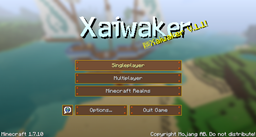
Xaiwaker x32 Swirly Resource Pack
Xaivern's Cartoon MasterpieceInstall
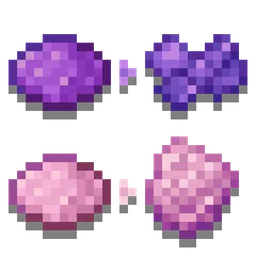
Distinct Dyes
Gives all dyes a different texture, making them easier to tell apart. Works for any version that supports resourcepacks (1.6.1+)! Useful for the colorblind.Install

Better Cats x Fresh Animations
A Fresh Animations Add-on for Better Cats!Install

Embrace Pixels - 16x Default PBR
Enhanced Vanilla Look (no parallax!)Install

Xbox 360 Accuracy Pack
Add-on to Re-Console that adds a lot of parity from Xbox 360 edition!Install
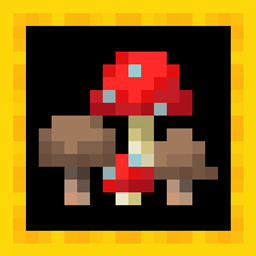
More Fungi
Adds variants for brown and red mushrooms.Install

EpicFight Full Chinese Translation
Complete the missing localization for this mod.Install

Enhanced Side Shield!
Makes the shield appear on the side of your character to make it easier to see.Install
XRay+
XRay+ a simpler and easier XRay packInstall
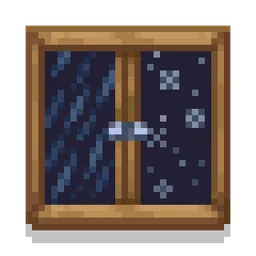
Soft Weather
Makes rain and snow less visually obtrusive.Install

Falling Sakura (1.20 Update)
Single pixel pellets are no more! Cherry leaves now leave custom particles with 20% chance of dropping a cherry flower instead of a petal.Install
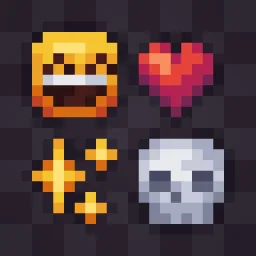
Allure Emoji Pack
Replaces the default Unicode Emojis with minimalistic Pixel Designs!Install
Mekanism Programmer's Art
Brings back the textures from Mekanism 1.19 to 1.20+Install

Silly Punchies!
A "Punchy!" Animation Overhaul Resource Pack!Install

Lantern 3D - Better Lantern
3D Lantern transforms Minecraft’s classic lantern into a beautiful 3D model, adding depth, detail, and realism to your builds!Install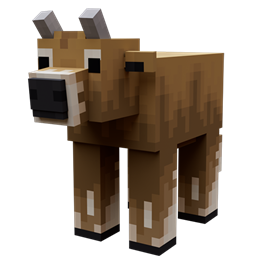
Better Cows
Updates cow models to look more realisticInstall

Confluence PBR
An expansion package added PBR effects to Confluence:Otherworld modInstallFAQ
Do I need Forge or Fabric for a resource pack?
No. A resource pack works on the regular game with no loaders or mods. Click “Install” and Millida Launcher will put the pack into the right modpack — then just enable it in the settings.
What do 16×, 32×, 64× mean?
The resolution of a single texture in pixels. 16× matches the original game, 32× and 64× are more detailed and heavier, and 128× and up put a noticeable load on your graphics card.
Will a pack made for another version work?
Most likely partly: older packs don't have textures for newer blocks, so those will stay default. The game won't break, though.
How is a texture pack different from a resource pack?
Only by name and age. Before version 1.6 the sets were called texture packs and changed only textures; in 1.6 resource packs replaced them and also change sounds, fonts and the interface. Old texture packs for 1.5 and below do not work on new versions without conversion.
Which texture packs are best for PvP?
PvP packs: 16× resolution or lower, shortened swords, low fire, a clear sky and bright particles. They barely load the computer and make the opponent easier to see. These packs are collected in the PvP theme.
How do I install a resource pack?
Press Install and Millida Launcher puts the pack into the resourcepacks folder of the right instance. Then enable it in the game: Options, then Resource Packs. Manually, the archive goes into resourcepacks inside the game folder, no need to unpack it.
Resource packs for Minecraft Java
A resource pack changes how the game looks and sounds: block and item textures, fonts, the interface, sounds. It doesn't touch the game's code, so it needs no mod loader and breaks nothing on a server — the pack only works on your screen. That's exactly why a resource pack is safer than any mod: the worst that happens on a version mismatch is that some textures stay default.
Textures, texture packs and resource packs are essentially the same thing: since version 1.6 Mojang calls these sets resource packs, but the old name is still searched more often. PvP packs are a big genre of their own: shortened swords, low fire, bright particles and 16× resolution or lower, so the opponent stands out and the frame rate does not drop. Such packs are most often made for 1.8.9 and 1.16.5, the versions many PvP servers run on.
The key thing about a pack is its resolution. The game's default textures are 16×16 pixels; 32× and 64× packs look more detailed, while 128× and up need a real graphics card and are usually paired with shaders. On a weak machine it makes sense to stay at 16× or go for packs that deliberately simplify graphics for more FPS. Every pack here lists its game version, author and license, and all released versions are gathered on one card. Put the downloaded archive in the resourcepacks folder and enable it in the game settings.