
Resource packs for Minecraft Java — page 106
Resource packs: list


InfuseSMP Texture Pack
The texture pack for CatAdmirer's Infuse SMP pluginInstall

Better Endermen x Fresh Animations
Makes Better Endermen(my enderman pack) compatible with Fresh AnimationsInstall

Troll Totem of Undying
The Troll Totem resource pack reimagines Minecraft's totem of undying with a troll theme, adding an element of whimsy and playful mischief to the game.Install

Weskerson's Nature
Transform your gameplay with custom 3D flora. Say goodbye to 2D textures and hello to lush, volumetric flowers and fungi!Install

No Z-Fighting
Fixes those annoying flickering glitchesInstall

Space and stars GUI
Spaced themed GUI - full of stars and nebulas.Install

Farcr's Re-Crafted
A small, personal minecraft reinterpretationInstall

Gray's Mob Overhaul x Fresh Animations
A Fresh Animations Add-on for Gray's Mob OverhaulInstall

notandvm's creepers!
unique creeper textures for all biomes ─ return creepers to their former camouflaged glory!Install

Better icons!
The resource pack that replaces the HUD. All icons are made in the style of version 1.14+Install

SpiderFault 16x
The (un)official resource pack for the youtuber SenpaiSpider!Install

Menethis's Zombie Apocalypse Visual Changes
Change textures and models of swords and armors to something more millitary survival likeInstall

Better Spider Remastered (Discontinued)
Enhances The Spider Legs ModelInstall

Too Many Renames
Over 6000 cosmetic items! In vanilla by renaming items in an anvil! Weapons your favorite franchise, placable foods, and custom torches - All name dependent! Additional variants for your world without replacing existing stuff!Install

No Shade + FPS Boost
A clean, bright no-shading resource pack with no mods required.Install
Night Vision (NV)
The Night Vision resource pack gives you full brightness in Minecraft.Install

Elytra Fairy Wings
✨ A whimsical resource pack that transforms Elytra into soft, magical fairy wings! Perfect for fantasy builds, roleplay, cuter elytra, or players who love a little sparkle.Install

Stardewful Plaques
Stardew Valley theme for Advancement Plaques.Install

Simple Fullbright – See in the Dark
Lights caves and night to full brightness so you can see everywhere without torches or potions. Lightweight, client-side, works without OptiFine or Sodium.Install
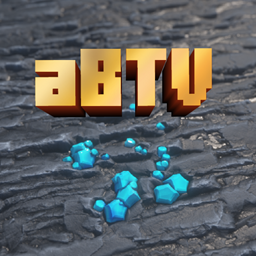
aBTV texture Pack 64px Full 3D POM
Stylized Minecraft Texture Pack. FREEInstall

Candland Cover
turn the Biome'sOPlenty's Flesh realm into CandylandInstall
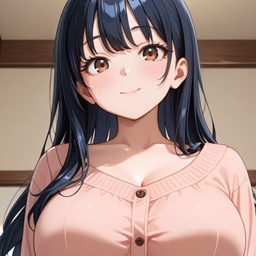
anime waifu Beds #22and21
beds with beautiful anime girlsInstall
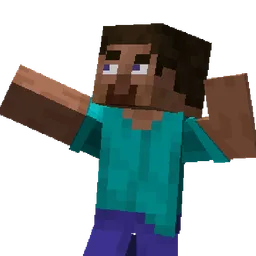
EmoteBend(FreshFace)
Makes Emotecraft bends work and adds face animation from Just Expressions.InstallFAQ
Do I need Forge or Fabric for a resource pack?
No. A resource pack works on the regular game with no loaders or mods. Click “Install” and Millida Launcher will put the pack into the right modpack — then just enable it in the settings.
What do 16×, 32×, 64× mean?
The resolution of a single texture in pixels. 16× matches the original game, 32× and 64× are more detailed and heavier, and 128× and up put a noticeable load on your graphics card.
Will a pack made for another version work?
Most likely partly: older packs don't have textures for newer blocks, so those will stay default. The game won't break, though.
How is a texture pack different from a resource pack?
Only by name and age. Before version 1.6 the sets were called texture packs and changed only textures; in 1.6 resource packs replaced them and also change sounds, fonts and the interface. Old texture packs for 1.5 and below do not work on new versions without conversion.
Which texture packs are best for PvP?
PvP packs: 16× resolution or lower, shortened swords, low fire, a clear sky and bright particles. They barely load the computer and make the opponent easier to see. These packs are collected in the PvP theme.
How do I install a resource pack?
Press Install and Millida Launcher puts the pack into the resourcepacks folder of the right instance. Then enable it in the game: Options, then Resource Packs. Manually, the archive goes into resourcepacks inside the game folder, no need to unpack it.
Resource packs for Minecraft Java
A resource pack changes how the game looks and sounds: block and item textures, fonts, the interface, sounds. It doesn't touch the game's code, so it needs no mod loader and breaks nothing on a server — the pack only works on your screen. That's exactly why a resource pack is safer than any mod: the worst that happens on a version mismatch is that some textures stay default.
Textures, texture packs and resource packs are essentially the same thing: since version 1.6 Mojang calls these sets resource packs, but the old name is still searched more often. PvP packs are a big genre of their own: shortened swords, low fire, bright particles and 16× resolution or lower, so the opponent stands out and the frame rate does not drop. Such packs are most often made for 1.8.9 and 1.16.5, the versions many PvP servers run on.
The key thing about a pack is its resolution. The game's default textures are 16×16 pixels; 32× and 64× packs look more detailed, while 128× and up need a real graphics card and are usually paired with shaders. On a weak machine it makes sense to stay at 16× or go for packs that deliberately simplify graphics for more FPS. Every pack here lists its game version, author and license, and all released versions are gathered on one card. Put the downloaded archive in the resourcepacks folder and enable it in the game settings.