
Resource packs for Minecraft Java — page 107
Resource packs: list



Kiece - Cobblemon Minimap Icons
Nearly complete selection of Pokémon Shuffle's Style icons for Xaero's Minimap for use in CobblemonInstall
Stone Buttons
small texture pack which changes old styled buttons and hotbar textures to 1.14 stone textureInstall

Retro Textures
Minecraft but it feels like alpha!Install
Rethoughted Spawn Eggs
Spawn eggs visual enchancement.Install

Renewed Animal
Changes the appearance of animals that exist in Vanilla.Install

Zelda Totem of Undying
The Zelda Totem resource pack transforms Minecraft's totem of undying into Princess Zelda, introducing the enchanting and regal essence of Hyrule into the game.Install

Black Mesa Transit System
Adds Half Life inspired tracks and trains using Immersive RailroadingInstall

[16p]Jolicraft
[16p] Jolicraft ~ The Wild Update (1.19)Install

RCT Brilliant Diamond and Shining Pearl Skins
skins for the main progession for RCT brilliant diamond and shining pearl: gym leaders, rival, team galactic, champion, elite four, etcInstall

AetherPack x32 For Hypixel Skyblock
AetherPack is the largest x32 texture pack for Hypixel Skyblock with hundreds of textures !Install
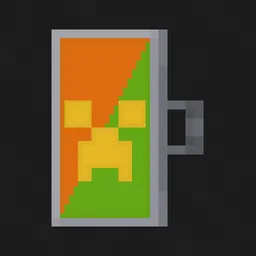
Shield Corrections
It can fix broken shield patterns and lowering shield for youInstall

Icons - Enchantments
Standalone version of Enchantment icons from IconsInstall

False Hardcore Heart
its a fake hardcore texture pack which change the survival heart into Hardcore heart and hardcore heart into survival heart. version support from 1.16 to latestInstall

Glowing Emissive Ores - Fusion
This is an add-on to my Glowing Emissive Ores resource pack which supports over 300 mods, this resource pack adds support for Fusion.Install

prism - original
a clean and vibrant pack to enhance your minecraft experience - now in 1.21!Install

Teyvat Weapon Collection
Adds weapons from Genshin Impact as custom item models into Minecraft. Compatible with Wynncraft.Install
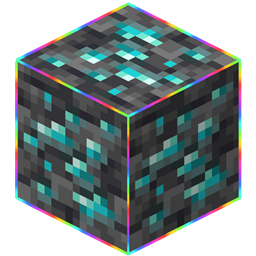
Rainbow Outlines Animation
Rainbow Outlines Block And HitboxInstall
Enchantment Textures Plus
More enchanting books texturesInstall

Clear Glass
Truly clear, borderless glass.Install

Redone Endermans X Fresh Animations
an addon for fresh animations to add endermans redone compatibilityInstall

PvP Essentials
The Essentials to overall Minecraft PvP.Install

Glowing Trim Totem
glowing trim totem just rename the totem , 16 colors with 18 trims, trims on totem version from 1.16 to latestInstall

RPGCraft2k3 1.8.1
Remake of RPG Maker 2k3's textures into Minecraft.InstallFAQ
Do I need Forge or Fabric for a resource pack?
No. A resource pack works on the regular game with no loaders or mods. Click “Install” and Millida Launcher will put the pack into the right modpack — then just enable it in the settings.
What do 16×, 32×, 64× mean?
The resolution of a single texture in pixels. 16× matches the original game, 32× and 64× are more detailed and heavier, and 128× and up put a noticeable load on your graphics card.
Will a pack made for another version work?
Most likely partly: older packs don't have textures for newer blocks, so those will stay default. The game won't break, though.
How is a texture pack different from a resource pack?
Only by name and age. Before version 1.6 the sets were called texture packs and changed only textures; in 1.6 resource packs replaced them and also change sounds, fonts and the interface. Old texture packs for 1.5 and below do not work on new versions without conversion.
Which texture packs are best for PvP?
PvP packs: 16× resolution or lower, shortened swords, low fire, a clear sky and bright particles. They barely load the computer and make the opponent easier to see. These packs are collected in the PvP theme.
How do I install a resource pack?
Press Install and Millida Launcher puts the pack into the resourcepacks folder of the right instance. Then enable it in the game: Options, then Resource Packs. Manually, the archive goes into resourcepacks inside the game folder, no need to unpack it.
Resource packs for Minecraft Java
A resource pack changes how the game looks and sounds: block and item textures, fonts, the interface, sounds. It doesn't touch the game's code, so it needs no mod loader and breaks nothing on a server — the pack only works on your screen. That's exactly why a resource pack is safer than any mod: the worst that happens on a version mismatch is that some textures stay default.
Textures, texture packs and resource packs are essentially the same thing: since version 1.6 Mojang calls these sets resource packs, but the old name is still searched more often. PvP packs are a big genre of their own: shortened swords, low fire, bright particles and 16× resolution or lower, so the opponent stands out and the frame rate does not drop. Such packs are most often made for 1.8.9 and 1.16.5, the versions many PvP servers run on.
The key thing about a pack is its resolution. The game's default textures are 16×16 pixels; 32× and 64× packs look more detailed, while 128× and up need a real graphics card and are usually paired with shaders. On a weak machine it makes sense to stay at 16× or go for packs that deliberately simplify graphics for more FPS. Every pack here lists its game version, author and license, and all released versions are gathered on one card. Put the downloaded archive in the resourcepacks folder and enable it in the game settings.