
Resource packs for Minecraft Java 1.21 — page 8
Resource packs: list


Fresh Skeleton Physics
Give skeletons physics - Now with Fresh Animations!Install

AL's Dungeons Boss Bars
A pack that makes the Boss Bars in the style of Minecraft Dungeons!Install

Assorted Allays x Fresh Animations
For all the Freshly Animated Allays you'll ever need!Install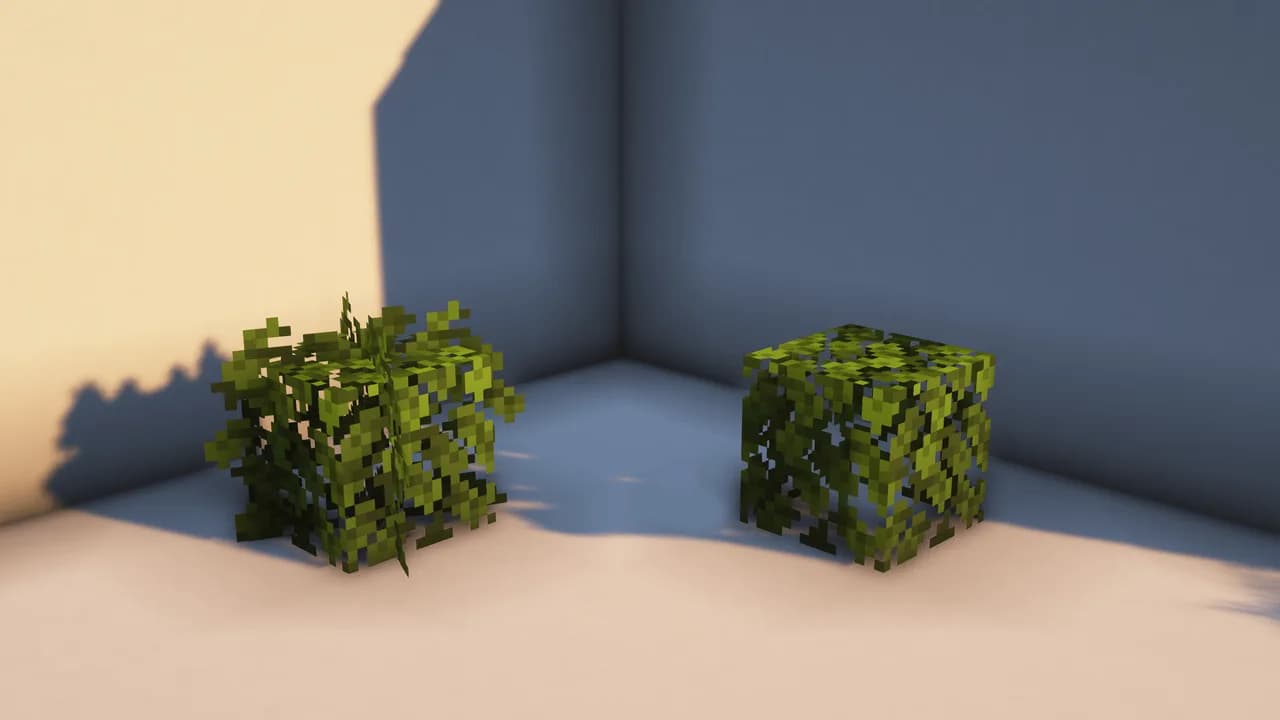

Better Leaves
Adds bushy leaves without any mods. Make trees beautiful again.Install

Created Simple Storage Network
Created Storage Network is an Resource Pack that updates the textures of this incredible mod made by Lothrazar with the textures of another incredible mod by Simibubi.Install

Vulmoons cataclysm remake
Partial texture overhaul of L_ender's cataclysm.Install

Boss Refreshed
Minecraft's Bosses with a Refreshed Take!Install

CPVP Essentials ( Crystal PvP )
This includes a texture pack of Crystal PvP Essentials which will help you raise your tier in CPvP!Install

红石辅助RedstoneAuxiliary
This is a redstone auxiliary material package that assists in displaying the redstone information used without changing the original style 这是一个红石辅助材质包,在不改变原版风格的情况,对用的红石信息进行辅助显示的材质包Install
GregTech Revival 32x
Textures of item, blocks and gui in 32x32 extension for Greg Tech, GregTech, GTInstall

Ray's Better Sugarcane
Ever wanted better, more natural looking Sugarcane, and don't have the time or energy to get create your own textures, well this is your solutionInstall

Fresh Animations: Spiders
Overhauls the design of spiders with Fresh Animations. An official FA extension.Install

AL's Skeletons Revamped x Fresh Animations
A pack that makes AL's Skeletons Revamped compatible with Fresh Animations by Fresh_LX!Install

Xray (Spectator X Ray)
X-Ray is activated by one simple button: F3 + N to effectively go into spectator mode, which is where this pack activates.Install
miles's Enhanced Hud
It's just a texture pack for the hudInstall

(Unofficial) Mandala's GUI - Dark Mode Compatibility Neo
Neoforge version of my Unofficial Custom Mandala's GUI - Dark Mode Mod CompatibilityInstall

looshy
a different take on default... and maybe a few cats here and thereInstall

PVP zegarn+Anime sky
[UPD 1.3.6] Minimalistic PvP resource pack with dark UI, custom sky, clean HUD & crosshair, small fire, and refined visuals (see description)Install

3D Default
A light-weight resource pack mainly provide vanilla-look 3D modelsInstall

Epic Adventures
Epic Adventures is a stylized realistic fantasy themed 32X pack with an emphasis on immersion.Install

Bare Bones x Fresh Animations
A Recource pack that makes Bare Bones compatible with Fresh AnimationsInstall

Teddy Totems
Always have a cute little teddy friend in your off-hand :DInstall

Fresh Flowers and Plants
A Minecraft resource pack that adds 3D plant and flowers models!InstallFAQ
Do I need Forge or Fabric for a resource pack?
No. A resource pack works on the regular game with no loaders or mods. Click “Install” and Millida Launcher will put the pack into the right modpack — then just enable it in the settings.
What do 16×, 32×, 64× mean?
The resolution of a single texture in pixels. 16× matches the original game, 32× and 64× are more detailed and heavier, and 128× and up put a noticeable load on your graphics card.
Will a pack made for another version work?
Most likely partly: older packs don't have textures for newer blocks, so those will stay default. The game won't break, though.
How is a texture pack different from a resource pack?
Only by name and age. Before version 1.6 the sets were called texture packs and changed only textures; in 1.6 resource packs replaced them and also change sounds, fonts and the interface. Old texture packs for 1.5 and below do not work on new versions without conversion.
Which texture packs are best for PvP?
PvP packs: 16× resolution or lower, shortened swords, low fire, a clear sky and bright particles. They barely load the computer and make the opponent easier to see. These packs are collected in the PvP theme.
How do I install a resource pack?
Press Install and Millida Launcher puts the pack into the resourcepacks folder of the right instance. Then enable it in the game: Options, then Resource Packs. Manually, the archive goes into resourcepacks inside the game folder, no need to unpack it.
Resource packs for Minecraft Java 1.21
Resource packs for Minecraft 1.21: 1,674 items in the Resource packs section. Compatibility is checked against the files, not the description: only items with a build for exactly these conditions stay in the list.
The key thing about a pack is its resolution. The game's default textures are 16×16 pixels; 32× and 64× packs look more detailed, while 128× and up need a real graphics card and are usually paired with shaders. On a weak machine it makes sense to stay at 16× or go for packs that deliberately simplify graphics for more FPS. Every pack here lists its game version, author and license, and all released versions are gathered on one card. Put the downloaded archive in the resourcepacks folder and enable it in the game settings.