
Resource packs for Minecraft Java 1.21 — page 18
Resource packs: list


Trailer Player Animations
Make your player look like in the trailers! Dynamic animated player inspired by Fresh Animations resource pack.Install

Drodi's Illagers
Reimagined Illagers with new models, textures, and unique features!Install

Colourful containers Dark Mode GUI
A container GUI replacement mod that hopes to match the menu to every one of Minecraft's colourful interactable blocks.Install

Golden Days Alpha
Golden Days Alpha brings back the iconic Alpha grass foliage color and more! Use this pack on top of Golden Days Base to relive the Alpha experience in Modern Minecraft! Requires enabling the built-in Programmer Art resource pack and Golden Days Base.Install

Natural Texture Pack
Give your worlds a more natural look. A texture pack based on soft colors and lines. A port from Legacy Console Edition.Install

Enchantment Outline
Added a purple outline to enchanted toolsInstall
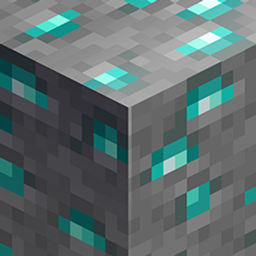
HIDYK's REALM
The best vanilla resource pack? Maybe...Install

Rainbow Block Selection Outline
This texture pack uses core shaders to make the block selection outline Rainbow.Install

PVP SMP Deluxe
PVP Focused Texturepack | Low Fire | Low Shield | Vanilla Like.Install

Glowing Ores! - Borderful Edition
a Resource pack that makes the Ores pop out a little more by giving it a Gradient outline and having support with "Optifine" and "Continuity" Mod! Which grants the Resource pack to glow due to the Emissive properties!Install

Medieval Background Music
Replaces Vanilla Background Music with Medieval MusicInstall

Hardcore Hearts
Add anxiety™️ to every world :) Makes regular worlds have Hardcore Hearts. Available to every version.Install

Croakma-keys
Croakma-keys replaces Froglights with different types of Chroma-key Colors so you can effectively make Green Screens in Minecraft!Install
Bocchi the Rock! Custom GUI Pack
Bocchi the Rock! Custom GUI PackInstall
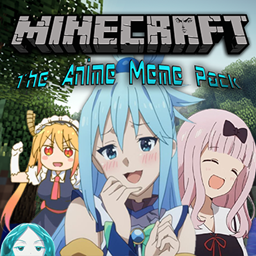
Anime Meme Pack
Texture Pack that fills Minecraft with Anime Memes & ReferencesInstall

Human Era: Villagers & Illagers X Fresh Animations
[ Java Port ] This pack turns villagers into human players with alot of diversity and variants. Also supports Fresh Animations, instructions in descriptionInstall

Amazing Mace 3d
This resource pack Turns 2D texture of mace into 3D..!!Install

Stone To Copper For Jade
makes stone equipment look like copper for people who remove stone for copper in modpacks.Install
BetterVanillaBuilding
The BetterVanillaBuilding pack contains new textures for a large range of default Minecraft blocks and items.Install

Better Quests UI
Makes FTB Quests GUI more Vanilla like.Install

Overlay’s
26.3 × Adds seamless block overlays, blending compatible blocks together for a more natural and detailed world.Install

PvP Scroutopia
A Crystal PvP, Sword PvP and Axe PvP texture pack, which includes low fire, small items and more.Install

Modern Mizuno's
A Mizunos 16x addon, bringing support for versions 1.21+ allowing you to build with the Pale Garden blocks while still using your favorite cottage core resource pack.InstallFAQ
Do I need Forge or Fabric for a resource pack?
No. A resource pack works on the regular game with no loaders or mods. Click “Install” and Millida Launcher will put the pack into the right modpack — then just enable it in the settings.
What do 16×, 32×, 64× mean?
The resolution of a single texture in pixels. 16× matches the original game, 32× and 64× are more detailed and heavier, and 128× and up put a noticeable load on your graphics card.
Will a pack made for another version work?
Most likely partly: older packs don't have textures for newer blocks, so those will stay default. The game won't break, though.
How is a texture pack different from a resource pack?
Only by name and age. Before version 1.6 the sets were called texture packs and changed only textures; in 1.6 resource packs replaced them and also change sounds, fonts and the interface. Old texture packs for 1.5 and below do not work on new versions without conversion.
Which texture packs are best for PvP?
PvP packs: 16× resolution or lower, shortened swords, low fire, a clear sky and bright particles. They barely load the computer and make the opponent easier to see. These packs are collected in the PvP theme.
How do I install a resource pack?
Press Install and Millida Launcher puts the pack into the resourcepacks folder of the right instance. Then enable it in the game: Options, then Resource Packs. Manually, the archive goes into resourcepacks inside the game folder, no need to unpack it.
Resource packs for Minecraft Java 1.21
Resource packs for Minecraft 1.21: 1,674 items in the Resource packs section. Compatibility is checked against the files, not the description: only items with a build for exactly these conditions stay in the list.
The key thing about a pack is its resolution. The game's default textures are 16×16 pixels; 32× and 64× packs look more detailed, while 128× and up need a real graphics card and are usually paired with shaders. On a weak machine it makes sense to stay at 16× or go for packs that deliberately simplify graphics for more FPS. Every pack here lists its game version, author and license, and all released versions are gathered on one card. Put the downloaded archive in the resourcepacks folder and enable it in the game settings.