
Modpacks for Minecraft Java 1.17.1
97 itemsModpacks: list


OptiFabric
Best alternative to OptiFineInstall

Valhelsia: Enhanced Vanilla
Level up and adventure forth into a beautiful yet dangerous world.InstallOn a server
MineColonies Official
Official Modpack by the creators of MineColoniesInstallOn a server

Remarkably Optimized
1.16.5-26.3 | A performance mod pack to save your computer from doubling as a starchy spud with a remarkably optimized collection of mods!Install

OptiFine for Fabric
OptiFine features for Fabric — powered by Fabric optimization and modern Minecraft performance mods. High FPS even on low‑end systems. Shaders! 26.3: Wilderness Bound alpha!InstallOn a server

Optimization
🪽 Maximum performance, eliminates stuttering, and speeds up anything while not breaking vanilla. Sodium, Vulkan, Embeddium and Celeritas.Install

MAX FPS: Optimized
🚀 MAX FPS WITHOUT UNNECESSARY MODS! Only 16 optimization mods - NOTHING EXTRA! ✅ ALL MAJOR VERSIONS ⚡ INSTALLS ON ANY LAUNCHER! (Guide below)InstallOn a server

XPlus PerioTable Modpack (Fabric)
A modpack contains mods that improve the vanilla game experience without changing the game's mechanism.InstallOn a server

Additive
mc26.3 alpha! - A modern, open-source alternative to OptiFine for FabricInstall

Adrenaline
mc26.3 beta! - A lightweight, open-source performance modpack for FabricInstallOn a server
All of Fabric 4 - AOF4
The latest & best of Fabric on 1.17.1. Performance, technology, magic & exploration!InstallOn a server

OptiMobile (Fabric)
A performance ready modpack made more Mobile Java Edition players made using a low end device but ready for power!Install

Thunder
[26.3 available] Boost FPS, reduce lag, speed up load times, and save resources with this modpack! Perfect for low-end computers. No extra mods, just pure performance improvement.Install
Valhelsia: Volatile
A rapidly changing experimental pack with a mixture of technology, magic, exploration and adventure.InstallOn a server
The Vanilla Experience | TVE
🌳 A light custom-coded 26.3 vanilla+ modpack which is interchangeable with an unmodded save.InstallOn a server

SpeedrunPack
All verifiable mods on speedrun.com for modern versions of Minecraft.InstallOn a server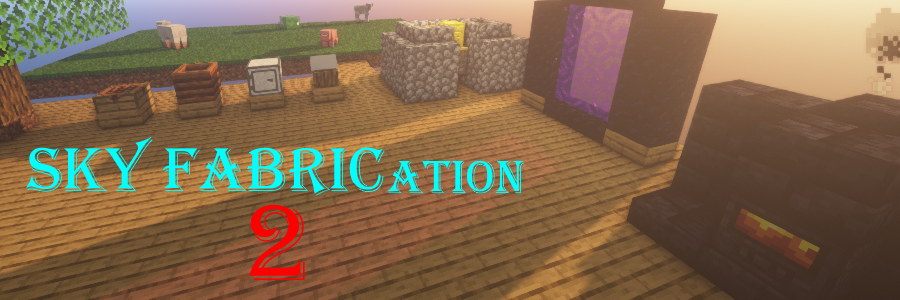
Sky FABRICation 2
A Fabric based Skyblock Modpack with focus on multiple tech agesInstallOn a server
Euphoric Curiosity
Modpack with 200 mods | Magic | Technology | Custom Races |InstallOn a server

Shader +
Everything you need to run shadersInstallOn a server

Arcomua Cloth
A client-side Fabric modpack for smoother vanilla gameplay, OptiFine-style visual features, and practical QoL tools.Install
RKW Furniture Modpack
A modpack combining Tech Reborn with additional building blocks and lightsInstallOn a server
Sodium Chloride
Basically big FPS Mod PackInstallOn a server

Simply Optimized Reloaded
An unofficial port of Simply Optimized built to support every major mod loader and stay current with the newest versions of Minecraft.InstallOn a serverFAQ
How is a modpack different from a bunch of mods?
A modpack is already a tuned set: mod versions are matched to each other, configs are set up, and recipes and progression are tied together. Mods downloaded one by one you'll have to make work together yourself.
How do I install a modpack?
Click “Install” and Millida Launcher will download the modpack and the right Java for you and create a separate profile for it. No need to install the mods or loader separately.
How much memory should I allocate?
Light performance modpacks run on 4 GB, mid-sized ones on 6 GB, and big tech-and-magic ones need 8 GB or more. You can change memory in the Millida Launcher profile settings; the exact figure is usually in the modpack description.
Which modpack should I pick to play with friends?
Turn on the With a friend filter under What for to keep modpacks made for playing together: co-op survival, Create, adventures with shared progression. The modpack version must match for every player and the server.
Are there modpacks with quests in my language?
Modpacks with a quest book and a story are in the With quests theme. The quest language depends on the author: most packs ship in English, and other languages are usually added by a separate translation mod — check the modpack description.
Will a modpack run on a low-end PC?
A light one will. The For low-end PCs filter keeps modpacks with a small mod list and performance mods, and 4 GB of memory is enough for them. Big tech-magic modpacks need 6–8 GB and lag on a weak machine even if they start.
How do I run a modpack on my own server?
A modpack page has an On a server button: it installs the modpack on a Millida Hosting server and switches the core to match, and a copy of the old world is kept in backups. Players then install the same modpack in Millida Launcher and join the server address.
Modpacks for Minecraft Java 1.17.1
Modpacks for Minecraft 1.17.1: 97 items in the Modpacks section. Compatibility is checked against the files, not the description: only items with a build for exactly these conditions stay in the list.
Each modpack here is one page with every released version. The card shows which game version and loader it's built for, how big the archive is and who the author is. Modpacks aren't installed like individual mods: click “Install” and Millida Launcher downloads all the modpack's mods, the right loader and Java, and creates a separate profile for it without touching your others. Mind the memory requirements: heavy tech-and-magic modpacks need six gigabytes or more and simply won't start on the default two.