
Resource packs for Minecraft Java — page 97
Resource packs: list


Fairy Wings Elytra
Fly high with this fluttering opalescent fairy wings elytra reskin! 💖🧚Install

Beefier Bovine x Fresh Animations
Makes Beefier Bovine(my cow pack) compatible with Fresh AnimationsInstall

Modernity Extra (Unofficial)
Extra textures for Modernity resource packInstall

New Emissive Ores
1.17 minerals are now emissive / Los minerales de la 1.17 ahora son emisivasInstall

Nitro | PVP Pack [8x]
Elegant 8x PVP Pack, FPS Boost & Beautiful.Install

CrossAttack
You dont find the crosshairs odd? This resource pack fixes this problem by making crosshair attacks better!Install
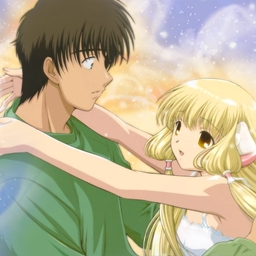
Chobits GUI Pack
Overhauled Minecraft GUI in the theme off Chobits.Install

Glowing 3D Tools
Overhauled 3D tools! 3D Models for all tools items, including misc items like the brush, fishing rod, and carrot on a stick!Install
Minecraft Ten Font
This resourcepack changes Symbols, Latin and Cyrillic characters to look something like Minecraft Ten fontInstall

Bibliophilia | Enchanted Books
Unique textures for every enchanted book with tons of supported mods!Install

Hardcore Hearts for survival mode
You will have the hardcore hearts in normal modesInstall

Roguecraft Resource Pack
The official resource pack for RoguecraftInstall

COVEN [64x-512x] [No Optifine]
HD resource pack in a fantasy semi-realistic style!Install

Ventura (Discontinued)
A bright and simplistic reimagining of the default Minecraft experience.Install

Alphaish
Alphaish is meant to retexture old and new blocks to resemble the classic style of minecraft. the texture pack is not meant be 100% accurate.Install

Crystal PvP + Anime Sky
This PvP/CPvP resource pack replaces the model textures, sounds, GUI, inventory, and sky with a Anime theme.Install

Butterfly Elytra - Better Wings
The Butterfly Elytra resource pack redefines Minecraft's Elytra wings by adopting the delicate and colorful appearance of butterfly wings.Install

Vibrant Fog
Custom sky and fog colors across all biomes for a more atmospheric, vanilla-friendly experienceInstall

Aurin's ShinobiCraft Eyes
Enhanced AHZNB's ShinobiCraft Eyes (and some addons eyes too)...Install

Simplecraft x16
A Simpler and softer look for minecraftInstall

Simple Lower Grass Sides
Gives grass and similar blocks longer sides!Install
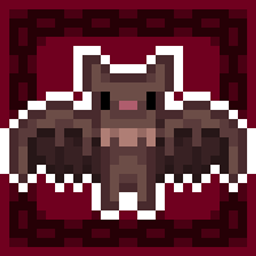
Better BATS
Bats are now pixel consistent and a lot better... and cute btwInstall

Piglin-Chan
Have you ever looked at a Piglin and went "Hey... that kinda looks like an anime girl's face?" Me too.InstallFAQ
Do I need Forge or Fabric for a resource pack?
No. A resource pack works on the regular game with no loaders or mods. Click “Install” and Millida Launcher will put the pack into the right modpack — then just enable it in the settings.
What do 16×, 32×, 64× mean?
The resolution of a single texture in pixels. 16× matches the original game, 32× and 64× are more detailed and heavier, and 128× and up put a noticeable load on your graphics card.
Will a pack made for another version work?
Most likely partly: older packs don't have textures for newer blocks, so those will stay default. The game won't break, though.
How is a texture pack different from a resource pack?
Only by name and age. Before version 1.6 the sets were called texture packs and changed only textures; in 1.6 resource packs replaced them and also change sounds, fonts and the interface. Old texture packs for 1.5 and below do not work on new versions without conversion.
Which texture packs are best for PvP?
PvP packs: 16× resolution or lower, shortened swords, low fire, a clear sky and bright particles. They barely load the computer and make the opponent easier to see. These packs are collected in the PvP theme.
How do I install a resource pack?
Press Install and Millida Launcher puts the pack into the resourcepacks folder of the right instance. Then enable it in the game: Options, then Resource Packs. Manually, the archive goes into resourcepacks inside the game folder, no need to unpack it.
Resource packs for Minecraft Java
A resource pack changes how the game looks and sounds: block and item textures, fonts, the interface, sounds. It doesn't touch the game's code, so it needs no mod loader and breaks nothing on a server — the pack only works on your screen. That's exactly why a resource pack is safer than any mod: the worst that happens on a version mismatch is that some textures stay default.
Textures, texture packs and resource packs are essentially the same thing: since version 1.6 Mojang calls these sets resource packs, but the old name is still searched more often. PvP packs are a big genre of their own: shortened swords, low fire, bright particles and 16× resolution or lower, so the opponent stands out and the frame rate does not drop. Such packs are most often made for 1.8.9 and 1.16.5, the versions many PvP servers run on.
The key thing about a pack is its resolution. The game's default textures are 16×16 pixels; 32× and 64× packs look more detailed, while 128× and up need a real graphics card and are usually paired with shaders. On a weak machine it makes sense to stay at 16× or go for packs that deliberately simplify graphics for more FPS. Every pack here lists its game version, author and license, and all released versions are gathered on one card. Put the downloaded archive in the resourcepacks folder and enable it in the game settings.