
Resource packs for Minecraft Java — page 72
Resource packs: list


Feywild Redux
A 16x16 texture pack for the FeyWild and FeyData ModInstall

Hardcore Quest Mode - Farming Theme (Day)
This changes the book from the HQM mod, into being Farming themed, with a tractor in day-time.Install

Better Tridents
Changes the appearance of the tridents.Install

Marvelouscraft 64x
A smooth, but detailed pack, close to defaultInstall

Farming Valley - GUI
This resource pack changes the GUI of vanilla Minecraft and some mods, into being themed around Stardew Valley for the modpack Farming ValleyInstall
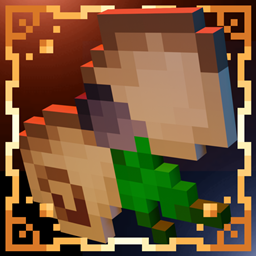
Superior Scrolls
Replaces books with scrolls!Install
Better Botanicals: Vegetation
Acorns, Lush Leaves, 3D Crops, and so much more!Install

Ore4J
Bringing the style of Minecraft: Bedrock Edition's Ore UI into Legacy4JInstall

Karmorakcraft
friendly-realistic, bit medieval, x64 MixpackInstall

Default Dark Mode: Legacy4J
A resource pack that gives Legacy4J & Other Legacy4J-related Mods the Default Dark Mode style. Requires the version of Legacy4J that is compatible.Install

Draconic Evolution 16x Textures
16X Draconic Evolution TextureInstall

Blue's Better Chickens
Updates chicken models to look more realistic ━ Now compatible with Fabric!Install
Brush Up!
Improvements and tweaks to certain textures in order to give the game a more consistent art style!Install

The Doctor x32 Whovian Resource Pack
The Doctor x32 Whovian Resource PackInstall
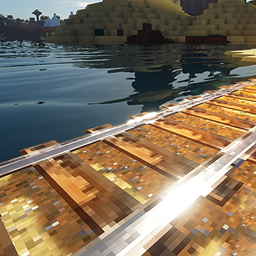
FAITHFUL 3D [shader support]
All minecraft awesomeness collected in one texture packInstall

Excalibur | Chipped Support
This is an unofficial WIP compatibility pack to make the textures in Chipped mod blend together with the incredible Excalibur texture packInstall

Mahi's Connected Grass (No OptiFine Needed) Bedrock Support!
Mahi's Connected Grass - Enhance the visual appeal of grass with connected textures for a more immersive experience.Install
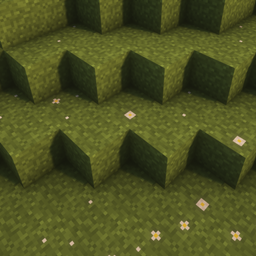
Better Grass - With Flowers
Connected Grass textures with some flowersInstall

Faithful PBR 512x
Faithful PBR shader support with 512x normals and specular - Now with LabPBR and POM!Install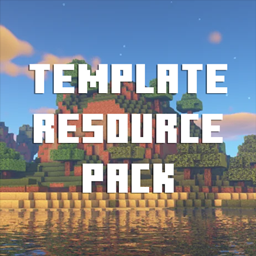
Template Resource Pack
Default textures for resource pack makers.Install

Marbled's Weather2 Retextured
A resource pack that retextures and modernizes the Weather2 textures.Install

RCT Trainer Animation
Resource pack for Radical Cobblemon Trainer, make trainers compat with Fresh Moves (Eye animations are supported), there are 74 different skins currently.Install

Stellarity Resource Pack
Resource pack for Stellarity. Contains textures for all of its items, plus some other improvements for added immersion.InstallFAQ
Do I need Forge or Fabric for a resource pack?
No. A resource pack works on the regular game with no loaders or mods. Click “Install” and Millida Launcher will put the pack into the right modpack — then just enable it in the settings.
What do 16×, 32×, 64× mean?
The resolution of a single texture in pixels. 16× matches the original game, 32× and 64× are more detailed and heavier, and 128× and up put a noticeable load on your graphics card.
Will a pack made for another version work?
Most likely partly: older packs don't have textures for newer blocks, so those will stay default. The game won't break, though.
How is a texture pack different from a resource pack?
Only by name and age. Before version 1.6 the sets were called texture packs and changed only textures; in 1.6 resource packs replaced them and also change sounds, fonts and the interface. Old texture packs for 1.5 and below do not work on new versions without conversion.
Which texture packs are best for PvP?
PvP packs: 16× resolution or lower, shortened swords, low fire, a clear sky and bright particles. They barely load the computer and make the opponent easier to see. These packs are collected in the PvP theme.
How do I install a resource pack?
Press Install and Millida Launcher puts the pack into the resourcepacks folder of the right instance. Then enable it in the game: Options, then Resource Packs. Manually, the archive goes into resourcepacks inside the game folder, no need to unpack it.
Resource packs for Minecraft Java
A resource pack changes how the game looks and sounds: block and item textures, fonts, the interface, sounds. It doesn't touch the game's code, so it needs no mod loader and breaks nothing on a server — the pack only works on your screen. That's exactly why a resource pack is safer than any mod: the worst that happens on a version mismatch is that some textures stay default.
Textures, texture packs and resource packs are essentially the same thing: since version 1.6 Mojang calls these sets resource packs, but the old name is still searched more often. PvP packs are a big genre of their own: shortened swords, low fire, bright particles and 16× resolution or lower, so the opponent stands out and the frame rate does not drop. Such packs are most often made for 1.8.9 and 1.16.5, the versions many PvP servers run on.
The key thing about a pack is its resolution. The game's default textures are 16×16 pixels; 32× and 64× packs look more detailed, while 128× and up need a real graphics card and are usually paired with shaders. On a weak machine it makes sense to stay at 16× or go for packs that deliberately simplify graphics for more FPS. Every pack here lists its game version, author and license, and all released versions are gathered on one card. Put the downloaded archive in the resourcepacks folder and enable it in the game settings.