
Resource packs for Minecraft Java — page 25
Resource packs: list

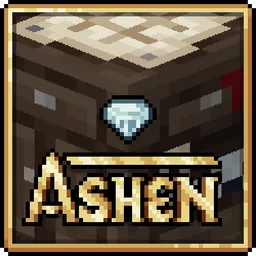

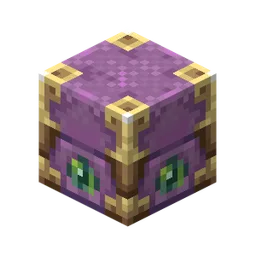
Elysia Presents: Lootr
My take on Lootr's textures!Install
Ashen + Advanced Netherite Support
A small, 16x pack adding rudimentary compatibility between Ashen 16x and Advanced NetheriteInstall

Fractured Moon
Replaces the moon with a fractured version.Install

Excalibur | Traveler's Backpack Support
Excalibur Support for Traveler's Backpack ModInstall
STONEBORN - EXTENDED
Mod support for STONEBORN!Install

Reimagined
A Reimagined Vision of MinecraftInstall
Ashen + Eating Animation Support
A small, 16x pack adding compatibility between Ashen 16x and Eating AnimationInstall

defrosted
a clean and defrosted look for minecraft! also available in pink :DInstall
Origins EnvironmentZ Dehydration Patch
Environmental Immunity for OriginsInstall
Twilight Forest: JAPPA Pack (official addon)
A more current look for Twilight Forest!Install

Prime's HD Textures FREE [32x]
Minecraft's vanilla textures faithfully re-imagined in full HD with complete PBR support.Install

Bushier Bushes
Minecraft resource pack to make the all the bush variants a bit "bushier"!Install
Create Style Tom's Simple Storage
Tom's Simple Storage blocks and items remade in Create's aesthetics.Install
Better Fullbright
Adds Fullbright for Vanilla, Optifine, and Sodium. For version 1.20.X and 1.21.XInstall

AL's Zombies Revamped
A pack that revamps Zombies and adds more variants!Install

Repurposed Structures - Incubation Compat Datapack
Chicken coops in RS villages!!!Install

Glow Up - Emissive Ores
Adds emissive texture support for various modsInstall

The Pixelmon OST
The Pixelmon Mod OST by Chris GeddesInstall

Visible Ores
Uses glowing borders to make ores easier to spotInstall

More Cave Sounds
Diversifies the already existing cave sounds by adding even more cave soundsInstall

Stardew Valley Theme for Jade
Stardew Valley UI ThemeInstall
Rainbow Legendaries [CI]
Cosmetic rainbow legend outline addon for Cobblemon Icons map resource pack.Install
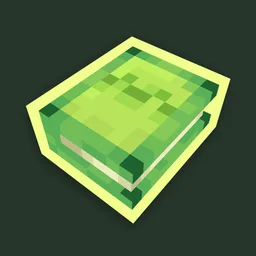
Bray & Cyber's Better, Fresher 3D Books
A collaboration pack between Bray and Cyber to make 3D book models for all enchanted book variations!InstallFAQ
Do I need Forge or Fabric for a resource pack?
No. A resource pack works on the regular game with no loaders or mods. Click “Install” and Millida Launcher will put the pack into the right modpack — then just enable it in the settings.
What do 16×, 32×, 64× mean?
The resolution of a single texture in pixels. 16× matches the original game, 32× and 64× are more detailed and heavier, and 128× and up put a noticeable load on your graphics card.
Will a pack made for another version work?
Most likely partly: older packs don't have textures for newer blocks, so those will stay default. The game won't break, though.
How is a texture pack different from a resource pack?
Only by name and age. Before version 1.6 the sets were called texture packs and changed only textures; in 1.6 resource packs replaced them and also change sounds, fonts and the interface. Old texture packs for 1.5 and below do not work on new versions without conversion.
Which texture packs are best for PvP?
PvP packs: 16× resolution or lower, shortened swords, low fire, a clear sky and bright particles. They barely load the computer and make the opponent easier to see. These packs are collected in the PvP theme.
How do I install a resource pack?
Press Install and Millida Launcher puts the pack into the resourcepacks folder of the right instance. Then enable it in the game: Options, then Resource Packs. Manually, the archive goes into resourcepacks inside the game folder, no need to unpack it.
Resource packs for Minecraft Java
A resource pack changes how the game looks and sounds: block and item textures, fonts, the interface, sounds. It doesn't touch the game's code, so it needs no mod loader and breaks nothing on a server — the pack only works on your screen. That's exactly why a resource pack is safer than any mod: the worst that happens on a version mismatch is that some textures stay default.
Textures, texture packs and resource packs are essentially the same thing: since version 1.6 Mojang calls these sets resource packs, but the old name is still searched more often. PvP packs are a big genre of their own: shortened swords, low fire, bright particles and 16× resolution or lower, so the opponent stands out and the frame rate does not drop. Such packs are most often made for 1.8.9 and 1.16.5, the versions many PvP servers run on.
The key thing about a pack is its resolution. The game's default textures are 16×16 pixels; 32× and 64× packs look more detailed, while 128× and up need a real graphics card and are usually paired with shaders. On a weak machine it makes sense to stay at 16× or go for packs that deliberately simplify graphics for more FPS. Every pack here lists its game version, author and license, and all released versions are gathered on one card. Put the downloaded archive in the resourcepacks folder and enable it in the game settings.