
Resource packs for Minecraft Java — page 134
Resource packs: list


The Doggos
Many breeds for dogsInstall

Lord Trilobite's Norsecraft
Viking RusticInstall

Linear Pipes - Pretty pipes / fluid addon resourcepack
Change model of pretty pipes pipes and pretty pipes fluid like mekanism cablesInstall
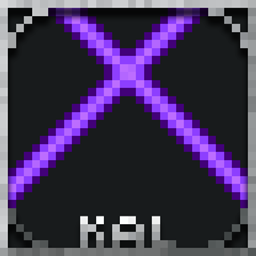
Kal's Grimdark Enchantment Glints
7 Serene Enchantment Glints by KalamonInstall

XingLuo AE2 1.21 GUIExpansion
XingLuo_AE2_1.21_GUIExpansion - Revamped 1.21.1 interface textures with holographic ME terminals and industrial-flux animations, faithfully recreating Applied Energistics 2's signature tech aesthetic while optimizing for modern versions.Install

Muskets 3D Wild West for Ewewkek's
This texture pack changes 2D muskets to 3D muskets wild westInstall
Fresh Particles
Make the particles even more vanillaInstall

Create Immersive Aircrafts
Retextures Immersive Aircrafts to work better with CreateInstall

Medieval Paintings
Replaces Vanilla Paintings with Medieval OnesInstall

Ghast Girl
Changes the ghast to a female angel.Install
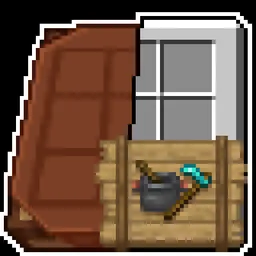
Immersive Interfaces - Farmer's Delight
This texture pack adds special compatibility with Farmer's Delight, integrating its grooves into the aesthetics of Immersive Interfaces.Install

Coterie Craft ArchBloom
A retro-styled RPG pack that aims to accommodate retro styled textures to a whole new level.Install

Undopia 3D Doors
Gives the Doors and the Trapdoors a 3 dimensional model and custom side texturesInstall

sharpless pvp
Smooth, clean, boosted vanilla vibes. Better visibility, better gameplay, zero clutter and perfect for pvp. Grab it and dominate your fightsInstall
Proper X-Ray
Proper X-Ray is a Minecraft texture/resource pack that gives you the ability to find ores, mob spawners, and abandoned mineshafts.Install
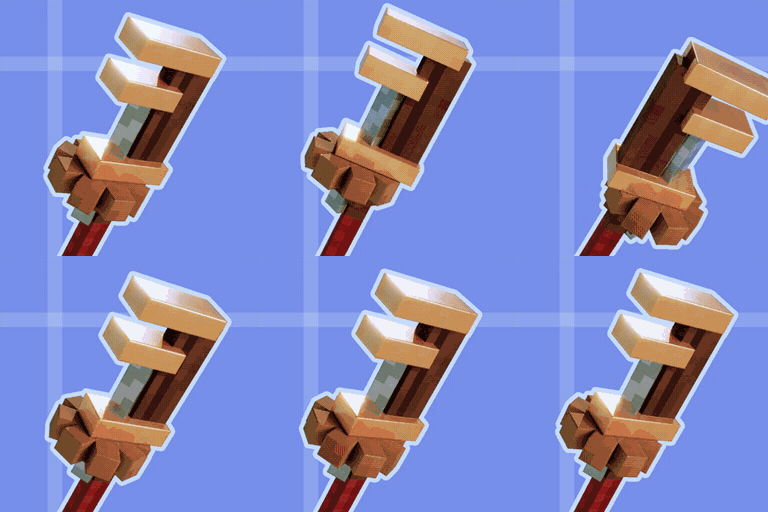
Create Ultra
Shiny PBR textures for your machinery!Install

Scape And Run Parasites | Dynamic Sounds
Adds A Echo To The Parasite SoundsInstall

Compatibility Patch for Faithful64x & FreshAnimations
Allows the usage of Fresh Animations with Faithful64xInstall
Underground Bunkers x SCP-106 Compat
Adds SCP-106 from SCP Overtime to Underground Bunkers' special containment units!Install

AsaThorr's PvP Resource pack
My WIP PvP resource pack, with short swords, better crystals and totems, visual knockback on swords, and more!Install

Fresh Moon Phases
Gives the Moon texture a new fresh look. Improving the Sky! Rounder! The Full Cycle: New Moon, Waxing Crescent, First Quarter, Waxing Gibbous, Full Moon, Waning Gibbous, Third Quarter, and Waning Crescent!! Made using real moon images.Install

PresenceFootsteps: Remastered Sounds Pack
An official resource pack port of Presence Footsteps mod, Brings realistic footsteps sounds into Minecraft!Install

Shader Panorama of 1.21.11: Mounts of Mayhem
A clean and optimized shader panorama inspired by Minecraft 1.21.11 Mounts of Mayhem.InstallFAQ
Do I need Forge or Fabric for a resource pack?
No. A resource pack works on the regular game with no loaders or mods. Click “Install” and Millida Launcher will put the pack into the right modpack — then just enable it in the settings.
What do 16×, 32×, 64× mean?
The resolution of a single texture in pixels. 16× matches the original game, 32× and 64× are more detailed and heavier, and 128× and up put a noticeable load on your graphics card.
Will a pack made for another version work?
Most likely partly: older packs don't have textures for newer blocks, so those will stay default. The game won't break, though.
How is a texture pack different from a resource pack?
Only by name and age. Before version 1.6 the sets were called texture packs and changed only textures; in 1.6 resource packs replaced them and also change sounds, fonts and the interface. Old texture packs for 1.5 and below do not work on new versions without conversion.
Which texture packs are best for PvP?
PvP packs: 16× resolution or lower, shortened swords, low fire, a clear sky and bright particles. They barely load the computer and make the opponent easier to see. These packs are collected in the PvP theme.
How do I install a resource pack?
Press Install and Millida Launcher puts the pack into the resourcepacks folder of the right instance. Then enable it in the game: Options, then Resource Packs. Manually, the archive goes into resourcepacks inside the game folder, no need to unpack it.
Resource packs for Minecraft Java
A resource pack changes how the game looks and sounds: block and item textures, fonts, the interface, sounds. It doesn't touch the game's code, so it needs no mod loader and breaks nothing on a server — the pack only works on your screen. That's exactly why a resource pack is safer than any mod: the worst that happens on a version mismatch is that some textures stay default.
Textures, texture packs and resource packs are essentially the same thing: since version 1.6 Mojang calls these sets resource packs, but the old name is still searched more often. PvP packs are a big genre of their own: shortened swords, low fire, bright particles and 16× resolution or lower, so the opponent stands out and the frame rate does not drop. Such packs are most often made for 1.8.9 and 1.16.5, the versions many PvP servers run on.
The key thing about a pack is its resolution. The game's default textures are 16×16 pixels; 32× and 64× packs look more detailed, while 128× and up need a real graphics card and are usually paired with shaders. On a weak machine it makes sense to stay at 16× or go for packs that deliberately simplify graphics for more FPS. Every pack here lists its game version, author and license, and all released versions are gathered on one card. Put the downloaded archive in the resourcepacks folder and enable it in the game settings.