
Resource packs for Minecraft Java — page 104
Resource packs: list


[HMI] HOLD MY ACTIONS!
HOLD MY ACTIONS!, A HMI REANIMATION Replace HMI example pack with this oneInstall
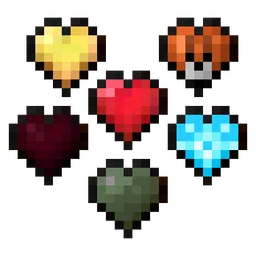
Fresh Hearts - Health Bar
Improves the health bar heart textures: Hardcore, Absorption, Poison, Wither, Freezing, Mount and Damage Retextured. HUD Hotbar!Install
Sky Villages - Let's Do Candlelight Compat
Compatibility between Sky Villages and Let's Do Candlelight!Install
R3D CRAFT Shader Support 512x
Normal, specular and occlusion maps for R3D CRAFTInstall
Cobblemon Hold My Pokéballs
Make your pokeballs look good with the Hold My Items Mod!Install

ChicknTurtle's Better Shield
No more shield covering half of your screen!Install

That Time I Got Reincarnated as a Slime GUI Pack
Overhauled Minecraft GUI in the theme off That Time I Got Reincarnated as a Slime.Install

Binyas Shield Fix
shields block less of your screenInstall

Torturable Healthbars, but with FA
TH but with Fresh's Animations, now you can have injured mobs walking around in a cool wayInstall
Saturated
A Resource Pack for Minecraft that makes the game look slightly more vibrant!Install

Creeper girl
Creeper is a shy girl.Install
Nerf's Fancy Cursor
Fancy golden cursors made for the Minecraft Cursor mod.Install
Dew Menu Music
Replaces the Minecraft title screen music with a custom track, “Dew Main Menu,” composed by Altynay/cupcakeiris. Lightweight resource pack; no gameplay changes; modpack-friendly.Install

Smooth Full HD Font
Advanced HD Font for Minecraft 1.16+!Install

Mo's Vibrancy Pack [1.18+]
This resource pack aims to make the game look more vibrant through brighter grass and water colours, with the world around it reflecting that.Install

Eugene's Iron Knight Armor
Cartoon-style iron knight armor, make it medieval while keeping it vanilla.Install

Fresh Umbrella Villagers
Give villagers umbrellas! - Now with Fresh Animations!Install

Clear Fog / Transparent Fog
Removes/Reduces Fogs from Lava, PowderSnow, Blindness and Darkness.Install

Hellim's Xaero's Maps Mob Icons
Its add the Missing mobs and Modded mobs Icons to Xaero's Maps.Install

BCG Loot
A critical loot table pack for BigChadGuys Plus (Non Cobblemon)Install

Cleaner Armour Armor Bar
Removes the Empty Armor Containers from the HUD, for a cleaner GUI. 'Absorption Hearts inspired'. HUD Hotbar!Install
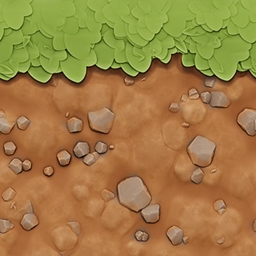
Pastello
The cutest stylized texture pack with full shader support!Install
wynncraft better grass
make Wynncraft grass thicker :3InstallFAQ
Do I need Forge or Fabric for a resource pack?
No. A resource pack works on the regular game with no loaders or mods. Click “Install” and Millida Launcher will put the pack into the right modpack — then just enable it in the settings.
What do 16×, 32×, 64× mean?
The resolution of a single texture in pixels. 16× matches the original game, 32× and 64× are more detailed and heavier, and 128× and up put a noticeable load on your graphics card.
Will a pack made for another version work?
Most likely partly: older packs don't have textures for newer blocks, so those will stay default. The game won't break, though.
How is a texture pack different from a resource pack?
Only by name and age. Before version 1.6 the sets were called texture packs and changed only textures; in 1.6 resource packs replaced them and also change sounds, fonts and the interface. Old texture packs for 1.5 and below do not work on new versions without conversion.
Which texture packs are best for PvP?
PvP packs: 16× resolution or lower, shortened swords, low fire, a clear sky and bright particles. They barely load the computer and make the opponent easier to see. These packs are collected in the PvP theme.
How do I install a resource pack?
Press Install and Millida Launcher puts the pack into the resourcepacks folder of the right instance. Then enable it in the game: Options, then Resource Packs. Manually, the archive goes into resourcepacks inside the game folder, no need to unpack it.
Resource packs for Minecraft Java
A resource pack changes how the game looks and sounds: block and item textures, fonts, the interface, sounds. It doesn't touch the game's code, so it needs no mod loader and breaks nothing on a server — the pack only works on your screen. That's exactly why a resource pack is safer than any mod: the worst that happens on a version mismatch is that some textures stay default.
Textures, texture packs and resource packs are essentially the same thing: since version 1.6 Mojang calls these sets resource packs, but the old name is still searched more often. PvP packs are a big genre of their own: shortened swords, low fire, bright particles and 16× resolution or lower, so the opponent stands out and the frame rate does not drop. Such packs are most often made for 1.8.9 and 1.16.5, the versions many PvP servers run on.
The key thing about a pack is its resolution. The game's default textures are 16×16 pixels; 32× and 64× packs look more detailed, while 128× and up need a real graphics card and are usually paired with shaders. On a weak machine it makes sense to stay at 16× or go for packs that deliberately simplify graphics for more FPS. Every pack here lists its game version, author and license, and all released versions are gathered on one card. Put the downloaded archive in the resourcepacks folder and enable it in the game settings.