
Resource packs for Minecraft Java 1.21 — page 65
Resource packs: list



Clouds Pack - Relaunched
A texture pack that brings the sky to life with realistic clouds and a 3D sun and moon.Install

Visible Powdered Snow
Makes powdered snow more visible, while keeping it pretty.Install

Iron Girl
Change the iron golem for a female warrior.Install

Mizuno's x Crate Delight
A Recource pack that makes Mizuno's Craft compatible with Crate DelightInstall
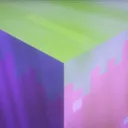
Enchanted Bare Bones
Introduces smooth animations and glowing emissive effects to items, adding magic while preserving the minimalist look of Bare Bones.Install

3D Pack
3D Pack – Transform Minecraft with 3D Blocks and Mobs!Install

UltimaCraft Enchantments
Adds unique look for each enchanted book, tool, armor and weaponInstall

Mod Descriptions
An add-on for Item Descriptions that adds additional descriptions for over 200 mods.Install

masa Mod Translation
masa/sakura系列模组的简体中文汉化翻译。 Translation for masa/sakura's mod to Simplified Chinese(zh_cn). MaLiLib, Litematica, MiniHUD, Tweakeroo, Item Scroller, Litematica Printer, Syncmatica and so on.Install
Ched's Realism CTM
A CTM resource pack required to make Ched's Realism Mod Properly WorkInstall

Boy Kisser
Changes the appearance of the wolves to that of the boy kisserInstall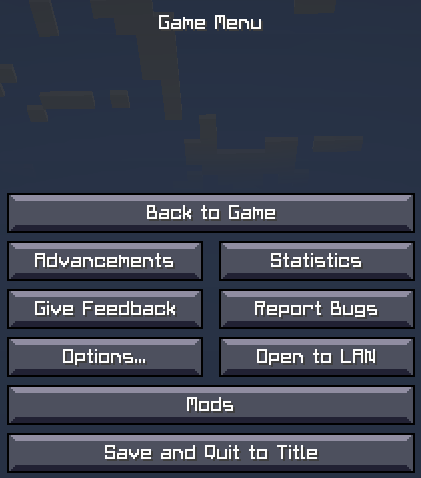
CRIF Custom Font
Custom font used in all version of CRIF modpacksInstall

Angel Totem of Undying
Angel Totem customizes the Totem of Undying in Minecraft with a design inspired by angelic symbols, adding a serene and protective theme to the game.Install

Original Music Songpack (For Reactive Music)
The Original Minecraft Music, as a songpack for the Reactive Music mod.Install
Fusion 3D Items
Replaces many item textures with 3D modelsInstall

Destiny 128x
A modern themed realistic texture pack that comes in 4 different resolutions, all the way up to 1024x.Install
Mandala's GUI - Add-Ons
Resource Pack for All Mandala's GUI Texture PackInstall

Bare Bones x Fresh Animations: Objects
FA: Objects compatible with Bare Bones !Install

That Time I Got Reincarnated as a Slime Custom GUI Pack
That Time I Got Reincarnated as a Slime Custom GUI PackInstall
ThaiFontFix
Make Thai fonts easier to readInstall

Stellarity Music Addon
Stellarity addon which adds ambient loops and music to The End.Install
Eclectic Sounds
Adds, replaces, and tweaks audio. Supports Vanilla unused sound events. Why mute game sounds, if you can just improve them?! Vast mod compatibility.Install

Christmas mobs
Gives nearly every mob a Santa hat and other christmas decoration!InstallFAQ
Do I need Forge or Fabric for a resource pack?
No. A resource pack works on the regular game with no loaders or mods. Click “Install” and Millida Launcher will put the pack into the right modpack — then just enable it in the settings.
What do 16×, 32×, 64× mean?
The resolution of a single texture in pixels. 16× matches the original game, 32× and 64× are more detailed and heavier, and 128× and up put a noticeable load on your graphics card.
Will a pack made for another version work?
Most likely partly: older packs don't have textures for newer blocks, so those will stay default. The game won't break, though.
How is a texture pack different from a resource pack?
Only by name and age. Before version 1.6 the sets were called texture packs and changed only textures; in 1.6 resource packs replaced them and also change sounds, fonts and the interface. Old texture packs for 1.5 and below do not work on new versions without conversion.
Which texture packs are best for PvP?
PvP packs: 16× resolution or lower, shortened swords, low fire, a clear sky and bright particles. They barely load the computer and make the opponent easier to see. These packs are collected in the PvP theme.
How do I install a resource pack?
Press Install and Millida Launcher puts the pack into the resourcepacks folder of the right instance. Then enable it in the game: Options, then Resource Packs. Manually, the archive goes into resourcepacks inside the game folder, no need to unpack it.
Resource packs for Minecraft Java 1.21
Resource packs for Minecraft 1.21: 1,674 items in the Resource packs section. Compatibility is checked against the files, not the description: only items with a build for exactly these conditions stay in the list.
The key thing about a pack is its resolution. The game's default textures are 16×16 pixels; 32× and 64× packs look more detailed, while 128× and up need a real graphics card and are usually paired with shaders. On a weak machine it makes sense to stay at 16× or go for packs that deliberately simplify graphics for more FPS. Every pack here lists its game version, author and license, and all released versions are gathered on one card. Put the downloaded archive in the resourcepacks folder and enable it in the game settings.