
Resource packs for Minecraft Java 1.21 — page 59
Resource packs: list



Farming Life in Another World GUI Pack
Overhauled Minecraft GUI in the theme off Farming Life in Another World.Install
Mob Spawn Light Level Detector
Display Light Levels in Minecraft to Track Monster Spawning Areas...Install

Analog Horror Minecraft Music
Filters and down-sampling, plus some vinyl crackle, added to Minecraft's music for a creepy Analog Horror feel.Install

Mandala's GUI - Dark mode Advancement Plaques Compat
A simple texture pack adding the style of "Mandala's GUI - Dark mode" to the mod "Advancement Plaques"Install

Unofficial Mizuno's
A Resource pack for Mizuno's16 1.21Install
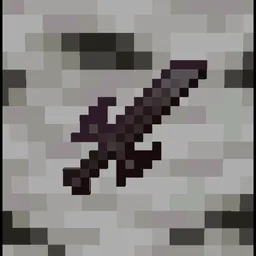
Action Stuff Tools (batrider's Better Tools)
Vanilla like textures for Tools. From 1.0 Action And StuffInstall

HUD Reimagined
HUD Re-Displayed!Install

Fallen PvP
A Purple Themed PvP TexturepackInstall

WynnEdits - Dark Theme (Wynncraft)
WynnEdits Dark Theme is a dark reskin of the Wynncraft resource pack.Install

Better nether
A better visualisation of nether: no fog, better roots, fungs and more!Install

Realism Mats
The most realistic texture pack for Minecraft Java Edition 1.12 / 1.16 / 1.17 / 1.18 / 1.19 / 1.20 / 1.21Install

Guillque's Enhanced Goat Horn
A Vanilla-friendly custom texture for goat hornInstall

Loading Backgrounds - Pixelmon
Bring Pixelmon to your loading screens with Pokémon and mod structures. Perfect for any Pixelmon-based modpack.Install
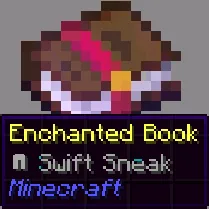
Enchant Icons Colorless
makes enchantment names have icons for enchanted books and items, enchanting, enchantsInstall

Dungeons Hotbar
Changes hotbar to be like in Minecraft: Dungeons.Install

Blocky 3D Rails
3D models to replace the paper-thin rails.Install

Particles Remastered!
Remasters all of the available particles in minecraft that can be customized! Such as Sword swings, campfire smokes, Souls floating away and much more!Install

Arifureta: From Commonplace to World's Strongest GUI Pack
Overhauled Minecraft GUI in the theme off Arifureta: From Commonplace to World's Strongest.Install

Create: Legacy Copper Continued
Replaces vanilla copper with textures that match the Create mod's Legacy Copper style.Install
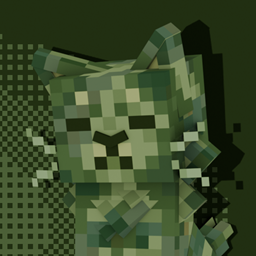
Cat Creepers
Cat Style Creepers!Install

Actually 3D Flowers & Plants
A Vanilla friendly resourcepack, which makes certain Flowers & Foliage in Minecraft more detailed and actually 3D! (3D Plants, 3D Sugar Cane, 3D Pumpkins, 3D Crops, 3D Bushes, 3D Mushrooms, 3D Fungi, 3D Grass, 3D Dead Bush, etc...)Install

Netherite & Ancient Debris Lava Mining
A ressource pack that changes gravel, blackstone, magma block and nether ore textures to netherrack to mine easily netherite/ancient debris in lava.Install

IShowSpeed Totem (My mom is kinda homeless)
Now you can use Ishowspeed (doing the my mom is kinda homeless face) as your own totemInstallFAQ
Do I need Forge or Fabric for a resource pack?
No. A resource pack works on the regular game with no loaders or mods. Click “Install” and Millida Launcher will put the pack into the right modpack — then just enable it in the settings.
What do 16×, 32×, 64× mean?
The resolution of a single texture in pixels. 16× matches the original game, 32× and 64× are more detailed and heavier, and 128× and up put a noticeable load on your graphics card.
Will a pack made for another version work?
Most likely partly: older packs don't have textures for newer blocks, so those will stay default. The game won't break, though.
How is a texture pack different from a resource pack?
Only by name and age. Before version 1.6 the sets were called texture packs and changed only textures; in 1.6 resource packs replaced them and also change sounds, fonts and the interface. Old texture packs for 1.5 and below do not work on new versions without conversion.
Which texture packs are best for PvP?
PvP packs: 16× resolution or lower, shortened swords, low fire, a clear sky and bright particles. They barely load the computer and make the opponent easier to see. These packs are collected in the PvP theme.
How do I install a resource pack?
Press Install and Millida Launcher puts the pack into the resourcepacks folder of the right instance. Then enable it in the game: Options, then Resource Packs. Manually, the archive goes into resourcepacks inside the game folder, no need to unpack it.
Resource packs for Minecraft Java 1.21
Resource packs for Minecraft 1.21: 1,674 items in the Resource packs section. Compatibility is checked against the files, not the description: only items with a build for exactly these conditions stay in the list.
The key thing about a pack is its resolution. The game's default textures are 16×16 pixels; 32× and 64× packs look more detailed, while 128× and up need a real graphics card and are usually paired with shaders. On a weak machine it makes sense to stay at 16× or go for packs that deliberately simplify graphics for more FPS. Every pack here lists its game version, author and license, and all released versions are gathered on one card. Put the downloaded archive in the resourcepacks folder and enable it in the game settings.