
Resource packs for Minecraft Java 1.13 — page 8
Resource packs: list


Pack 3D - Heycronus
3D Pack – Transform Minecraft with 3D Blocks and Mobs!Install

Rainbow XP Bar
Rainbow XP Progress Bar is a vibrant texture pack designed to make your Minecraft XP bar more visually appealing with a stunning RGB (rainbow) effect.Install

totem da capoeira
Totem of Immortality doing capoeira.Install
xali's Enhanced Biome River & Pond
This pack aim to enhance water biome and environment with custom textures. Most of the change are small with huge impact on the appearance on the bodies of water. Currently you can find, koi, frog, seagrass, cattails, algae with some more small additionInstall
Small Shield & Totem
Best shield and totem resource pack on the internetsInstall
No Particles Essential
A ResouecePack that prevents any type of particle from being renderedInstall
actually correct new default texture backport
there are many packs that port 1.14 textures back but i'm the one who gets all of themInstall

Glowing ESP
Clean glow effect. Looks like ESP/WallhacksInstall

Butterfly Elytra - Better Wings
The Butterfly Elytra resource pack redefines Minecraft's Elytra wings by adopting the delicate and colorful appearance of butterfly wings.Install

Default HD 64x
The classic Minecraft experience but in amazing 64x HD!Install
Horror Ambience Music (For Reactive Music)
Replaces all of minecraft's music with Dark atmospheric soundscapes (Specifically for reactive modInstall

Eternal Hearts 64x
Texture Pack Based On Kingdom HeartsInstall

Better 3D Craft
Better 3D Craft texture adds diverse 3D block and item models to your gameInstall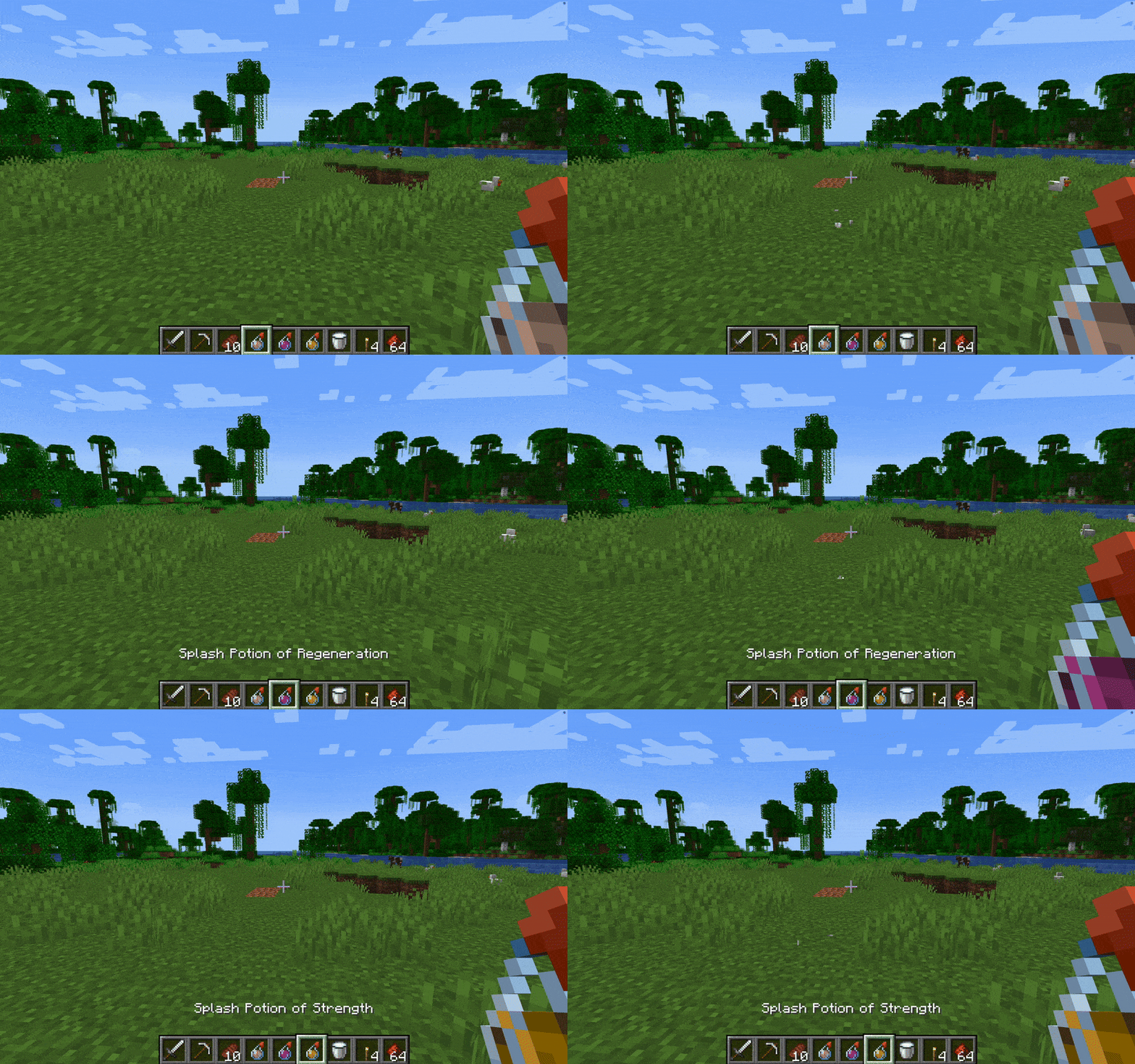

Without Potion Particles - Enhanced Visual Clarity
Without Potion Particles enhances Minecraft by removing the visual effects of potion particles, promoting a cleaner interface and helping to improve game performance on lower-end devices.Install

Better Sheep
Updates sheep models to look more realisticInstall

Small Totem Pop Animation
Makes the Totem Pop Animation not take up your whole screen!Install
xali's Enchanted Books - Addon
Fan made extension to xali's enchanted booksInstall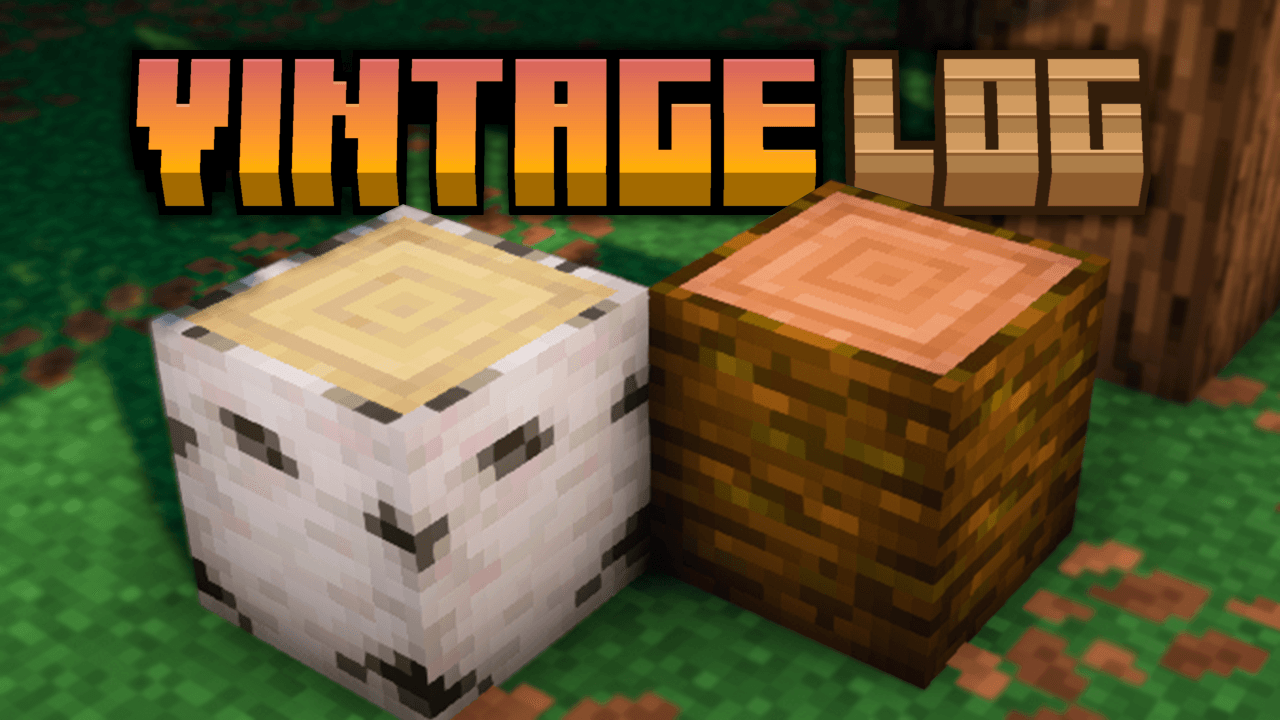
Vintage Logs
Adds darker side borders and soft shading to all Minecraft logs, giving them a more rustic, aged, and vanilla-friendly look.Install

Pet Dragons
Turns wolves into tameable dragons.Install

ChicknTurtle's 3D Totems
Makes totems 3D without taking away the vanilla look!Install

ChicknTurtle's Better Shield
No more shield covering half of your screen!Install

Eugene's Cooler Bosses
Dude, you don't look like a boss to me...Install

Eugene's Iron Knight Armor
Cartoon-style iron knight armor, make it medieval while keeping it vanilla.InstallFAQ
Do I need Forge or Fabric for a resource pack?
No. A resource pack works on the regular game with no loaders or mods. Click “Install” and Millida Launcher will put the pack into the right modpack — then just enable it in the settings.
What do 16×, 32×, 64× mean?
The resolution of a single texture in pixels. 16× matches the original game, 32× and 64× are more detailed and heavier, and 128× and up put a noticeable load on your graphics card.
Will a pack made for another version work?
Most likely partly: older packs don't have textures for newer blocks, so those will stay default. The game won't break, though.
How is a texture pack different from a resource pack?
Only by name and age. Before version 1.6 the sets were called texture packs and changed only textures; in 1.6 resource packs replaced them and also change sounds, fonts and the interface. Old texture packs for 1.5 and below do not work on new versions without conversion.
Which texture packs are best for PvP?
PvP packs: 16× resolution or lower, shortened swords, low fire, a clear sky and bright particles. They barely load the computer and make the opponent easier to see. These packs are collected in the PvP theme.
How do I install a resource pack?
Press Install and Millida Launcher puts the pack into the resourcepacks folder of the right instance. Then enable it in the game: Options, then Resource Packs. Manually, the archive goes into resourcepacks inside the game folder, no need to unpack it.
Resource packs for Minecraft Java 1.13
Resource packs for Minecraft 1.13: 389 items in the Resource packs section. Compatibility is checked against the files, not the description: only items with a build for exactly these conditions stay in the list.
The key thing about a pack is its resolution. The game's default textures are 16×16 pixels; 32× and 64× packs look more detailed, while 128× and up need a real graphics card and are usually paired with shaders. On a weak machine it makes sense to stay at 16× or go for packs that deliberately simplify graphics for more FPS. Every pack here lists its game version, author and license, and all released versions are gathered on one card. Put the downloaded archive in the resourcepacks folder and enable it in the game settings.