
Resource packs for Minecraft Java — page 58
Resource packs: list


Traben's 3D Arrow models [16x]
Makes shot arrows look just like their item sprites. Works with all 16x resourcepacks. Requires EMF or OptiFine.Install

(ModelFix) Epic Fight X JujutsuCraft
FIxes the models of some armour and weapons from JujutsuCraft when in combat with Epic FightInstall

Quark Vanilla Resource Overrides
A removed feature from Quark now on VanillaInstall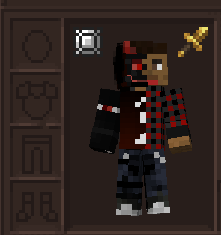
Apothic Attributes Excalibur
A texture pack that adds Excalibur-style textures to Apothic Attributes.Install
Monsterley HD Universal
High-resolution, semi-realistic,shader support and many optional features. Try it.Install

Iron Furnaces framed
Changes upgraded furnaces to be framed instead.Install

Torturable Healthbars
Instead of a health bar above the entity, health is shown as visual injuries on the mobInstall

URBAN 128x|256x|512x|1024x
Gives minecraft a realistic/aesthetic look with PBR textures and 3D models..Install

Subtle Font Tweaks
This subtle Minecraft font pack makes lowercase letters smaller and rounder and centers capitalized letters. They are minor changes with a fresh new feel.Install

Drodi's Villagers x Fresh Animations
Torn between Drodi’s Villagers and Fresh Animations? You’ve come to the right place!Install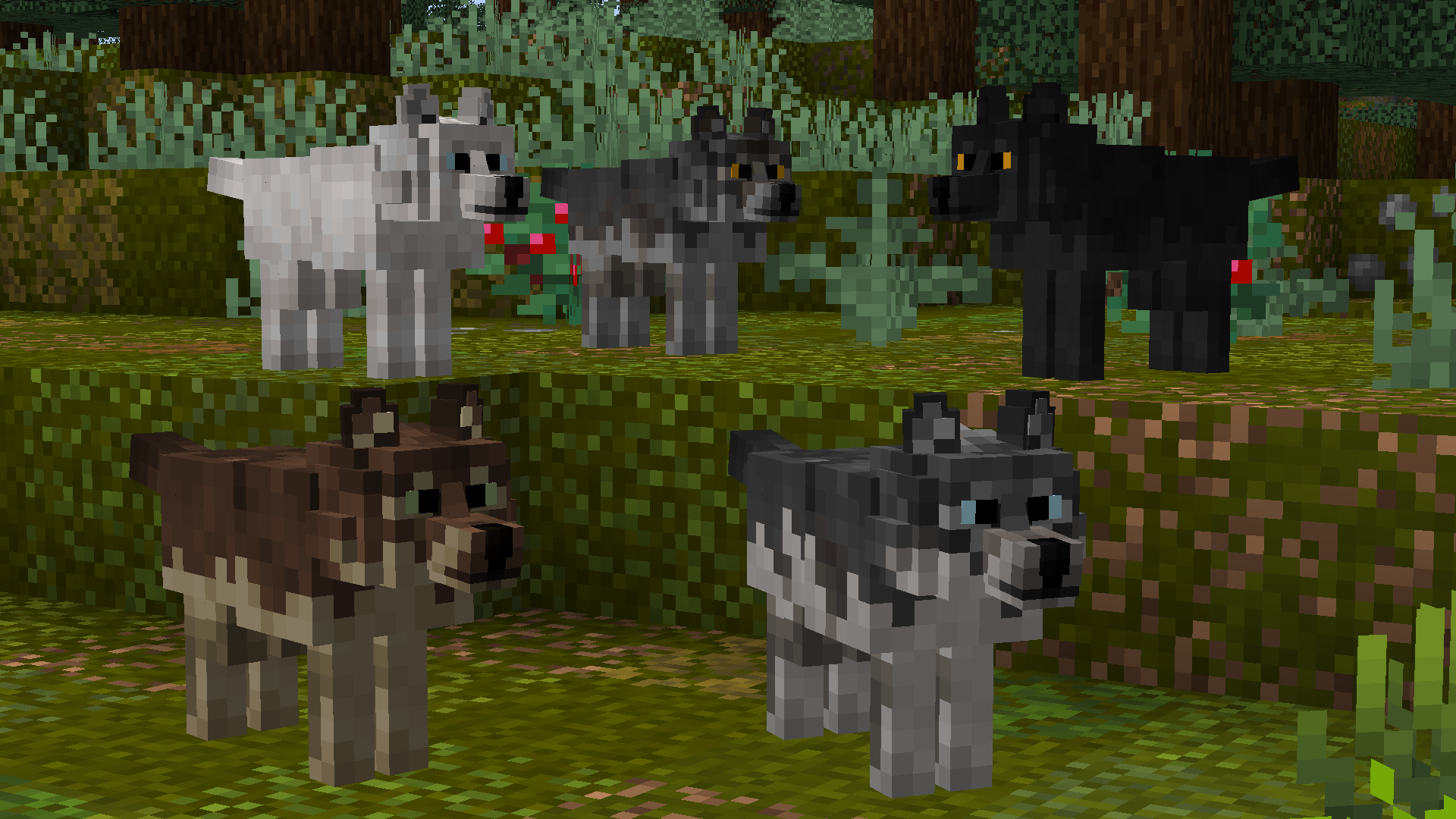
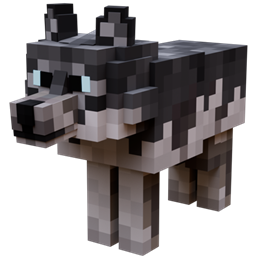
Better Wolves
Updates wolf models to look more realistic ━ Now compatible with Fabric!Install

Vignette Removed
Removes the vignette effect that darkens the corners or edges of the screen. (Includes red world border tint!)Install

SimonKraft
SimonKraft completely transforms the look of Minecraft to make it feel more simple, yet also more alive. Inspired by Studio Ghibli and old anime aesthetic it aims to make your world feel cozy, bright and dream-like.Install

Super Mario Mash-up
Super Mario meets Minecraft! A port from Legacy Console Edition.Install

SHC Enhanced Fire
Make the fire looks betterInstall
That Time I Got Reincarnated as a Slime Custom GUI Pack
That Time I Got Reincarnated as a Slime Custom GUI PackInstall

Guns Without Roses 3D
Adds models to Guns Without Roses mod.Install

Player Utilities
Various tweaks around player interactionInstall

Whimscape Leaves Add-on
Bushy leaves add-on for WhimscapeInstall

Steampunk UI
Spice up your game with this steampunk look.Install

Mizuno Better Leaves
Better Leaves for Mizuno Craft without any mods.Install

Knight'sArmory32X32
Epic-Knight and its addons mods all in 32x, Realistic & Historical.Install
Nellik's GUIs
High Quality GUI ReplacementsInstallFAQ
Do I need Forge or Fabric for a resource pack?
No. A resource pack works on the regular game with no loaders or mods. Click “Install” and Millida Launcher will put the pack into the right modpack — then just enable it in the settings.
What do 16×, 32×, 64× mean?
The resolution of a single texture in pixels. 16× matches the original game, 32× and 64× are more detailed and heavier, and 128× and up put a noticeable load on your graphics card.
Will a pack made for another version work?
Most likely partly: older packs don't have textures for newer blocks, so those will stay default. The game won't break, though.
How is a texture pack different from a resource pack?
Only by name and age. Before version 1.6 the sets were called texture packs and changed only textures; in 1.6 resource packs replaced them and also change sounds, fonts and the interface. Old texture packs for 1.5 and below do not work on new versions without conversion.
Which texture packs are best for PvP?
PvP packs: 16× resolution or lower, shortened swords, low fire, a clear sky and bright particles. They barely load the computer and make the opponent easier to see. These packs are collected in the PvP theme.
How do I install a resource pack?
Press Install and Millida Launcher puts the pack into the resourcepacks folder of the right instance. Then enable it in the game: Options, then Resource Packs. Manually, the archive goes into resourcepacks inside the game folder, no need to unpack it.
Resource packs for Minecraft Java
A resource pack changes how the game looks and sounds: block and item textures, fonts, the interface, sounds. It doesn't touch the game's code, so it needs no mod loader and breaks nothing on a server — the pack only works on your screen. That's exactly why a resource pack is safer than any mod: the worst that happens on a version mismatch is that some textures stay default.
Textures, texture packs and resource packs are essentially the same thing: since version 1.6 Mojang calls these sets resource packs, but the old name is still searched more often. PvP packs are a big genre of their own: shortened swords, low fire, bright particles and 16× resolution or lower, so the opponent stands out and the frame rate does not drop. Such packs are most often made for 1.8.9 and 1.16.5, the versions many PvP servers run on.
The key thing about a pack is its resolution. The game's default textures are 16×16 pixels; 32× and 64× packs look more detailed, while 128× and up need a real graphics card and are usually paired with shaders. On a weak machine it makes sense to stay at 16× or go for packs that deliberately simplify graphics for more FPS. Every pack here lists its game version, author and license, and all released versions are gathered on one card. Put the downloaded archive in the resourcepacks folder and enable it in the game settings.