
Resource packs for Minecraft Java — page 36
Resource packs: list


Anti Xray
This is a simple resource pack which tries to prevent xray texture packs in 1.15+ when used as a server resource pack.Install

Reanimated Blue
Realistic physics-like animations that let you feel the impact of every interaction with mobs | Reanimated from the ground up.Install
No Block Break Particles
A simple resource pack that aims to remove all the block breaking particles in all versions it can without causing issues with the game.Install
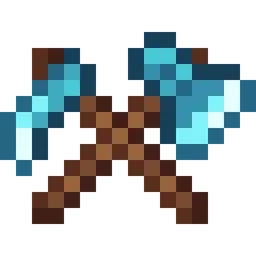
Fresh Weapons & Tools
Fresh vanilla-style weapons and tools with unique details for different materialsInstall

Better BetterX
This pack replaces a few BetterX textures with ones that feel more in line with other mods/vanilla. This pack is still useable in 1.20.1Install

Just 3D Potions (Punchy!)
Fancy 3D potions! Compatible with Punchy!Install
Iteratively Engineered
Resprite of Immersive Engineering for 1.20.1 to look more up to date.Install
STONEBORN - Dragon Survival
Compatibility pack for dragon lovers and medieval style appreciatorsInstall

Squareful
SquarePattern Renaming to Squareful URL not changed SquarePattern: More square texture. Remove the ambiguity of a large number of arc pixels in the vanilla version.Including GUI no longer has rounded corners.Install

Charm Woodcutter Bewitchment/Plus
Adds the trees from Bewitchment and Bewitchment Plus to the Charm woodcutterInstall

Glowing Ores
Standard MC ores with glowing effectInstall

TFC HardRock - [items]
Resource Pack prepared for modpack TerraFirmaCraft HardRock [1.18.2] - [items]Install

Shelviety
Unifies regular and chiseled bookshelves, and adds variations to regular bookshelves.Install
Neko's Enhanced Tools and Armor (NETA)
Better tool and armour textures!Install
Rent-A-Girlfriend Custom GUI Pack
This is a GUI packed themed towards the show "Kanojo, Okarishimasu" or otherwise known as "Rent-A-Girlfriend". Don't hesitate to comment down below , I have even changed hot bar as well hope you enjoy.Install

Even Better Enchants
Unique textures for each enchant!Install

Spyglass to camera + rangefinde
A resource pack that replaces a regular telescope with a video camera and adds new functionalityInstall

Faithless
Faithful to vanilla, yet a complete overhaul! - Building, Redstone, Survival, PvP... All in one.Install

Alex Caves - Legendary Tremorzilla skin
Black And Blue TremorzillaInstall

Clear Lava and Water
This texture pack deletes lava and water overlay (you will see everything in lava and water clearly). Now works with Sodium!Install
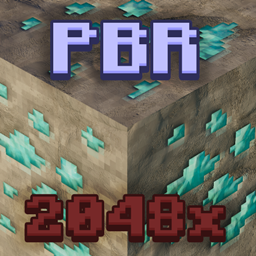
Faithful PBR 2048x
Faithful PBR with POM and 2K normal & specular maps for shaders - Now with LabPBR support!Install

Doggy Talents Next 16x16 texture pack
makes the 64x64 textures 16x16Install
Integrated Dungeons and Structures- Alex's Mobs Integration
The Alex's Mobs Integration Datapack for Integrated Dungeons and StructuresInstallFAQ
Do I need Forge or Fabric for a resource pack?
No. A resource pack works on the regular game with no loaders or mods. Click “Install” and Millida Launcher will put the pack into the right modpack — then just enable it in the settings.
What do 16×, 32×, 64× mean?
The resolution of a single texture in pixels. 16× matches the original game, 32× and 64× are more detailed and heavier, and 128× and up put a noticeable load on your graphics card.
Will a pack made for another version work?
Most likely partly: older packs don't have textures for newer blocks, so those will stay default. The game won't break, though.
How is a texture pack different from a resource pack?
Only by name and age. Before version 1.6 the sets were called texture packs and changed only textures; in 1.6 resource packs replaced them and also change sounds, fonts and the interface. Old texture packs for 1.5 and below do not work on new versions without conversion.
Which texture packs are best for PvP?
PvP packs: 16× resolution or lower, shortened swords, low fire, a clear sky and bright particles. They barely load the computer and make the opponent easier to see. These packs are collected in the PvP theme.
How do I install a resource pack?
Press Install and Millida Launcher puts the pack into the resourcepacks folder of the right instance. Then enable it in the game: Options, then Resource Packs. Manually, the archive goes into resourcepacks inside the game folder, no need to unpack it.
Resource packs for Minecraft Java
A resource pack changes how the game looks and sounds: block and item textures, fonts, the interface, sounds. It doesn't touch the game's code, so it needs no mod loader and breaks nothing on a server — the pack only works on your screen. That's exactly why a resource pack is safer than any mod: the worst that happens on a version mismatch is that some textures stay default.
Textures, texture packs and resource packs are essentially the same thing: since version 1.6 Mojang calls these sets resource packs, but the old name is still searched more often. PvP packs are a big genre of their own: shortened swords, low fire, bright particles and 16× resolution or lower, so the opponent stands out and the frame rate does not drop. Such packs are most often made for 1.8.9 and 1.16.5, the versions many PvP servers run on.
The key thing about a pack is its resolution. The game's default textures are 16×16 pixels; 32× and 64× packs look more detailed, while 128× and up need a real graphics card and are usually paired with shaders. On a weak machine it makes sense to stay at 16× or go for packs that deliberately simplify graphics for more FPS. Every pack here lists its game version, author and license, and all released versions are gathered on one card. Put the downloaded archive in the resourcepacks folder and enable it in the game settings.