
Resource packs for Minecraft Java — page 18
Resource packs: list


Stormbit298's Improved Jujutsucraft
General improvements to Jujutsu Craft by Orca.Install

PvP Crosshair
The one and only crosshair to PvP with, available on all versions!Install

Repottery
Repottery gives new life to pots in Minecraft.Install

Enchantment Glows
Adds a glowing visual effect to enchanted toolsInstall

Our Story: FTB Quest & Mod Theme
Modern FTB Mods UI from the Our Story collection. Clean design, custom icons, multilingual support.Install

FancyFast Bushy Leaves
Bushy leaves designed with performance in mind, especially for mid-range and lower-end PCs.Install

Fancy Beds
Changes the beds to be more fancy and cute!Install
Charm - Promenade Compat Datapack
Adds woodcutter recipes for PromenadeInstall
Integrated Stronghold- End Remastered Integration
The End Remastered Integration Datapack for Integrated StrongholdInstall

Charm Woodcutter BYG
Adds the trees from Oh The Biomes You'll Go to the Charm woodcutterInstall

Ponderer - 思索者
Ponderer is an in-game Ponder authoring tool for players and modpack creators. You can build, edit, and iterate tutorial scenes directly in Minecraft without leaving the game or writing scripts first.Install

Create Guns
The Create mod aesthetic on MrCrayfish's Gun modInstall

Dungeons Crit Sound
Replaces the Critical Hit sound with the one from Minecraft Dungeons.Install
Better X-Ray ( xray )
[1.13-1.19] A better and light xray resourcepackInstall

Glass Bottom Boat [32x]
Faithful Version of Xeadas' Glass-Bottom Boats resource pack.Install

Create: New Age Retexture
New Create like textures for Create: New Age mod by antarcticgardens team.Install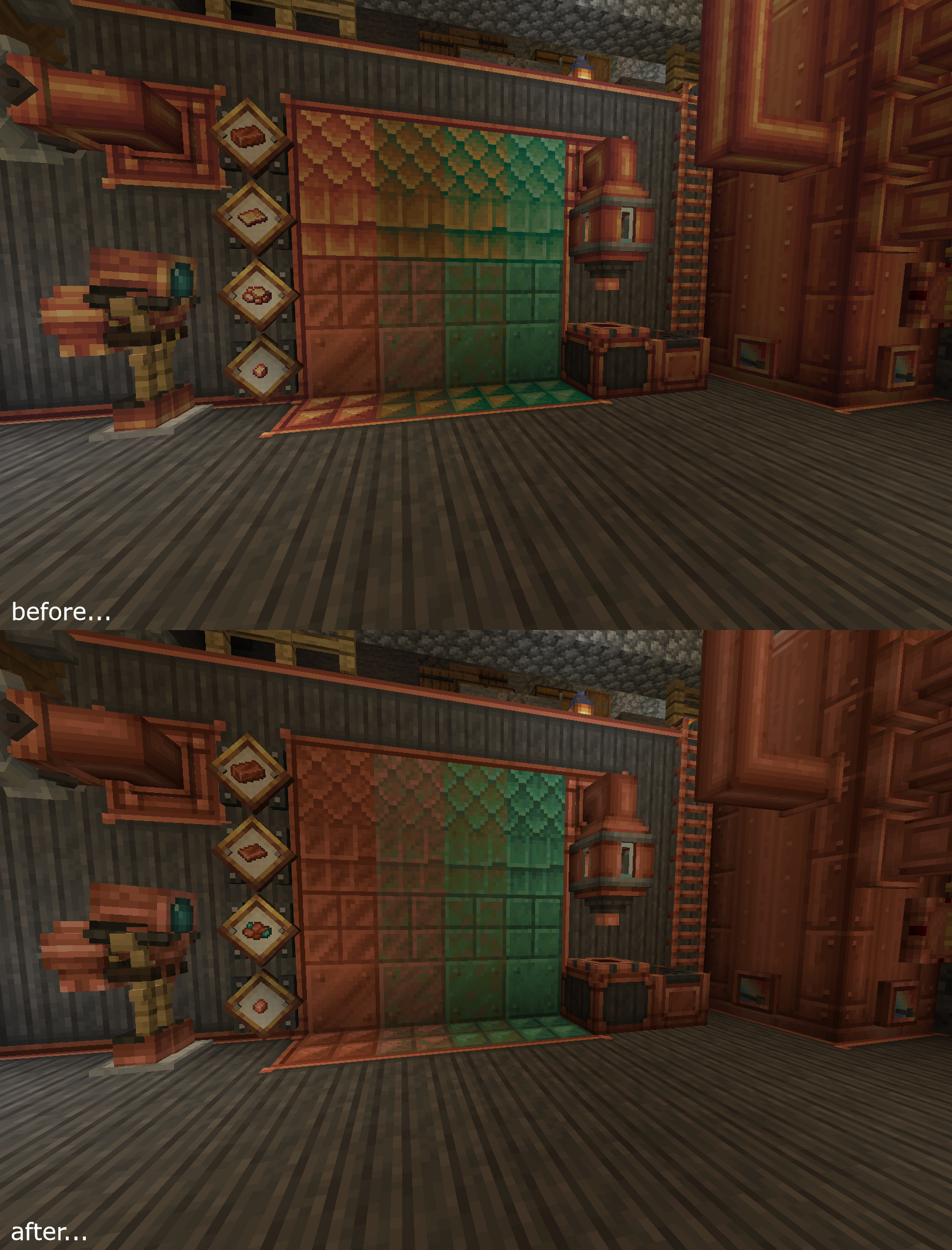

Create Reoxidized
Updates Create's Copper Palette so it matches with Vanilla'sInstall
Twilight Forest - Glacier Melt Fix
No more lag around the Ice QueenInstall

Better 3D Beds
Better 3D Beds is a texture pack for Minecraft that significantly enhances the appearance of beds in the game, making them more realistic and detailed with new 3D models. This texture replaces the old bed models with more beautiful and immersive versions.Install

【epic fight】BD&Hill Reforge the Sword Edge
This resource pack brings new 3D Mobels for ef, wom, and efr!Install

Clayful 512x
Minecraft in a Claylike, Sculpted Way! 512xInstall
Detailed dragon Armors
Visually enhances the dragon armors of the Ice and Fire mod.Install

Craftoria: Emissive Ores
Emissive Ore resource pack for the Craftoria modpackInstallFAQ
Do I need Forge or Fabric for a resource pack?
No. A resource pack works on the regular game with no loaders or mods. Click “Install” and Millida Launcher will put the pack into the right modpack — then just enable it in the settings.
What do 16×, 32×, 64× mean?
The resolution of a single texture in pixels. 16× matches the original game, 32× and 64× are more detailed and heavier, and 128× and up put a noticeable load on your graphics card.
Will a pack made for another version work?
Most likely partly: older packs don't have textures for newer blocks, so those will stay default. The game won't break, though.
How is a texture pack different from a resource pack?
Only by name and age. Before version 1.6 the sets were called texture packs and changed only textures; in 1.6 resource packs replaced them and also change sounds, fonts and the interface. Old texture packs for 1.5 and below do not work on new versions without conversion.
Which texture packs are best for PvP?
PvP packs: 16× resolution or lower, shortened swords, low fire, a clear sky and bright particles. They barely load the computer and make the opponent easier to see. These packs are collected in the PvP theme.
How do I install a resource pack?
Press Install and Millida Launcher puts the pack into the resourcepacks folder of the right instance. Then enable it in the game: Options, then Resource Packs. Manually, the archive goes into resourcepacks inside the game folder, no need to unpack it.
Resource packs for Minecraft Java
A resource pack changes how the game looks and sounds: block and item textures, fonts, the interface, sounds. It doesn't touch the game's code, so it needs no mod loader and breaks nothing on a server — the pack only works on your screen. That's exactly why a resource pack is safer than any mod: the worst that happens on a version mismatch is that some textures stay default.
Textures, texture packs and resource packs are essentially the same thing: since version 1.6 Mojang calls these sets resource packs, but the old name is still searched more often. PvP packs are a big genre of their own: shortened swords, low fire, bright particles and 16× resolution or lower, so the opponent stands out and the frame rate does not drop. Such packs are most often made for 1.8.9 and 1.16.5, the versions many PvP servers run on.
The key thing about a pack is its resolution. The game's default textures are 16×16 pixels; 32× and 64× packs look more detailed, while 128× and up need a real graphics card and are usually paired with shaders. On a weak machine it makes sense to stay at 16× or go for packs that deliberately simplify graphics for more FPS. Every pack here lists its game version, author and license, and all released versions are gathered on one card. Put the downloaded archive in the resourcepacks folder and enable it in the game settings.