
Resource packs for Minecraft Java — page 143
Resource packs: list
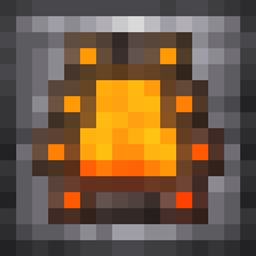

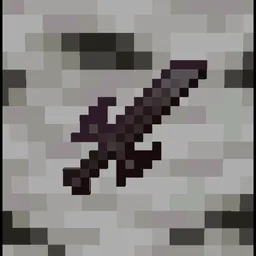
Action Stuff Tools (batrider's Better Tools)
Vanilla like textures for Tools. From 1.0 Action And StuffInstall

WynnEdits - Dark Theme (Wynncraft)
WynnEdits Dark Theme is a dark reskin of the Wynncraft resource pack.Install
GamerBoy80's Texture Pack
GamerBoy80's Texture PackInstall
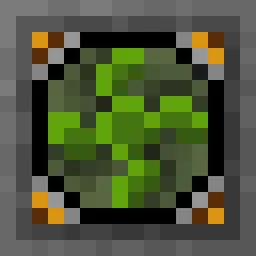
Mob Grinding Utils: Vanillafied (16px)
Complete, handcrafted rework of Mob Grinding Utils mod texturesInstall
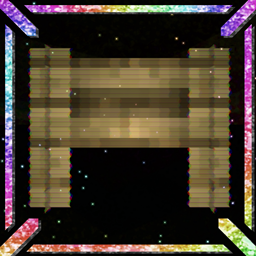
Qwuiblington's Ultra FPS Optimized Block Model Pack
this is a resource pack that reduces the detail of many block models with relatively high polygon counts, to drastically reduce the lag they may causeInstall
More Villagers RP
Updates the appearance of villager and illagerInstall

Aether Adornments
A texture pack that changes the design of the rings of the Aether to match the style of Iron's Spells 'n Spellbooks.Install

Os' Better Eating Sounds
This pack changes the painful eating sound to something more pleasant. Check the video for a sample of the new sound!Install
Loot++ Custom Resources
Resource Pack for Loot++ to hold custom textures and sounds.Install

Miku Totem
Hatsune Miku will save your life, taking place of the totem of undying.Install

Pale Wolf Fix
A quick patch for the More Mob Variants missing wolf texture, for Fresh Animations.Install

Apex PvP
A clean, vanilla style texture pack for PvP, that boosts FPS and works on lots of versions!Install

Christmas mobs
Gives every mob a Santa hat and other christmas decoration!Install

Excalibur | Modern World Creation Compat
Compatibility patch between Excalibur resourcepack and Modern World Creation mod.Install

Better nether
A better visualisation of nether: no fog, better roots, fungs and more!Install

Christmas Spirit Pack
Christmas spirit in Minecraft. Changed mob, block and item textures to give a cozy look and make you hyped for christmas! ;-)Install

Connected Panes!
This resource pack adds connected glass panes without the need for optifine.Install

Voix Xray
This is a simple X-ray resource pack for Minecraft Java Edition. Works best for mining and cave exploration. Not intended for multiplayer servers that disallow X-ray packs.Install

Bray's Better Books
Distinguish between different book enchantments with just a glance!Install
Mob Spawn Light Level Detector
Display Light Levels in Minecraft to Track Monster Spawning Areas...Install
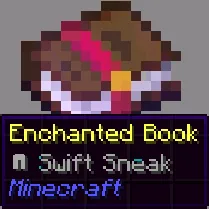
Enchant Icons Colorless
makes enchantment names have icons for enchanted books and items, enchanting, enchantsInstall

IR DarkRaider's Freight - Community Livery Pack
Community Liveries for DarkRaider's Modern FreightInstall

Create: Legacy Copper Continued
Replaces vanilla copper with textures that match the Create mod's Legacy Copper style.InstallFAQ
Do I need Forge or Fabric for a resource pack?
No. A resource pack works on the regular game with no loaders or mods. Click “Install” and Millida Launcher will put the pack into the right modpack — then just enable it in the settings.
What do 16×, 32×, 64× mean?
The resolution of a single texture in pixels. 16× matches the original game, 32× and 64× are more detailed and heavier, and 128× and up put a noticeable load on your graphics card.
Will a pack made for another version work?
Most likely partly: older packs don't have textures for newer blocks, so those will stay default. The game won't break, though.
How is a texture pack different from a resource pack?
Only by name and age. Before version 1.6 the sets were called texture packs and changed only textures; in 1.6 resource packs replaced them and also change sounds, fonts and the interface. Old texture packs for 1.5 and below do not work on new versions without conversion.
Which texture packs are best for PvP?
PvP packs: 16× resolution or lower, shortened swords, low fire, a clear sky and bright particles. They barely load the computer and make the opponent easier to see. These packs are collected in the PvP theme.
How do I install a resource pack?
Press Install and Millida Launcher puts the pack into the resourcepacks folder of the right instance. Then enable it in the game: Options, then Resource Packs. Manually, the archive goes into resourcepacks inside the game folder, no need to unpack it.
Resource packs for Minecraft Java
A resource pack changes how the game looks and sounds: block and item textures, fonts, the interface, sounds. It doesn't touch the game's code, so it needs no mod loader and breaks nothing on a server — the pack only works on your screen. That's exactly why a resource pack is safer than any mod: the worst that happens on a version mismatch is that some textures stay default.
Textures, texture packs and resource packs are essentially the same thing: since version 1.6 Mojang calls these sets resource packs, but the old name is still searched more often. PvP packs are a big genre of their own: shortened swords, low fire, bright particles and 16× resolution or lower, so the opponent stands out and the frame rate does not drop. Such packs are most often made for 1.8.9 and 1.16.5, the versions many PvP servers run on.
The key thing about a pack is its resolution. The game's default textures are 16×16 pixels; 32× and 64× packs look more detailed, while 128× and up need a real graphics card and are usually paired with shaders. On a weak machine it makes sense to stay at 16× or go for packs that deliberately simplify graphics for more FPS. Every pack here lists its game version, author and license, and all released versions are gathered on one card. Put the downloaded archive in the resourcepacks folder and enable it in the game settings.