
Minecraft texture packs — page 149
6,456 itemsResource packs: list


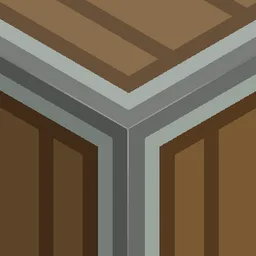
(Bare Bones X Create) Bare Metals
Retextures the Create mod to better fit in with the Bare Bones resource pack, replicating the style of the trailers.Install

Beautiful Potions
This resource pack redesigns the look of potions, giving both vanilla and modded ones unique, colorful bottle designs that make them easier to recognize.Install

Flows HD Full
Welcome to Flows HD! We have worked hard to bring you a beautifully designed resource pack to enhance your Minecraft gaming experience.Install
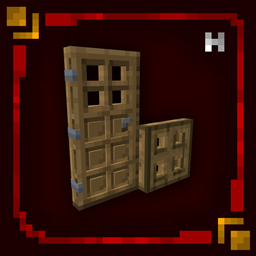
Hellim's 3D Doors & Trapdoors
Enhances doors and trapdoors with refined 3D structure and layered detail, adding depth and architectural presence while preserving their original vanilla style.Install

Undopia 3D Spawner
Gives the Mob Spawner a 3 dimensional modelInstall

Cuter: GraveStone
Resource Pack of that revamps the GraveStone Mod in my art style.Install

Fluffy Fancy Clouds
Uses core shaders to enhance the vanilla Minecraft clouds, no mods required!Install
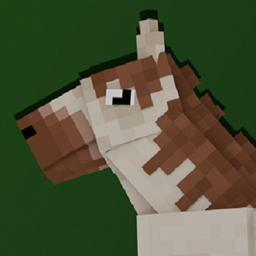
Better Horses x Fresh Animations
A Fresh Animations Add-on for Better Horses!Install

Nature Revamp - 3D Models for Plants, Dripstone, Mushrooms, Crimson/Warped Fungus and more!
3D Models for Flowers, Crimson/Warped Fungus and more!Install

Kova
Glowup Update - Part 1Install

Armor + Crown + enchantments glint and ToolsReimagined (Aqua)
An excellent bundle with armor flash boost and crown enchanted itemsDownload

Animated Axolotl Totem
A small addon for Refined Buckets and Punchy that makes the Totem of Undying appear as an animated axolotl bucket when held. Similar to Bedrock's Actions & Stuff!Install

All The Plushies | Anime Totems
Various anime textures for totems | 180 variantsInstall

Bare Bones Leafier Leaves [Wilderness Bound]
Make the leaves look more like ones in Vanilla while keeping a Bare Bones look to themDownload

UltimaCraft Leaf
Add-on for Ultimacraft, which adds bushy leaves and falling leaves animation.Install

Vanilla Food Hunger Bar
Reverts the Food/Hunger Icons to the default, vanilla ones when put above other Resourcepacks. HUD Hotbar!Install

Doki Doki Literature Club! Custom GUI Pack
Doki Doki Literature Club! Custom GUI PackInstall

Round Moon HD
It's the real moon! And it's huge!Install

SwiftBoost PvP
SwiftBoost PvP: Fullbright, Low Fire, Small Shields & Items, Small totem use. Max FPS without OptiFine and no explosion particle and no particle totem use and small totem pop and better sand,blue netherite, Small sword, clear waterInstall
CozyUI+
Modifies the User Interface into a neat and subtle high-definition style, covering all the vanilla UI elements as well as many useful client mods.Install

Technicality
Minimalist Machines Reved and RevivedInstall
Fresh Moon Phases
Gives the Moon texture a new fresh look. Improving the Sky! Rounder! The Full Cycle: New Moon, Waxing Crescent, First Quarter, Waxing Gibbous, Full Moon, Waning Gibbous, Third Quarter, and Waning Crescent!! Made using real moon images.Install
Quart!
Minecraft's smallest resource pack yet! 4xInstallFAQ
Do I need Forge or Fabric for a resource pack?
No. A resource pack works on the regular game with no loaders or mods. Click “Install” and Millida Launcher will put the pack into the right modpack — then just enable it in the settings.
What do 16×, 32×, 64× mean?
The resolution of a single texture in pixels. 16× matches the original game, 32× and 64× are more detailed and heavier, and 128× and up put a noticeable load on your graphics card.
Will a pack made for another version work?
Most likely partly: older packs don't have textures for newer blocks, so those will stay default. The game won't break, though.
How is a texture pack different from a resource pack?
Only by name and age. Before version 1.6 the sets were called texture packs and changed only textures; in 1.6 resource packs replaced them and also change sounds, fonts and the interface. Old texture packs for 1.5 and below do not work on new versions without conversion.
Which texture packs are best for PvP?
PvP packs: 16× resolution or lower, shortened swords, low fire, a clear sky and bright particles. They barely load the computer and make the opponent easier to see. These packs are collected in the PvP theme.
How do I install a resource pack?
Press Install and Millida Launcher puts the pack into the resourcepacks folder of the right instance. Then enable it in the game: Options, then Resource Packs. Manually, the archive goes into resourcepacks inside the game folder, no need to unpack it.
Minecraft texture packs
A resource pack changes how the game looks and sounds: block and item textures, fonts, the interface, sounds. It doesn't touch the game's code, so it needs no mod loader and breaks nothing on a server — the pack only works on your screen. That's exactly why a resource pack is safer than any mod: the worst that happens on a version mismatch is that some textures stay default.
Textures, texture packs and resource packs are essentially the same thing: since version 1.6 Mojang calls these sets resource packs, but the old name is still searched more often. PvP packs are a big genre of their own: shortened swords, low fire, bright particles and 16× resolution or lower, so the opponent stands out and the frame rate does not drop. Such packs are most often made for 1.8.9 and 1.16.5, the versions many PvP servers run on.
The key thing about a pack is its resolution. The game's default textures are 16×16 pixels; 32× and 64× packs look more detailed, while 128× and up need a real graphics card and are usually paired with shaders. On a weak machine it makes sense to stay at 16× or go for packs that deliberately simplify graphics for more FPS. Every pack here lists its game version, author and license, and all released versions are gathered on one card. Put the downloaded archive in the resourcepacks folder and enable it in the game settings.