
Minecraft texture packs — page 148
6,456 itemsResource packs: list



NBArmors HD TP
The official HD Texture Pack for my mod NBArmors. This texture pack modifies the appearance of the armor of my mod, to a more HD texture. 55 HD armors for now... More detail in the texture for the mod.Install

MrOres 3D Glowing (Optifine/Continuity)
Transforms Minecraft Ores to 3D Glowing models. Works with Optifine/Continuity (Fabric, Forge, NeoForge, Quilt, etc.).Install
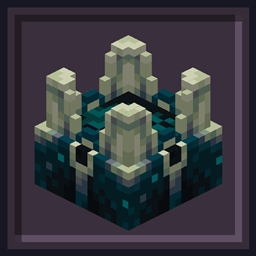
Undopia 3D Sculk Shrieker
Gives the Sculk Shrieker a 3 dimensional modelInstall

No Damage Hearts
Just a simple Resource Pack to remove those annoying damage heartsInstall

Better 3D Blocks
[Rework] [Mod support] A resource pack that add BETTER 3D to Minecraft while keeping vanilla styleInstall
Dramatic Animations
Not-so-serious Animation Replacements!Install

Create: Copper & Zinc [Datapack]
This datapack adds recipes for Veridium and Asurine from the Create mod, to give the player renewable sources of Copper and Zinc.Install

Hold in hands
This resource pack adds first-person hands that hold items, enhancing immersion by allowing players to see their character's hands holding tools, weapons, and other objects in Minecraft.Install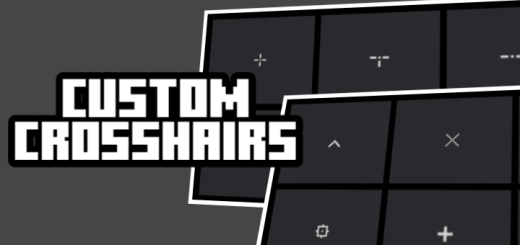

Custom Crosshairs
Adds multiple customizable crosshair designs for precise aiming and personal preference.Download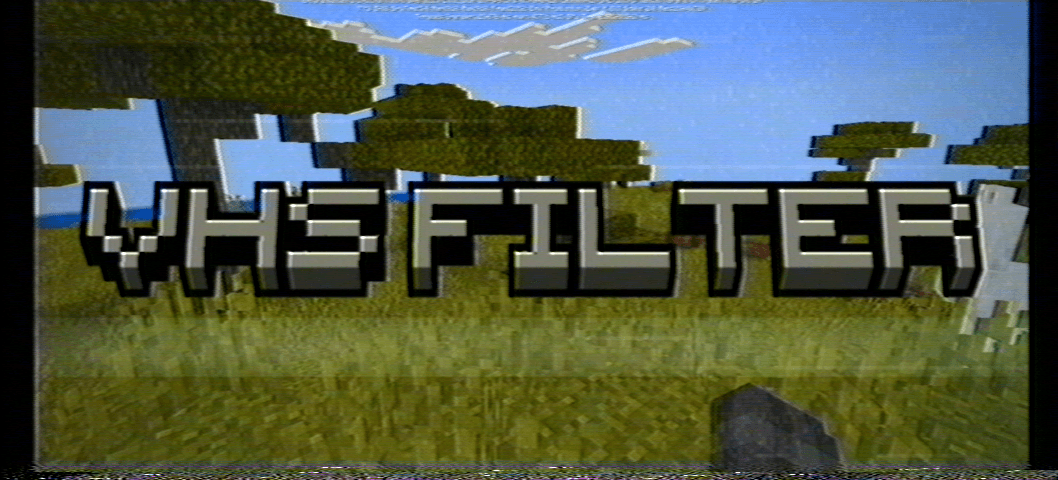
VHS filter
A VHS filter for Minecraft Bedrock addons, suitable for use with horror add-ons.Download

Unity: Dark Edition
Dark loading screen, GUIs, and elements to make things easier on the eyes!Install

ZickZack V5 Golden Ruby
A texture pack in the style of BastiGHG and the 2 million Golden Ruby Edition of ZickZackV5, which contains a custom sky, overlay, totem and more.Install

SalvaLoader
Textures for learning Minecraft, using visual changes and functional tools for an excellent experience.Download
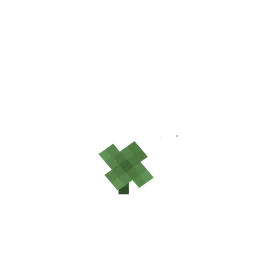
Grass Clovers
Gives short grass a chance of appearing as clovers.Install
Visuals
Distinct item textures! See the secrets your items hold. Works in Vanilla 1.21.5+ 🌈Install
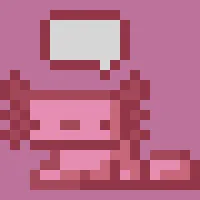
KonciPET UI
Redecorates your inventory and adds a little axolotl companion!Install
Better Villages - Immersive Engineering Compatibility
Adds compatibility between Better Villages and Immersive EngineeringInstall

Animated Items
A resourcepack dedicated to bringing Minecraft alive through animations in blocks and items!Install

AmbientSounds: Remastered Sounds Pack
Brings realistic and beautiful ambience into Minecraft!, as a resource pack port of AmbientSounds5 mod!Install

Wynnic Uniques Compendium
Adds unique weapon skins for items on the Wynncraft server. Requires Chime/Optifine.Install

Tuttas Retextures: Exposure Edition
Retro Exposure Edition; Polaroids too!!Install
Icons Bedrock Edition
A Bedrock Port of the Java Resource Pack IconsDownload

Deep Origins Overlays
Subtle block transitions | Requires FusionInstallFAQ
Do I need Forge or Fabric for a resource pack?
No. A resource pack works on the regular game with no loaders or mods. Click “Install” and Millida Launcher will put the pack into the right modpack — then just enable it in the settings.
What do 16×, 32×, 64× mean?
The resolution of a single texture in pixels. 16× matches the original game, 32× and 64× are more detailed and heavier, and 128× and up put a noticeable load on your graphics card.
Will a pack made for another version work?
Most likely partly: older packs don't have textures for newer blocks, so those will stay default. The game won't break, though.
How is a texture pack different from a resource pack?
Only by name and age. Before version 1.6 the sets were called texture packs and changed only textures; in 1.6 resource packs replaced them and also change sounds, fonts and the interface. Old texture packs for 1.5 and below do not work on new versions without conversion.
Which texture packs are best for PvP?
PvP packs: 16× resolution or lower, shortened swords, low fire, a clear sky and bright particles. They barely load the computer and make the opponent easier to see. These packs are collected in the PvP theme.
How do I install a resource pack?
Press Install and Millida Launcher puts the pack into the resourcepacks folder of the right instance. Then enable it in the game: Options, then Resource Packs. Manually, the archive goes into resourcepacks inside the game folder, no need to unpack it.
Minecraft texture packs
A resource pack changes how the game looks and sounds: block and item textures, fonts, the interface, sounds. It doesn't touch the game's code, so it needs no mod loader and breaks nothing on a server — the pack only works on your screen. That's exactly why a resource pack is safer than any mod: the worst that happens on a version mismatch is that some textures stay default.
Textures, texture packs and resource packs are essentially the same thing: since version 1.6 Mojang calls these sets resource packs, but the old name is still searched more often. PvP packs are a big genre of their own: shortened swords, low fire, bright particles and 16× resolution or lower, so the opponent stands out and the frame rate does not drop. Such packs are most often made for 1.8.9 and 1.16.5, the versions many PvP servers run on.
The key thing about a pack is its resolution. The game's default textures are 16×16 pixels; 32× and 64× packs look more detailed, while 128× and up need a real graphics card and are usually paired with shaders. On a weak machine it makes sense to stay at 16× or go for packs that deliberately simplify graphics for more FPS. Every pack here lists its game version, author and license, and all released versions are gathered on one card. Put the downloaded archive in the resourcepacks folder and enable it in the game settings.