
Shaders for Minecraft Java — page 28
967 itemsShaders: list


Helios Shaders
Helio Shaders is a lightweight Minecraft shaderpack focused on improved lighting, realistic sun and sky colors, soft atmospheric fog, and enhanced terrain shading.Install

Tachyon Shaders
A highly customizable shader designed for performance, offering both vanilla+ and a more visuals oriented style.Install

Candela Shaders
A basic lightweight Minecraft shaders with features like colored shadows, bloom, volumetric lighting, and more, without being stressful on your GPUInstall

LiteFrames Shaders
A shader that tries to recreate childhood nostalgia.Install

ReasonableView
A shader pack for Iris with a physical sky, soft shadows, volumetric clouds and clear water, at vanilla brightness in caves and at night.Install
Polaroid90s
Polaroid 90s Shader — Cold, faded, like an old photo from the 90s!Install

Nigthly Fix
a shader edit of daybreak shaders to be more optimized for old devicesInstall

ink-wash-shaderpack
is an Iris shader pack for Minecraft, inspired by traditional Chinese ink wash painting art. Using post-processing shader technology, it transforms the game's visuals into a real-time ink painting style—featuring natural gradations of ink tones, varied bruInstall
Goldelion Shaders
It implements basic functions for the game's visual experience, adding small details and subtle changes while maintaining the vanilla appearance. This shader does not contain realistic shadows or lighting.Install

LVS — Lite Visual Style (Chocapic13' Shaders edit)
A custom Chocapic13' Shaders edit featuring enhanced lighting, atmospheric nights, animated vegetation, water waves, and visual improvements for Minecraft 1.21.8 - 1.20.1 .Install

Silva Pro
A lightweight Minecraft shader focused on beautiful visuals and high performance for low-end and mid-range PCs.Install

ISKRA Shaders
A performance-friendly fork of MakeUp — Ultra Fast with a warm custom palette, reworked water, shoreline foam, rain ripples, caustics and cinematic colour grading.Install

Static Shader
Shader that adds vhs effect, soft shadows, bloom, wavy water. Attempting to make the visuals like those old photos taken in PSP/original iphone.Install

Slugs Vibrant Visuals
This is a vibrant shaderpack made by ThegodlyslugInstall

Red And Black Shaders
A Minecraft Shader that changes everything to black and all the entities to Red.Install

Lumeon Shaders
Lumeon Shaders is a cinematic Minecraft shader pack that enhances the game's visuals with realistic lighting, improved shadows, reflective water, atmospheric fog, and immersive effects. Designed for players who want a beautiful and dynamic world.Install

Lumavane Shaders
A shaders for low end system but still give good lighting and performanceInstall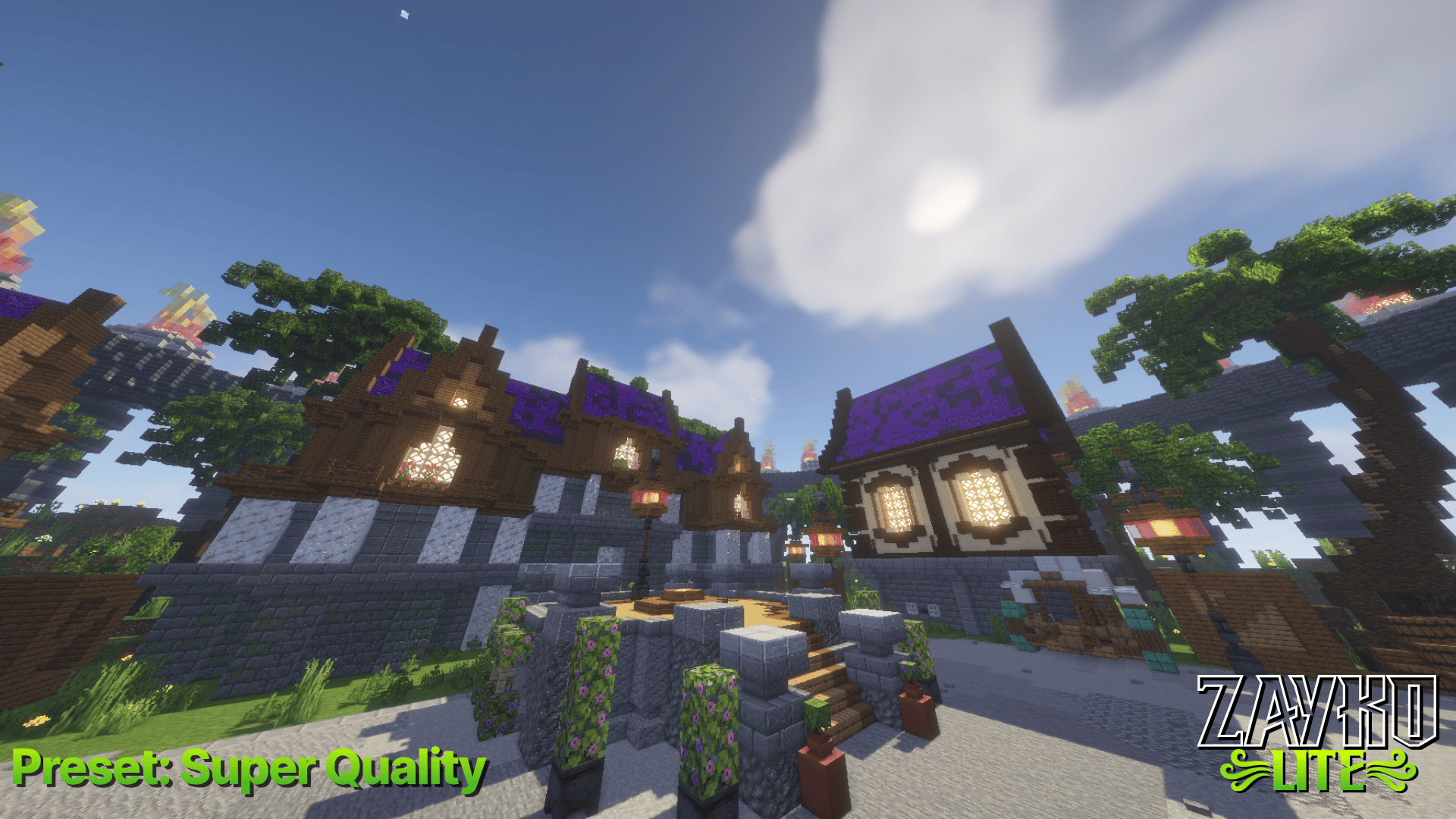

Zayko Lite
Zayko Lite was built for Performance First Quality Second.Install

LightWeight Atmospherica
A lightweight shaderpack optimized for integrated graphics like Intel Core i3 or AMD Ryzen 3.Install

Spirit Shader
High Performance Shader With Simple Lighting And No ShadowsInstall

TB Shaders
TB Shaders Is A best And Fps NoDrop Shaders And this Shaders is a first shader By The CreatorInstall

NPC-Shaders
A lightweight shader for Iris/Oculus and Optifine adding nice visuals.Install

0 Shader
A high-quality Minecraft shader focused on stunning visuals, realistic lighting, detailed shadows, beautiful water reflections, and an immersive atmosphere.InstallRequired to run
FAQ
What do I need to get shaders working?
Iris or OptiFine. Iris installs as a Fabric mod and is usually faster; OptiFine is a separate installer. Without one of them the game simply won't see the shader. Millida Launcher installs Iris along with the shader for you.
Which shaders run on a low-end PC?
Light packs without ray tracing and with low shadow resolution. They're marked in the catalog — they give you shadows and water while costing noticeably fewer frames.
How do I install shaders?
Click “Install” and Millida Launcher will put the shader into the shaderpacks folder of the right modpack. Then select the pack in the video settings — no need to unpack the archive.
Iris or OptiFine — which should I choose?
For new versions, Iris: it works with Sodium, usually gives more FPS and supports almost all modern shaders. OptiFine is needed on old versions and for packs that rely on its special features. The two cannot be installed in the same instance.
Are there shaders for Bedrock?
The shaders in this section are for the Java edition; their format does not work in Minecraft PE and Bedrock. Bedrock has a built-in Vibrant Visuals graphics mode and resource packs with deferred rendering support, which are turned on in the game settings.
Shaders for Minecraft Java
Shaders rewrite the game's lighting: you get soft shadows, volumetric sunlight, reflections on water and a real night instead of flat dusk. A shader on its own isn't a mod: it's a set of programs for your graphics card, run through a middleman — Iris or OptiFine. Iris installs as a Fabric mod and runs faster; OptiFine is a standalone installer that has been around the longest.
Iris works together with Sodium, so on the same machine it usually gives more frames, and new shaders come out for it first; OptiFine is chosen for old game versions and its own features such as connected textures. On a low-end PC start with packs from the For low-end PCs collection and lower the quality profile inside the shader, and leave heavy ray-traced packs to a powerful graphics card.
Beauty costs frames. Heavy ray-traced shaders can cut performance several times over even on a good graphics card, so the catalog separately marks light packs built for weak machines: they give you shadows and decent water while barely touching FPS. In practice: first install Iris or OptiFine, then put the shader archive in the shaderpacks folder and select it in the video settings. It's best to start with a light pack, and the quality profiles inside the shader itself lower the load even further.