
Shaders for Minecraft Java — page 29
967 itemsShaders: list


EcoShift Lite
A lighter, refined version of EchoShift with cleaner lighting, balanced colors, improved water, softer bloom.Install
drunk-n-high
Drunk-n-High is a novelty challenge shader that intentionally distorts the player’s vision to make normal gameplay harder.Install

Upside Down Shader
Upside Down Shader — Turns Minecraft completely upside down. Sky is now on the bottom, ground on top. That's it. Have fun!Install

Rob's Vanilla Reshaded
Lightweight shader that aims to improve the vanilla look while staying as close to it as possibleInstall

SenAbyssShader
A modified version of Complementary Unbound, tuned for the Sensory Abyss horror mod.Install

Luminol Republic - Shade Project
Atmospheric, warm-toned shaders for Iris with realistic waves, godrays, soft shadows and natural grey-teal water. Six profiles, from Potato to Ultra.Install

Chroma Lite Shaderpack Realism Low-End
This is a Shaderpack for the Chroma Lite Shaderpack Realism Low-End.Install

Torch Shader
Torch Shader is a shader pack for Minecraft, created to add a dark and atmospheric look to the game. It makes nights darker, caves dim, and the light from torches and other sources becomes more noticeable and more important for navigation. The shaders do not aim for realismInstall

Kinescope Shaders
A highly customizable semi-realistic shaderpack that is very cinematic.Install

FeathC2
A lightweight yet powerful shader pack featuring reflections, rain puddles, enhanced lighting, atmospheric effects, and cinematic color grading.Install
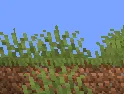
PH_lite_shader
A vibrant and lightweight Minecraft shaderpack built for performance and color.Install

Disco Shaders
A vibrant, neon-inspired shader that transforms Minecraft into a glowing digital world. It features strong emissive lighting, grid-like highlights, and a futuristic vaporwave aesthetic that makes terrain and vegetation shine with energy.Install

WarmToon
WarmToon: warm, cartoon-style shaders for OptiFine and Iris. Minecraft as it looks in the trailers: soft golden light, gentle shadows and cozy warm colors.Install

SoftShade Shader
A stylized shaderpack with a soft artistic look, designed for players who care about smooth gameplay as much as visuals. Clean visuals, low performance impact, and comfortable to use for long sessions.Install

It's Cherry Shaders
a magenta/crimson fork of MellowShaders by TheCMK, built for a dark fantasy vibeInstall

AxoShaders
A performance-first shader pack designed to enhance the vanilla aesthetic with modern flair. Featuring vibrant colored lighting, waving foliage, and semi-realistic shadows, it delivers a refreshed atmosphere without sacrificing your frame rate.Install

Pomme
I love POM but I don't like its limitations. Pomme is an experimental shader with extrusion capabilities.Install

HorrorCraft
A horror shaderpack that transforms the game into a bodycam experience.Install

ZigCRT
Creates a wavy, pixelated CRT-style distortion effect.Install

Renford Tomlinson
Best Shaderpack for Youtube Videos / Thumbnails / Horror ContentInstall

Despatra's CRT
A basic CRT shader with some customizabilityInstall

CREEP SHADER
CREEP Shader A dark, cinematic Minecraft shader with moody lighting, enhanced shadows, atmospheric skies, and clean PvP-friendly visuals. Built for a sharp, mysterious CREEP aesthetic.Install

RetroPixel
a custom retro CRT shader pack for Minecraft (Iris compatible). It shrinks the screen resolution to a pixelated 500x700 format, restricts the color palette for a 90s aestheticInstallRequired to run
FAQ
What do I need to get shaders working?
Iris or OptiFine. Iris installs as a Fabric mod and is usually faster; OptiFine is a separate installer. Without one of them the game simply won't see the shader. Millida Launcher installs Iris along with the shader for you.
Which shaders run on a low-end PC?
Light packs without ray tracing and with low shadow resolution. They're marked in the catalog — they give you shadows and water while costing noticeably fewer frames.
How do I install shaders?
Click “Install” and Millida Launcher will put the shader into the shaderpacks folder of the right modpack. Then select the pack in the video settings — no need to unpack the archive.
Iris or OptiFine — which should I choose?
For new versions, Iris: it works with Sodium, usually gives more FPS and supports almost all modern shaders. OptiFine is needed on old versions and for packs that rely on its special features. The two cannot be installed in the same instance.
Are there shaders for Bedrock?
The shaders in this section are for the Java edition; their format does not work in Minecraft PE and Bedrock. Bedrock has a built-in Vibrant Visuals graphics mode and resource packs with deferred rendering support, which are turned on in the game settings.
Shaders for Minecraft Java
Shaders rewrite the game's lighting: you get soft shadows, volumetric sunlight, reflections on water and a real night instead of flat dusk. A shader on its own isn't a mod: it's a set of programs for your graphics card, run through a middleman — Iris or OptiFine. Iris installs as a Fabric mod and runs faster; OptiFine is a standalone installer that has been around the longest.
Iris works together with Sodium, so on the same machine it usually gives more frames, and new shaders come out for it first; OptiFine is chosen for old game versions and its own features such as connected textures. On a low-end PC start with packs from the For low-end PCs collection and lower the quality profile inside the shader, and leave heavy ray-traced packs to a powerful graphics card.
Beauty costs frames. Heavy ray-traced shaders can cut performance several times over even on a good graphics card, so the catalog separately marks light packs built for weak machines: they give you shadows and decent water while barely touching FPS. In practice: first install Iris or OptiFine, then put the shader archive in the shaderpacks folder and select it in the video settings. It's best to start with a light pack, and the quality profiles inside the shader itself lower the load even further.