Accessories
by Blodhgarm · CurseForgeAn extendable and data-driven Accessory Mod for Minecraft
An extendable and data-driven Accessory Mod for Minecraft
Strange and Deadly Creatures!
QoL features added to your AE System.
Better Advancements tries to improve the UI and UX for the advancements system in minecraft 1.12+ in a modded environment
Mod that progressively increases the game difficulty over time.
Mekanism integration for KubeJS
[Forge/Fabric] Adds 35+ new animals to your world, with items, food, blocks, and armor.
Core and Library mod for my other projects
adds more vanilla style structures to the game
Allows you to locate biomes anywhere in the world.
A fork of Time in a bottle standalone
Carry On allows you to pick up Tile Entities and Mobs and carry them around!
Inventory Tweaks for NeoForge
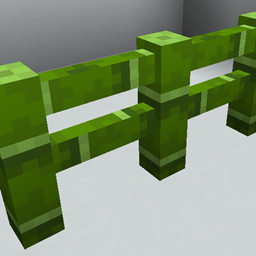
Adds extra blocks/items made with bamboo, Forge and Fabric compatible
Adds Curios API support to Corpse
Teleport from waystone to waystone or craft magical scrolls to warp.
Compatibility addon between Relics and Artifacts
Adds an Import & Export & Block Picker Card for Applied Energistics 2
A library mod for owmii's mods.
A magic mod focused on nature, crops and animal husbandry!
Clean and Customizable. Alternative to Just Enough Items/JEI.
mana through ae2, what could go wrong
An addon for the FTB quests mod. It adds some task and reward types that are missing in the base mod. (Place, Break, Repeatable and Create Structure)
A mod that adds tons of modular turrets, upgrades, add-ons, and general security measures!
They're two different mod loaders that aren't compatible with each other. Forge is the older one and better suited to big tech and magic modpacks; Fabric is lighter, updates to new game versions faster, and hosts most performance mods. NeoForge is a Forge fork for newer versions, and Quilt is a Fabric fork. A Forge mod won't run on Fabric, and vice versa. Millida Launcher installs the right loader for you.
The one that matches your game version and loader. The “Install” button picks the file for you: Millida Launcher grabs the version for your modpack. A mod for 1.20.1 usually won't work on 1.21.
Click “Install” and Millida Launcher will download the mod, its dependencies and the right loader for you. To install a downloaded file manually, put it in the mods folder inside the game directory.
No. The Install button on a mod page opens Millida Launcher: it downloads the mod, its dependencies and the right loader into the chosen instance by itself. No CurseForge and no manual file copying.
1.20.1 is one of the most modded versions, especially on Forge: tech, magic, RPG, furniture, weapons. Pick 1.20.1 in the version filter to keep only mods with a file built exactly for it, then pick Forge or Fabric next to it.
On Android, yes: Millida Launcher runs the Java edition on a phone, and mods work there just like on a PC, though light ones run much better than heavy ones. Minecraft PE (Bedrock) cannot load PC mods — it has add-ons instead, in the Minecraft PE mods section.
The usual picks are Simple Voice Chat for proximity voice chat, Waystones for fast travel, Xaero's Minimap and something big to work on together, such as Create. Mods that change the world must be installed by every player and on the server, while client-side ones like a minimap or performance mods are up to each player.
Mods for Minecraft Forge: 6,190 items in the Mods section. Compatibility is checked against the files, not the description: only items with a build for exactly these conditions stay in the list.
One mod in the catalog, one page. Every version the author has released is listed on its card: pick your game version and loader right there instead of jumping between ten similar pages. Each file shows its size, release date and checksum, and the mod itself shows the author, license and a link to the original source. Files whose license allows rehosting are stored with us and download directly — no link shorteners, timers or ad redirects. If the license forbids rehosting, the button honestly takes you to the author.