Wall-Jump! [FORGE]
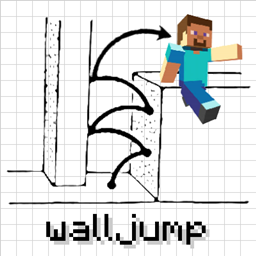
by genandnic · CurseForgeJump from wall to wall! Wall jump, double jump, speed jump, fence jump, etc.
Jump from wall to wall! Wall jump, double jump, speed jump, fence jump, etc.
Allows you to locate biomes anywhere in the world.
Adds some nice features to make your world feel more alive!
Dynamically changes chunk view(and simulation) distance based on server load to avoidlag
Adds Fantasy-Themed Furniture & Decorational blocks to the game
A working Camera in Minecraft!
Deep Resonance is a power generation mod for Minecraft
Give your modpack a community. MineTogether adds chat, friends, and co-op so players connect, help each other, and grow your pack through conversation and discovery.
Crossover between Twilight Forest and Farmer's Delight, and Neapolitan
A small Mod adding a block to disenchant Items
Open a LAN server to anyone, anywhere, anytime.
Adds a few new friends to your world!
A Witchery and Magic mod
Public, Personal, and Team EnderChests and EnderBags
Callable Horses allows players to call their horse from anywhere, like in popular RPG games
Introducing the Betweenlands, a dark and hostile environment...
Adds tiers and parrying to shields for more interesting combat!
Thermal integrates with others!
This mod adds over 400+ new foods to Minecraft (REQUIRES PHC2 - CROPS and TREES mods)
Adds a Universal Grid for Refined Storage
Allows items to be restricted to a stage.
A loot drop (chest, block, entity) plugin for the EMI Recipe and Item viewer.
Speeds up the leaf decaying process
Adds many cute plushies to the game!
They're two different mod loaders that aren't compatible with each other. Forge is the older one and better suited to big tech and magic modpacks; Fabric is lighter, updates to new game versions faster, and hosts most performance mods. NeoForge is a Forge fork for newer versions, and Quilt is a Fabric fork. A Forge mod won't run on Fabric, and vice versa. Millida Launcher installs the right loader for you.
The one that matches your game version and loader. The “Install” button picks the file for you: Millida Launcher grabs the version for your modpack. A mod for 1.20.1 usually won't work on 1.21.
Click “Install” and Millida Launcher will download the mod, its dependencies and the right loader for you. To install a downloaded file manually, put it in the mods folder inside the game directory.
No. The Install button on a mod page opens Millida Launcher: it downloads the mod, its dependencies and the right loader into the chosen instance by itself. No CurseForge and no manual file copying.
1.20.1 is one of the most modded versions, especially on Forge: tech, magic, RPG, furniture, weapons. Pick 1.20.1 in the version filter to keep only mods with a file built exactly for it, then pick Forge or Fabric next to it.
On Android, yes: Millida Launcher runs the Java edition on a phone, and mods work there just like on a PC, though light ones run much better than heavy ones. Minecraft PE (Bedrock) cannot load PC mods — it has add-ons instead, in the Minecraft PE mods section.
The usual picks are Simple Voice Chat for proximity voice chat, Waystones for fast travel, Xaero's Minimap and something big to work on together, such as Create. Mods that change the world must be installed by every player and on the server, while client-side ones like a minimap or performance mods are up to each player.
Mods for Minecraft Forge: 6,190 items in the Mods section. Compatibility is checked against the files, not the description: only items with a build for exactly these conditions stay in the list.
One mod in the catalog, one page. Every version the author has released is listed on its card: pick your game version and loader right there instead of jumping between ten similar pages. Each file shows its size, release date and checksum, and the mod itself shows the author, license and a link to the original source. Files whose license allows rehosting are stored with us and download directly — no link shorteners, timers or ad redirects. If the license forbids rehosting, the button honestly takes you to the author.