

AE2 Import Export Card Mod for Minecraft 1.18.2, 26.1.2
Adds an Import & Export & Block Picker Card for Applied Energistics 2
 NeoForge
 Forge
ForgeTHIS MOD REQUIRES APPLIED ENERGISTICS 2
If you want to put this mod in your modpack, feel free to use it :) This mod adds an Import & Export Card & Block Picker Card for Applied Energistics 2.
The Import Card takes items in specific slots of your inventory and dumps them into your ME system. Open up your wireless terminal and add the import or export card in the slot on the right.
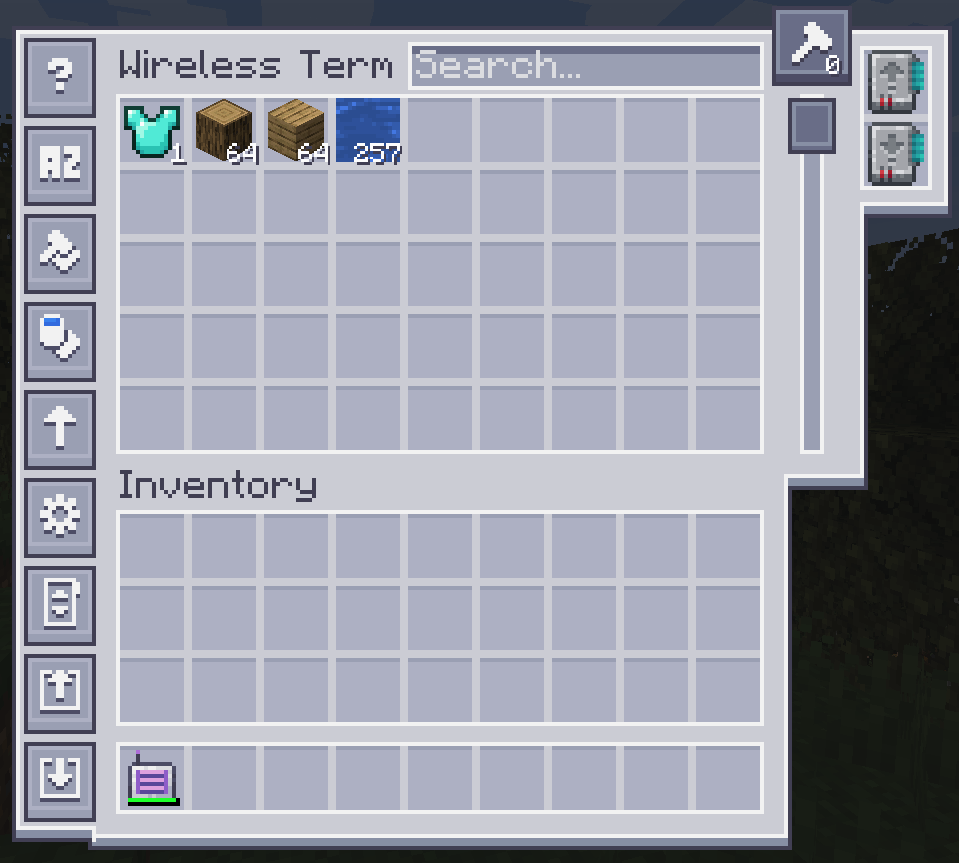
To configure it, click on one of the left side buttons.
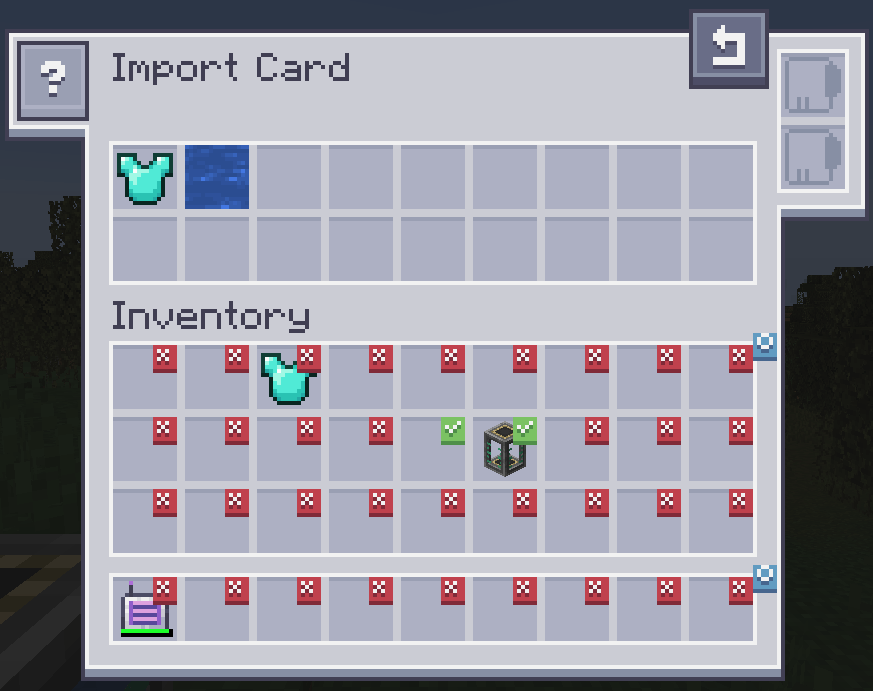
Clicking on slots makes a checkmark. Any item in the slot that has a checkmark will get imported to your ME system. Drag items from your inventory to the top to change the filter. Fuzzy card is supported. Changing the filter to blacklist requires an inverter card.
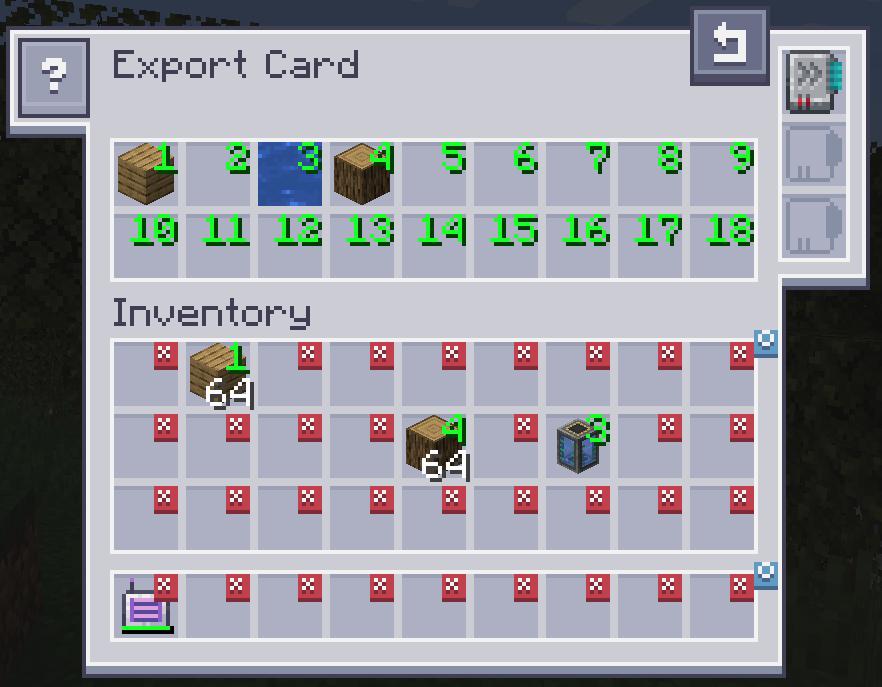
The Export Card works exactly the same but will pull items from your ME system into your inventory. To specify what items, drag the item from the inventory into one of the slots at the top and click on a slot in your inventory to change it to the desired number. Right clicking clears back to X. Fuzzy card is supported. Acceleration card improves the transfer speed from 1 to an entire stack of items. The crafting card is used to automatically request and craft items that are currently not available.
The Block Picker Card lets you extract the block you are currently looking at directly from your Network. Simply aim at a block and press the "Pick Block" keybind. If the matching block is available in your network, it will be extracted into your inventory.
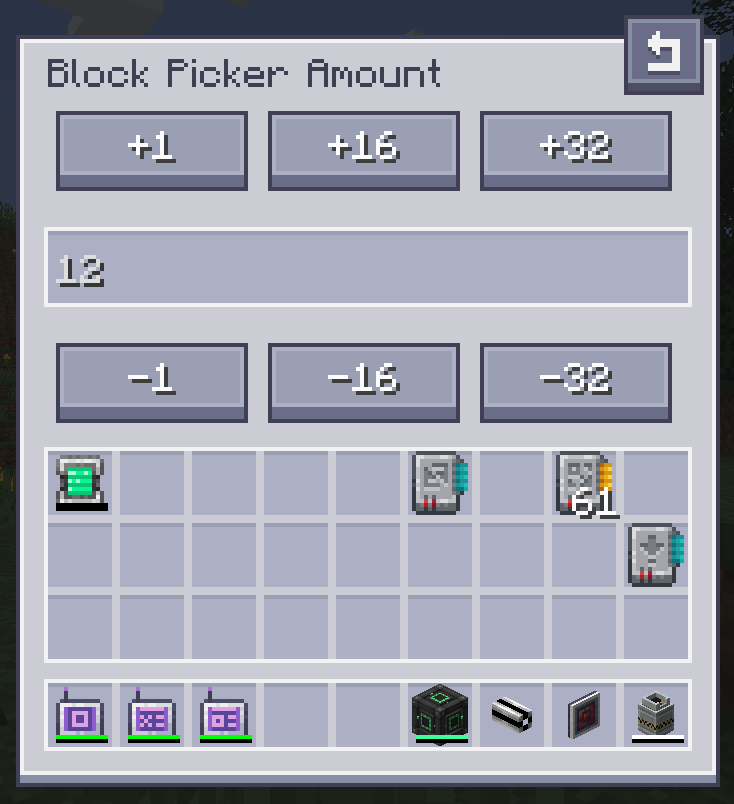
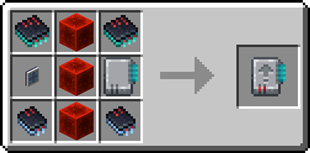
Import Card recipe:
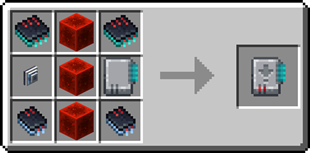
Export Card recipe:
Need a server? Get 20% off your first month by using promo code "ultra"
How to install AE2 Import Export Card
With Millida Launcher
Install Millida Launcher
The launcher is free: download it at millida.net/launcher and sign in with any nickname.
Click “Install” on this page
The launcher opens and installs the mod for Minecraft 1.18.2–26.1.2 on Forge or NeoForge automatically.
Launch the game
A profile with it appears in the launcher: click “Play”.
Manually
Install Forge or NeoForge
The loader must match the game version of the mod file, for example Minecraft 26.1.2. After installing it, a separate profile appears in your launcher.
Download the file for your version
In the version list above, pick the file ae2importexportcard-26.1.2-2.3.1.jar (469 KB) for your game version and loader.
Put it in the mods folder
The folder is inside .minecraft (Windows: %appdata%\.minecraft\mods). If it does not exist, create it.
Launch the loader profile
Open “Mods” in the main menu: AE2 Import Export Card should be in the list.
Versions
With dependencies
| Minecraft | Loader | File | Date | Actions |
|---|---|---|---|---|
| 26.1.2 | NeoForge | ae2importexportcard-26.1.2-2.3.1.jar469 KB | ||
| 1.18.2 | Forge | ae2insertexportcard-1.18.2-1.0.0.jar215 KB |
FAQ
Which Minecraft versions does AE2 Import Export Card work on?
There are files for 26.1.2, 1.18.2. The newest is 26.1.2.
Is AE2 Import Export Card for Forge or Fabric?
There are files for Forge: 1.18.2 and for NeoForge: 26.1.2. There are no files for Fabric: a mod for another loader will not start.
Does AE2 Import Export Card need other mods?
The author lists no required dependencies: the Forge or NeoForge loader is enough.
Where can I download AE2 Import Export Card safely?
On this page: the file ae2importexportcard-26.1.2-2.3.1.jar (469 KB) is stored on Millida’s server, with no link shorteners. SHA-1 checksum: bff68fd4ac4d6bff7a0e39cbe7857a73e7b9dd36.
Reviews
Be the first to rate AE2 Import Export Card


