
Minecraftのサーバープラグイン — page 150
3,784 アイテムプラグイン:一覧



VeinMiner
A QoL plugin that auto-mines all connected ores of the same type when one is broken—mine faster, mine smarter.サーバー上で

PasiVanish
it's a simple vanish plugin - PasiVanishサーバー上で

quark-plugin
an 'Atomic' designed server plugin aimed to cover anything you need.サーバー上で

fairy
Fairy is a compat & open-sourced Framework made with love <3サーバー上で

Chat Formatter
Style your chat with LuckPerms placeholders or placeholders from PlaceholderAPIサーバー上で

distant-horizons-support
Add support for Distant Horizons to your Bukkit compatible server.サーバー上で

Velocity/hub
A plugin for velocity networks, adding a /hub command, to return to the lobby serverサーバー上で

XPlayerKits
A lightweight and fully customizable kit system that loads only the essential data, keeping RAM.サーバー上で

InteractiveChat
Adding functionalities such as sharing items and inventories to chat, and creation of custom chat placeholders!サーバー上で
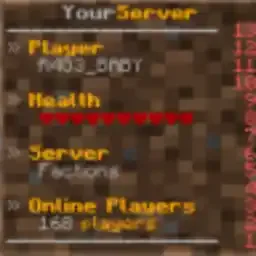
SimpleScore
A simple animated scoreboard plugin for your server.サーバー上で

Superenchants
This plugin adds new enchants to your game, such as healthsteal, bleed, autosmelt, and more!サーバー上で

GeyserExtras
A plugin which attempts to unify features for Bedrock Edition players on Java Edition Servers with GeyserMC.サーバー上で

CrazyCrates
Add unlimited crates to your server with 11 different crate types to choose from!サーバー上で

LightAntiCheat
A lightweight and customizable anticheat, designed for MC 1.8-1.21 to detect common hacks. Supports Geyser and Folia.サーバー上で

HoloMobHealth
Display mob health CLIENT-SIDE ONLY through packets! Support custom JavaScript formatting!サーバー上で

ChatPlugin
A feature-rich and modular chat ecosystem, lightweight and efficient by design.サーバー上で

WorldEditSelectionVisualizer
Visualize your WorldEdit selection and clipboard with particles, without any client mod.サーバー上で

JustPlayer-TPA
Allow players to request a teleportation to other players.サーバー上で

MultipleBedSpawn
A simple plugin to allow players to choose which bed to respawn into.サーバー上で

SimpleStaffChat
A staffchat plugin for Proxies and Backend servers.サーバー上で

BetterChairs
BetterChairs allows you to sit on chairs – Every block can be a chairサーバー上で

FileCleaner
Remove old logs and other files automatically!サーバー上で

TreeChopper
Quickly mine ore veins and chop down entire treesサーバー上でFAQ
プラグインとMODの違いは何ですか?
プラグインはサーバーでのみ動作し、プレイヤー側には何も要求しません。クライアントはバニラのままです。MODは全員がインストールする必要があり、ゲーム自体を変更します。
プラグインはどこに置きますか?
.jarファイルをサーバーのpluginsフォルダーに入れ、サーバーを再起動してください。プラグインは初回起動時に設定ファイルを作成します。
SpigotのプラグインはPaperで動作しますか?
通常ははい。PaperとPurpurはSpigotを基に作られており、そのプラグインと互換性があります。逆は成り立ちません。Paperの機能を使うプラグインは純粋なSpigotでは動作しません。
Aternosにプラグインをインストールする方法は?
Aternosでは、プラグインはパネルの「プラグイン」セクションの組み込みリストからのみインストールできます。自分の.jarファイルをアップロードできないため、有料や珍しいプラグインはAternosにインストールできません。必要なプラグインがリストにない場合は、pluginsフォルダーにアクセスできるホスティングが必要です。ファイルをそこに入れてサーバーを再起動してください。
サーバーに最初に入れるべきプラグインはどれですか?
通常は4つから始めます。EssentialsX(ホーム、ワープ、キット、テレポート)、LuckPerms(グループと権限)、WorldGuardとWorldEdit(スポーンと地域保護)、ViaVersion(他のゲームバージョンからの参加)です。ニックネームログインのあるサーバーには、パスワード用のAuthMeとスキン用のSkinsRestorerを追加します。
フレンドと遊ぶサーバーにはどのプラグインを入れるべきですか?
フレンド向けの小さなサーバーには少しで十分です。EssentialsX(ホーム、フレンドへのテレポート、ワープ)、CoreProtect(グリーフィングのロールバックとブロックを壊した人の特定)、ボイスチャット用のSimple Voice Chat(プレイヤー側に同名のMODが必要)です。権限や地域保護は通常このようなサーバーでは不要です。
Paperにプラグインをインストールする方法は?
お使いのPaperのバージョン用のプラグインファイルをダウンロードし、.jarをpluginsフォルダーに入れてサーバーを再起動すると、/pluginsコマンドに表示されます。Millida Hostingでは、プラグインページの「サーバーで」ボタンが同じことを行います。
Minecraftのサーバープラグイン
プラグインはプレイヤーではなくサーバーにインストールされ、そこがMODとの違いです。クライアントは純粋なバニラのままで、1つのファイルもダウンロードせずにサーバーに参加できます。プラグインはサーバーコア(Paper、Spigot、Bukkit、Purpur、Folia)で動作し、VelocityとBungeeCordはサーバー間のプロキシに使われます。コアはバージョンと同じくらい重要です。Paperのプラグインはほぼ常にPurpurで動作しますが、Velocityのプラグインは通常のサーバーではまったく起動しません。
サーバーに必要な最小限はほぼいつも同じです。基本コマンド用のEssentialsX、権限用のLuckPerms、地域保護用のWorldGuardとWorldEdit、グリーフィングのロールバック用のCoreProtectです。ニックネームログインのあるサーバーはAuthMeとSkinsRestorerを追加し、フレンド向けサーバーはSimple Voice Chatを追加します。Millida Hostingでは、カタログの無料プラグインをそのページの「サーバーで」ボタンでサーバーに導入でき、手動での.jarアップロードは不要です。
プラグインはサーバーのほぼすべてを裏で処理します。ランクと権限、土地保護、経済とショップ、アンチチート、マップローテーション、メニュー、投票などです。インストールは.jarファイルをpluginsフォルダーにコピーしてサーバーを再起動するだけです。ほとんどは初回起動時に独自の設定ファイルを作成し、それを編集します。カードには対応コアとゲームバージョン、作者、ライセンスが記載され、すべてのリリースが1ページにまとまっているので、そこから直接プラグインを更新できます。