
Resource packs for Minecraft 1.21 — page 46
2,284 itemsResource packs: list


Enhanced Pokemon Boss Bars
Stylized pixel-art boss bars inspired by Pokémon, tailored for Cobblemon and Pixelmon trainers.Install
Mini Debug Menu
This resource pack brings several features of the Minecraft Java Edition Debug Menu to Bedrock Edition. While it’s not possible to replicate every feature due to platform limitations, the pack includes some of the essential and useful tools.Download
Cobblemon Hold My Pokéballs
Make your pokeballs look good with the Hold My Items Mod!Install

ChicknTurtle's Better Shield
No more shield covering half of your screen!Install

Hellim's Xaero's Maps Mob Icons
Its add the Missing mobs and Modded mobs Icons to Xaero's Maps.Install

Glowing Emissive Ores - Fusion
This is an add-on to my Glowing Emissive Ores resource pack which supports over 300 mods, this resource pack adds support for Fusion.Install

Torturable Healthbars, but with FA
TH but with Fresh's Animations, now you can have injured mobs walking around in a cool wayInstall

No Shade + FPS Boost
A clean, bright no-shading resource pack with no mods required.Install

Bare Bones - Better Leaves
Enhances the leaves textures in Bare Bones with more detail and style, improving the visual appeal while keeping the minimalist design.Install

InfuseSMP Texture Pack
The texture pack for CatAdmirer's Infuse SMP pluginInstall

Icons - Enchantments
Standalone version of Enchantment icons from IconsInstall

Redone Endermans X Fresh Animations
an addon for fresh animations to add endermans redone compatibilityInstall

Modern Font Pack
Modernize the font of Minecraft and make it smooth and beautiful.Install

Solo Levelling Anime | Sung Jin Woo Animated Ui
Solo Leveling Animated ui mcpe 1.21+ | best ui for minecraft pe / bedrock . Sung Jin-Woo , Solo Leveling Anime Ui .Download

Creeper girl
Creeper is a shy girl.Install

Excalibur | Bosses'Rise Support
Five monstrous rulers, forged anew through medieval fantasyInstall

Better Fullbright
Adds Fullbright for Vanilla, Optifine and Sodium. For version 1.20.X and 1.21.XInstall
wynncraft better grass
make Wynncraft grass thicker :3Install

Farcr's Re-Crafted
A small, personal minecraft reinterpretationInstall

Astralex Visuals
Astralex Visuals is a Minecraft Bedrock render dragon shader pack featuring volumetric god rays, dynamic water reflections, and cinematic sky rendering for a stunning visual experience.Download

Better Animals Texture
This texture is made for you who are tired of the original minecraft textures and want to give it a change.Install

No Food Eating Particles
Ever eating food, and particles fly in your face to remind you that Steve is an absolute savage.Install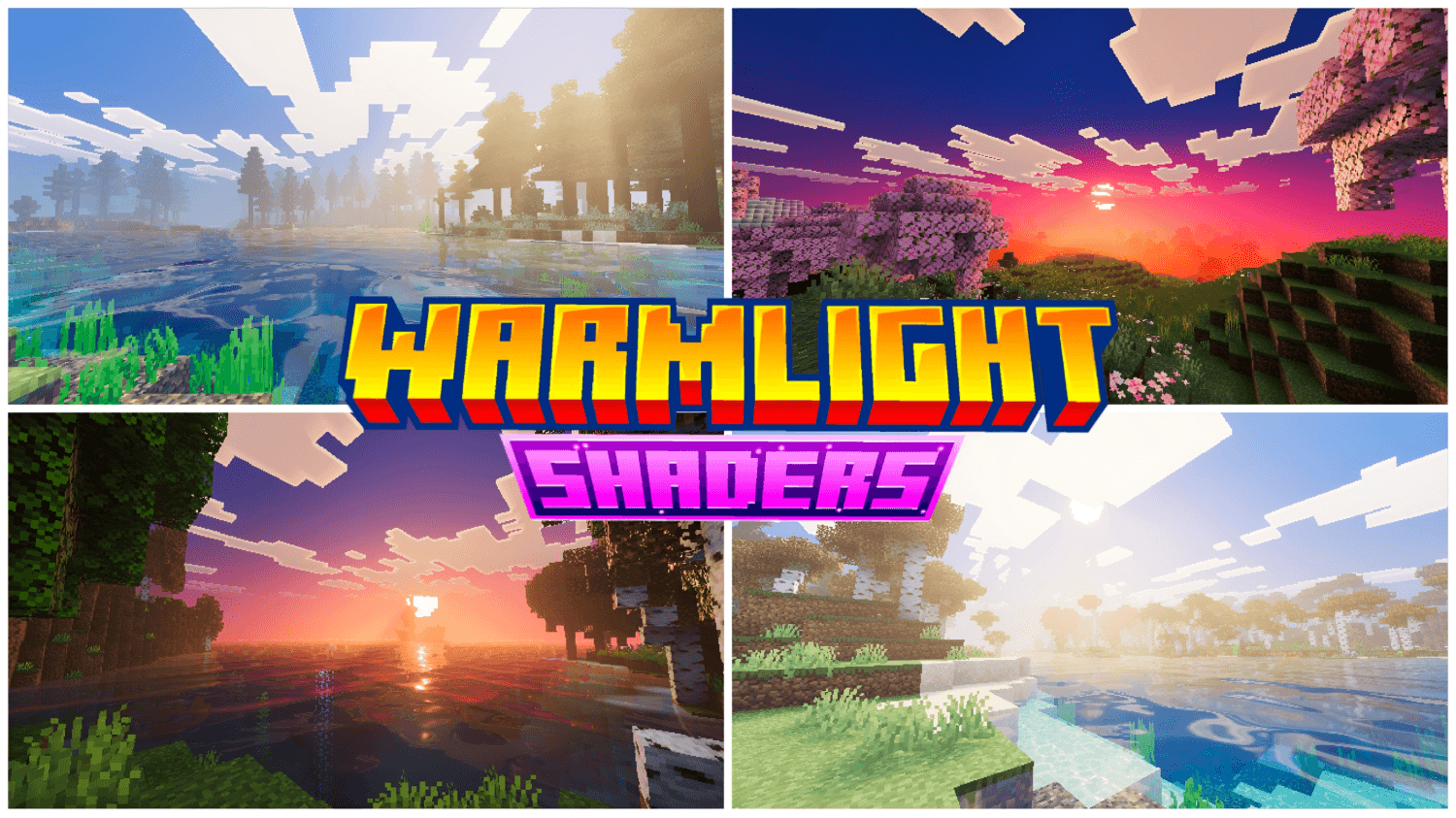
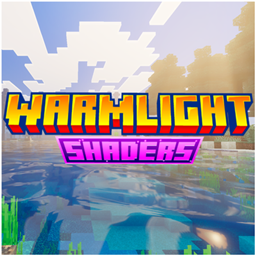
WarmLight shaders
WarmLight Shaders bathes Minecraft Bedrock in warm, cinematic light — golden god rays, sunset-tinted skies, realistic reflective water, and PBR-enhanced ores, all running smooth and optimized for every biome.DownloadFAQ
Do I need Forge or Fabric for a resource pack?
No. A resource pack works on the regular game with no loaders or mods. Click “Install” and Millida Launcher will put the pack into the right modpack — then just enable it in the settings.
What do 16×, 32×, 64× mean?
The resolution of a single texture in pixels. 16× matches the original game, 32× and 64× are more detailed and heavier, and 128× and up put a noticeable load on your graphics card.
Will a pack made for another version work?
Most likely partly: older packs don't have textures for newer blocks, so those will stay default. The game won't break, though.
How is a texture pack different from a resource pack?
Only by name and age. Before version 1.6 the sets were called texture packs and changed only textures; in 1.6 resource packs replaced them and also change sounds, fonts and the interface. Old texture packs for 1.5 and below do not work on new versions without conversion.
Which texture packs are best for PvP?
PvP packs: 16× resolution or lower, shortened swords, low fire, a clear sky and bright particles. They barely load the computer and make the opponent easier to see. These packs are collected in the PvP theme.
How do I install a resource pack?
Press Install and Millida Launcher puts the pack into the resourcepacks folder of the right instance. Then enable it in the game: Options, then Resource Packs. Manually, the archive goes into resourcepacks inside the game folder, no need to unpack it.
Resource packs for Minecraft 1.21
Resource packs for Minecraft 1.21: 2,284 items in the Resource packs section. Compatibility is checked against the files, not the description: only items with a build for exactly these conditions stay in the list.
The key thing about a pack is its resolution. The game's default textures are 16×16 pixels; 32× and 64× packs look more detailed, while 128× and up need a real graphics card and are usually paired with shaders. On a weak machine it makes sense to stay at 16× or go for packs that deliberately simplify graphics for more FPS. Every pack here lists its game version, author and license, and all released versions are gathered on one card. Put the downloaded archive in the resourcepacks folder and enable it in the game settings.