
Resource packs for Minecraft 1.21 — page 47
Resource packs: list


Astralex Visuals
Astralex Visuals is a Minecraft Bedrock render dragon shader pack featuring volumetric god rays, dynamic water reflections, and cinematic sky rendering for a stunning visual experience.Download

Better Animals Texture
This texture is made for you who are tired of the original minecraft textures and want to give it a change.Install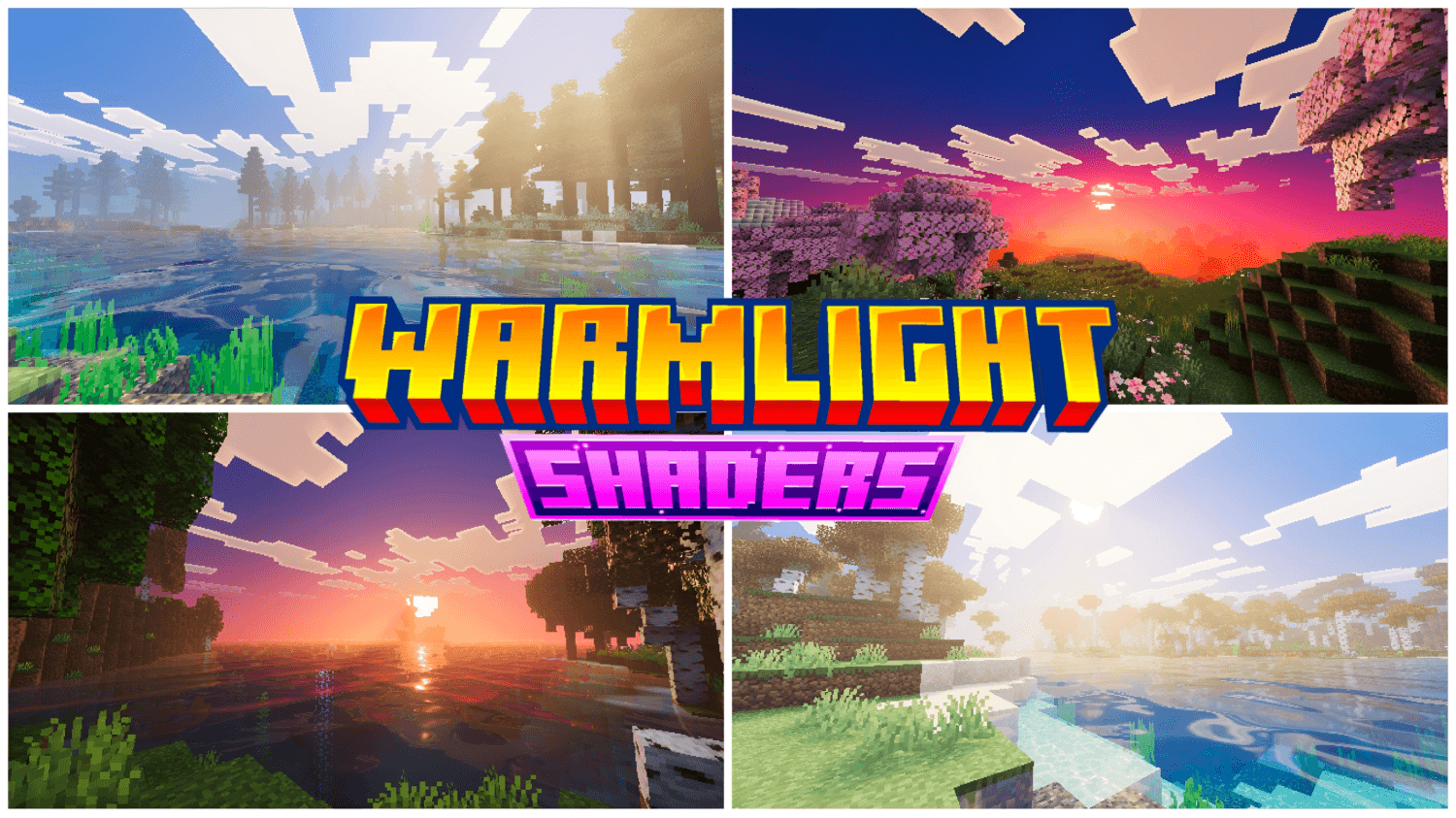
WarmLight shaders
WarmLight Shaders bathes Minecraft Bedrock in warm, cinematic light — golden god rays, sunset-tinted skies, realistic reflective water, and PBR-enhanced ores, all running smooth and optimized for every biome.Download
Nicer Rain
Changes texture of rain and splash particles to make rain look nicerInstall

No Food Eating Particles
Ever eating food, and particles fly in your face to remind you that Steve is an absolute savage.Install

Stardewful Plaques
Stardew Valley theme for Advancement Plaques.Install

PvP Essentials
The Essentials to overall Minecraft PvP.Install
Crystal Tooltips
Adds beautiful borders to tooltips using the Legendary Tooltips modInstall

Monster Can
Transform the boring Vanilla Potion into Delicious Monster CansInstall

InfuseSMP Texture Pack
The texture pack for CatAdmirer's Infuse SMP pluginInstall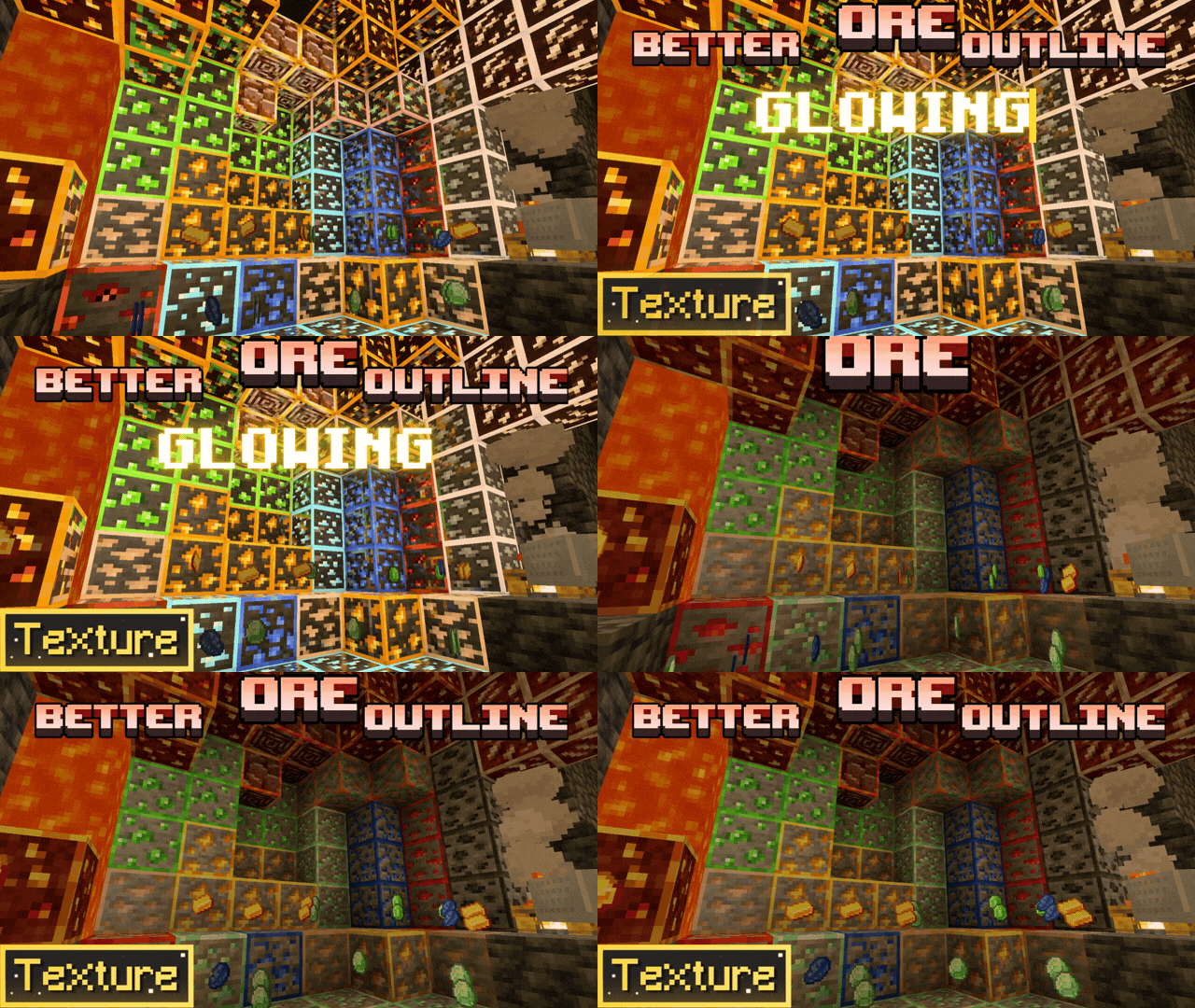

Ore Highlighter | Ore Outline & Glowing Ores
Better Ore Outlines adds clean, colored borders to every mineral! 💎 Find ores easily in deep caves with emissive textures. Fully optimized for 1.26 and compatible with all Bedrock shaders. ⛏️Download

Farcr's Re-Crafted
A small, personal minecraft reinterpretationInstall

Better icons!
The resource pack that replaces the HUD. All icons are made in the style of version 1.14+Install

New Death Messages (RP)
Replaces boring Minecraft death messages with fun unique ones!Install

Seamless Prismarine Bricks
This resourcepack simply makes the prismarine bricks have a seamless texture like in Minecraft Dungeons.Install

EmoteBend(FreshFace)
Makes Emotecraft bends work and adds face animation from Just Expressions.Install

No Z-Fighting
Fixes those annoying flickering glitchesInstall

Troll Totem of Undying
The Troll Totem resource pack reimagines Minecraft's totem of undying with a troll theme, adding an element of whimsy and playful mischief to the game.Install

Simple Fullbright – See in the Dark
Lights caves and night to full brightness so you can see everywhere without torches or potions. Lightweight, client-side, works without OptiFine or Sodium.Install

notandvm's creepers!
unique creeper textures for all biomes ─ return creepers to their former camouflaged glory!Install

Melody's Cute Girl Villagers
♪ An all-girls cute villagers resource pack with support for some mods! ~Install

SpiderFault 16x
The (un)official resource pack for the youtuber SenpaiSpider!Install

CPvP Agnes Tachyon Pack + Anime sky
This PvP/CPvP resource pack replaces the model textures, GUI, inventory, menu, and sky with a Agnes Tachyon theme.InstallFAQ
Do I need Forge or Fabric for a resource pack?
No. A resource pack works on the regular game with no loaders or mods. Click “Install” and Millida Launcher will put the pack into the right modpack — then just enable it in the settings.
What do 16×, 32×, 64× mean?
The resolution of a single texture in pixels. 16× matches the original game, 32× and 64× are more detailed and heavier, and 128× and up put a noticeable load on your graphics card.
Will a pack made for another version work?
Most likely partly: older packs don't have textures for newer blocks, so those will stay default. The game won't break, though.
How is a texture pack different from a resource pack?
Only by name and age. Before version 1.6 the sets were called texture packs and changed only textures; in 1.6 resource packs replaced them and also change sounds, fonts and the interface. Old texture packs for 1.5 and below do not work on new versions without conversion.
Which texture packs are best for PvP?
PvP packs: 16× resolution or lower, shortened swords, low fire, a clear sky and bright particles. They barely load the computer and make the opponent easier to see. These packs are collected in the PvP theme.
How do I install a resource pack?
Press Install and Millida Launcher puts the pack into the resourcepacks folder of the right instance. Then enable it in the game: Options, then Resource Packs. Manually, the archive goes into resourcepacks inside the game folder, no need to unpack it.
Resource packs for Minecraft 1.21
Resource packs for Minecraft 1.21: 2,301 items in the Resource packs section. Compatibility is checked against the files, not the description: only items with a build for exactly these conditions stay in the list.
The key thing about a pack is its resolution. The game's default textures are 16×16 pixels; 32× and 64× packs look more detailed, while 128× and up need a real graphics card and are usually paired with shaders. On a weak machine it makes sense to stay at 16× or go for packs that deliberately simplify graphics for more FPS. Every pack here lists its game version, author and license, and all released versions are gathered on one card. Put the downloaded archive in the resourcepacks folder and enable it in the game settings.