
Plugins for Minecraft Java — page 16
3,785 itemsPlugins: list


OtterLib
A cool new simple library mod that everyone can use!On a serverMinecraft: The Last Airbender
An SMP plugin that allows players to bend elements as in the Avatar world!On a serverAutoBroadcaster+
AutoBroadcaster non branded, Full color support, and easy config + fully customizableOn a server

Headpat a Friend!
Give headpats to other players!On a server

ClearLag++
🎆Trusted on 3100+ Servers🎆⭐Controlls Mob Spawning ⭐Limits Armor Stand⭐Item Frames⭐Laggy Chunkfinder and Unloader⭐And many more features⭐Check it out Yourself⭐1.18-26.3⭐Bukkit/Spigot/Paper/PurPur⭐On a serverNickNames
Allows players to have nicknames.On a serverMorph
Morph into any mob!On a server

ArenaSpleef
1v1 Spleef, or Team vs Team Spleef.On a server

CrazyLogin
CrazyLoginOn a server

MobCatcher
Catch mobs and get Spawn Eggs legitimately!On a serverAdminShop
AdminShopOn a server

Ban Management
An advanced SQL based punishment management system for your serverOn a server

Vanish
Make yourself completely invisible with /vanishOn a server
Herochat
The best chat channel plugin in Minecraft!On a server

MOTDColor
MOTDColor, change and colorize your MOTD in client server list.On a server
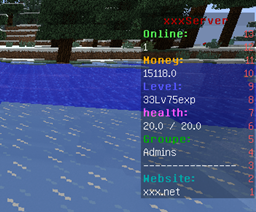
Info-Board
Create custom scoreboards using variables.On a serverBlockHunt
A Hide and Seek plugin as blocks!On a server

Jobs Reborn
Jobs RebornOn a server

EpicBoss Gold Edition
This is a plugin that let's you spawn Epic Bosses to fight!On a server

JourneyMap Teams
An addon for JourneyMap which provides integration with Supported Teams mods and Vanilla Teams.On a server

Project HungerGames
May the odds be ever in your favour.On a server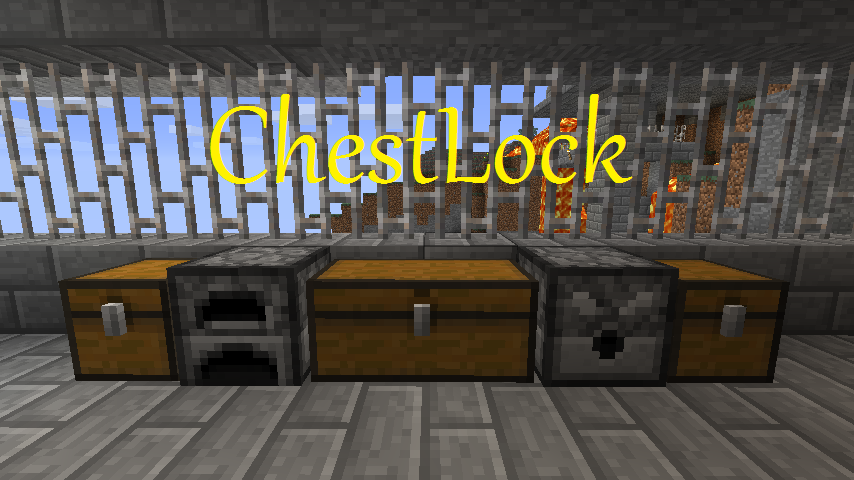
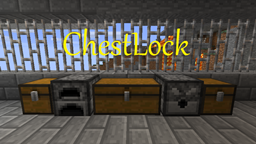
ChestLock
Simple locking solution for Chests, Furnaces, Dispensers, and DoorsOn a server

Plot²
PlotSquaredOn a serverFAQ
How is a plugin different from a mod?
A plugin runs only on the server and requires nothing from players: the client stays vanilla. A mod has to be installed by everyone, and it changes the game itself.
Where do I put a plugin?
Put the .jar file in the plugins folder on the server, then restart the server. The plugin will create its config on first launch.
Will a Spigot plugin work on Paper?
Usually yes: Paper and Purpur are built on Spigot and are compatible with its plugins. The reverse isn't true — a plugin that uses Paper features won't work on plain Spigot.
How do I install a plugin on Aternos?
On Aternos, plugins can only be installed from the built-in list in the “Plugins” section of the panel. You can't upload your own .jar file, so paid and rare plugins can't be installed on Aternos. If the plugin you need isn't on the list, you need hosting with access to the plugins folder: put the file there and restart the server.
Which plugins should I install on a server first?
People usually start with four: EssentialsX (homes, warps, kits, teleport), LuckPerms (groups and permissions), WorldGuard together with WorldEdit (spawn and region protection) and ViaVersion (joining from other game versions). For a server with nickname login, add AuthMe for passwords and SkinsRestorer for skins.
Which plugins should I install on a server for playing with friends?
A small server for friends needs just a few: EssentialsX (home, teleport to a friend, warps), CoreProtect (rolling back griefing and finding who broke a block) and Simple Voice Chat for voice chat, which needs the mod of the same name on players' side. Permissions and region protection are usually unnecessary on such a server.
How do I install a plugin on Paper?
Download the plugin file for your Paper version, put the .jar into the plugins folder and restart the server — the /plugins command will list it. On Millida Hosting the On a server button on the plugin page does the same.
Plugins for Minecraft Java
A plugin is installed on the server, not by the player, and that's the whole difference from a mod: the client stays plain vanilla, and you can join the server without downloading a single file. Plugins run on server cores — Paper, Spigot, Bukkit, Purpur, Folia — while Velocity and BungeeCord are used for proxies between servers. The core matters as much as the version: a Paper plugin will almost always run on Purpur, but a Velocity plugin won't start on a regular server at all.
The useful minimum for a server is almost always the same: EssentialsX for basic commands, LuckPerms for permissions, WorldGuard together with WorldEdit for region protection and CoreProtect to roll back griefing. Servers with nickname login add AuthMe and SkinsRestorer, servers for friends add Simple Voice Chat. On Millida Hosting a free plugin from the catalog goes onto the server with the On a server button on its page, no manual .jar upload.
Plugins handle almost everything behind the scenes on a server: ranks and permissions, land protection, economy and shops, anti-cheat, map rotation, menus and voting. You install them by copying the .jar file into the plugins folder and restarting the server; most create their own config on first launch, which is what you then edit. The card lists supported cores and game versions, the author and license, and all releases are gathered on one page — you can update the plugin right from there.