
Plugins for Minecraft Java 1.6.4
134 itemsPlugins: list



NoCheatPlus
Detect and fight the exploitation of various flaws/bugs in Minecraft!On a server

Bow Spleef
BowSpleef - Shoot at TNT with a flame bow and knock out the the ground under your opponents!On a serverAutoSaveWorld
Provides essential server managment tools: World autosave, Backups, Auto restart, Plugin data purging, Plugin management and more.On a serverNametagEdit
Add prefixes and suffixesOn a server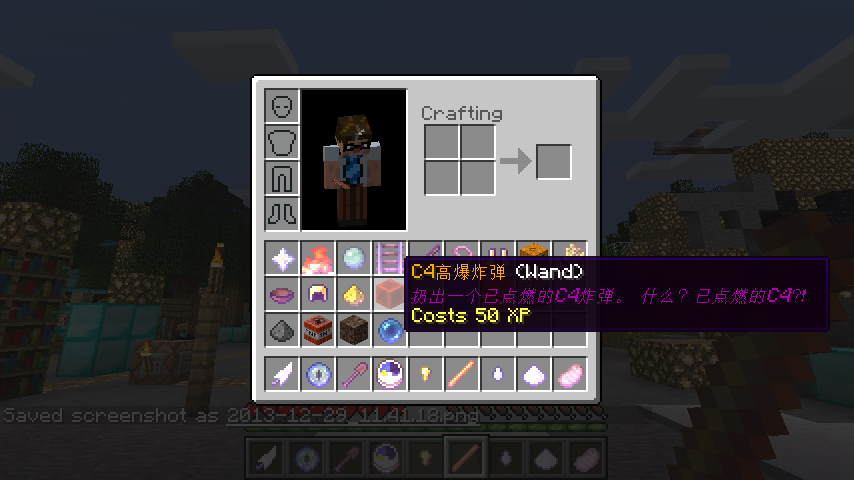

Magic
Powerful, craftable Wand items and Spell scriptingOn a server
Herobrine
HerobrineOn a server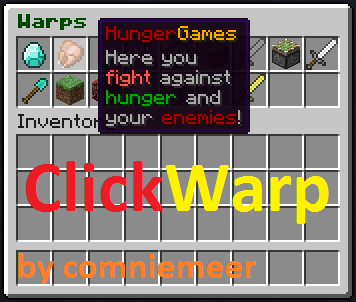
ClickWarp
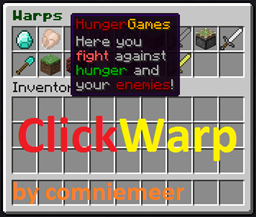
Teleports you by clicking in an inventoryOn a server
Timber Plugin
With this plugin you can cut down an entire tree by breaking the bottom part!On a server

Terrain Control
This plugin allow full control of normal world generatorOn a serverClickEdit
The simplest sign editing plugin around! Shift+Rightclick to edit!On a serverSkillz
SkillzOn a serverAdminShop
AdminShopOn a server
Herochat
The best chat channel plugin in Minecraft!On a server

VaultUnlocked
A modern drop-in Vault fork, with Folia support, and enhanced APIs.On a serverAbsolute Welcome
Absolute WelcomeOn a server
xpShop
Player can buy and sell and send EXP (Register, iConomy5, iConomy6, Vault)On a server

BanHammer
Bans, kicks and records.On a serverLottery
This plugin lets your users buy tickets for a price you decide to a lottery drawing.On a serverAntiFire
stop fire spread, damage, and start with loggingOn a serverSignEdit
Allows signs to be edited with easeOn a server
VipSlot reservation
VipSlot allow you to reserve slotsOn a server

StarterKit
Automatically give items to new players.On a serverMinecraft Market
Free donation alternativeOn a serverFAQ
How is a plugin different from a mod?
A plugin runs only on the server and requires nothing from players: the client stays vanilla. A mod has to be installed by everyone, and it changes the game itself.
Where do I put a plugin?
Put the .jar file in the plugins folder on the server, then restart the server. The plugin will create its config on first launch.
Will a Spigot plugin work on Paper?
Usually yes: Paper and Purpur are built on Spigot and are compatible with its plugins. The reverse isn't true — a plugin that uses Paper features won't work on plain Spigot.
How do I install a plugin on Aternos?
On Aternos, plugins can only be installed from the built-in list in the “Plugins” section of the panel. You can't upload your own .jar file, so paid and rare plugins can't be installed on Aternos. If the plugin you need isn't on the list, you need hosting with access to the plugins folder: put the file there and restart the server.
Which plugins should I install on a server first?
People usually start with four: EssentialsX (homes, warps, kits, teleport), LuckPerms (groups and permissions), WorldGuard together with WorldEdit (spawn and region protection) and ViaVersion (joining from other game versions). For a server with nickname login, add AuthMe for passwords and SkinsRestorer for skins.
Which plugins should I install on a server for playing with friends?
A small server for friends needs just a few: EssentialsX (home, teleport to a friend, warps), CoreProtect (rolling back griefing and finding who broke a block) and Simple Voice Chat for voice chat, which needs the mod of the same name on players' side. Permissions and region protection are usually unnecessary on such a server.
How do I install a plugin on Paper?
Download the plugin file for your Paper version, put the .jar into the plugins folder and restart the server — the /plugins command will list it. On Millida Hosting the On a server button on the plugin page does the same.
Plugins for Minecraft Java 1.6.4
Plugins for Minecraft 1.6.4: 134 items in the Plugins section. Compatibility is checked against the files, not the description: only items with a build for exactly these conditions stay in the list.
Plugins handle almost everything behind the scenes on a server: ranks and permissions, land protection, economy and shops, anti-cheat, map rotation, menus and voting. You install them by copying the .jar file into the plugins folder and restarting the server; most create their own config on first launch, which is what you then edit. The card lists supported cores and game versions, the author and license, and all releases are gathered on one page — you can update the plugin right from there.