mcMMO-TagAPI
by _ForgeUser7840837 · CurseForgemcMMO-TagAPI
Updated October 17
mcMMO-TagAPI
A simple leightweight mod, that allows players to track other players using compasses.
Money4Kills allows your players to earn money by killing monsters, animals and also players.
Bringing RandomMobs to Spoutcraft and Bukkit!
LAC is a free anticheat.
An extremely efficient way of economic balancing, allowing poorer players to have a chance to earn.
Allows you to trade with players using the Villager GUI.
Dogtags
Users must have a ticket (paper) when entering a vehicle
Player colors for different groups within Group Manager.
CHDistantFarm
Stop annoying combat loggers!
Teleporter
buy a home with this plugin
Steel Security
Allows one person to sleep, without others on server having to sleep or log.
Build MemoryStone structures, memorize their location with a compass and teleport to any MemoryStone using your compass.
A pretty simple shop plugin. No signs required. Supports DoubleChests and claim protections!
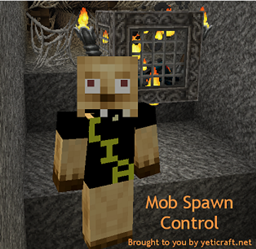
Mob Spawn Control allows you to limit the use of mob grinders. The tool include reporting, teleporting, and more.
SimpleAFK - A simple to use AFK system with advanced features
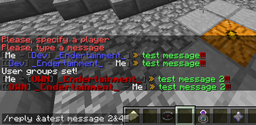
Simple private messager (/msg)
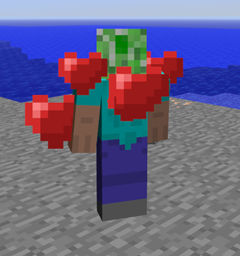
iLove 1.0.0 - Heart animation
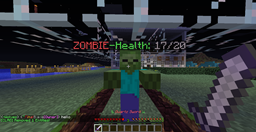
Health Above Heads!
Vote4Diamond is a plugin that allows users to vote on different voting sites and get diamonds (configurable) in return.
A plugin runs only on the server and requires nothing from players: the client stays vanilla. A mod has to be installed by everyone, and it changes the game itself.
Put the .jar file in the plugins folder on the server, then restart the server. The plugin will create its config on first launch.
Usually yes: Paper and Purpur are built on Spigot and are compatible with its plugins. The reverse isn't true — a plugin that uses Paper features won't work on plain Spigot.
On Aternos, plugins can only be installed from the built-in list in the “Plugins” section of the panel. You can't upload your own .jar file, so paid and rare plugins can't be installed on Aternos. If the plugin you need isn't on the list, you need hosting with access to the plugins folder: put the file there and restart the server.
People usually start with four: EssentialsX (homes, warps, kits, teleport), LuckPerms (groups and permissions), WorldGuard together with WorldEdit (spawn and region protection) and ViaVersion (joining from other game versions). For a server with nickname login, add AuthMe for passwords and SkinsRestorer for skins.
A small server for friends needs just a few: EssentialsX (home, teleport to a friend, warps), CoreProtect (rolling back griefing and finding who broke a block) and Simple Voice Chat for voice chat, which needs the mod of the same name on players' side. Permissions and region protection are usually unnecessary on such a server.
Download the plugin file for your Paper version, put the .jar into the plugins folder and restart the server — the /plugins command will list it. On Millida Hosting the On a server button on the plugin page does the same.
A plugin is installed on the server, not by the player, and that's the whole difference from a mod: the client stays plain vanilla, and you can join the server without downloading a single file. Plugins run on server cores — Paper, Spigot, Bukkit, Purpur, Folia — while Velocity and BungeeCord are used for proxies between servers. The core matters as much as the version: a Paper plugin will almost always run on Purpur, but a Velocity plugin won't start on a regular server at all.
The useful minimum for a server is almost always the same: EssentialsX for basic commands, LuckPerms for permissions, WorldGuard together with WorldEdit for region protection and CoreProtect to roll back griefing. Servers with nickname login add AuthMe and SkinsRestorer, servers for friends add Simple Voice Chat. On Millida Hosting a free plugin from the catalog goes onto the server with the On a server button on its page, no manual .jar upload.
Plugins handle almost everything behind the scenes on a server: ranks and permissions, land protection, economy and shops, anti-cheat, map rotation, menus and voting. You install them by copying the .jar file into the plugins folder and restarting the server; most create their own config on first launch, which is what you then edit. The card lists supported cores and game versions, the author and license, and all releases are gathered on one page — you can update the plugin right from there.