InfoHUD
by RoverIsADog · CurseForgeDisplay coordinates and time. Inspired by Coordinates HUD.
Updated October 17
Display coordinates and time. Inspired by Coordinates HUD.
Bot protection system for Minecraft servers and proxies
This is an GUI where you can manage important World and Server options from basic Vanilla. And adds some commands like fly invsee and similar. All commands have own permissions.
An addon for TAB when it is installed on a proxy.
Listen for and modify outgoing ping responses
Towns can now require buildings that do stuff
Mortars in Minecraft
Double Jump
Aurora Enchantments
Inspect a player inventory/armour/off-hand/ with a custom gui / Finvsee
Optimized | Customizable | Cross-Version | Adaptive | Folia Support | Geyser Detections
Implements new game modes and commands into your server.
run commands from a sign!
BetterChairs allows you and your players to sit on chairs. It's that simple! Every stair, slab or block can be a chair if you want it to!
Bukkit Economy
An amazing double jump plugin! Used to get around easier! Now for 1.7 - 1.16+!
Create interactive inventory menus quickly and easily.
AngryWolves
Better messages for your server, join/leave messages, world change messages and more!
Configurable plugin that spawns zombies upon a player's death!
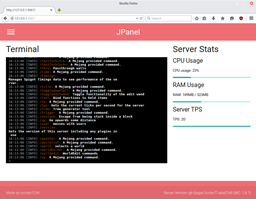
JPanel - A plugin based web panel for Bukkit
Bungee SurvivalGames
Tekkit ToolKit
Inventory Based GUI and NPC Trait for HyperConomy
A plugin runs only on the server and requires nothing from players: the client stays vanilla. A mod has to be installed by everyone, and it changes the game itself.
Put the .jar file in the plugins folder on the server, then restart the server. The plugin will create its config on first launch.
Usually yes: Paper and Purpur are built on Spigot and are compatible with its plugins. The reverse isn't true — a plugin that uses Paper features won't work on plain Spigot.
On Aternos, plugins can only be installed from the built-in list in the “Plugins” section of the panel. You can't upload your own .jar file, so paid and rare plugins can't be installed on Aternos. If the plugin you need isn't on the list, you need hosting with access to the plugins folder: put the file there and restart the server.
People usually start with four: EssentialsX (homes, warps, kits, teleport), LuckPerms (groups and permissions), WorldGuard together with WorldEdit (spawn and region protection) and ViaVersion (joining from other game versions). For a server with nickname login, add AuthMe for passwords and SkinsRestorer for skins.
A small server for friends needs just a few: EssentialsX (home, teleport to a friend, warps), CoreProtect (rolling back griefing and finding who broke a block) and Simple Voice Chat for voice chat, which needs the mod of the same name on players' side. Permissions and region protection are usually unnecessary on such a server.
Download the plugin file for your Paper version, put the .jar into the plugins folder and restart the server — the /plugins command will list it. On Millida Hosting the On a server button on the plugin page does the same.
Plugins for Minecraft 1.8.1: 615 items in the Plugins section. Compatibility is checked against the files, not the description: only items with a build for exactly these conditions stay in the list.
Plugins handle almost everything behind the scenes on a server: ranks and permissions, land protection, economy and shops, anti-cheat, map rotation, menus and voting. You install them by copying the .jar file into the plugins folder and restarting the server; most create their own config on first launch, which is what you then edit. The card lists supported cores and game versions, the author and license, and all releases are gathered on one page — you can update the plugin right from there.