Ars Additions
by Jarva · CurseForgeAn Ars Nouveau addon focused on immersion and quality of life improvements
An Ars Nouveau addon focused on immersion and quality of life improvements
Allows you to set an Initial Inventory for a player using ZenScript
Resourceful Config is a mod that allows for developers to make cross-platform configs
No more recipe conflicts! Adds an option to choose the crafting result if more than one is available.
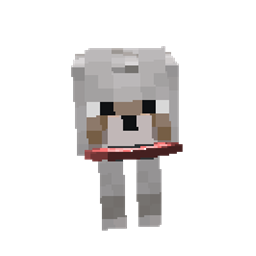
This mod aims to revamp the wolf mob
Adds Tiered Crystals to Mystical Agriculture.
KubeJS Thermal Expansion integration
A Quark is a very small thing. This mod is a collection of small things...
Improves kill contribution tracking for FTB Quests
Makes torches burn out after a configurable amount of time.
A Neo/Forge port of the Eating Animation mod
A cozy expansion to farming and cooking!
Adds environmental pollution mechanics with real consequences for the world around you
A mod that adds carts that can be pulled by other entities.
“Acquire” and turn into most living mobs by killing them including other players, silverfish, other mods, and more!
Travel arround the world with tubes!
Adds upgraded versions of Netherite with helpful effects.
pause and resume breaking, across players!
Tools and magic items to help or mess with villagers
Adds armors and storage for wolves!
Right click crop harvesting
Ensures correct destinations when traveling back and forth through Nether Portals in Multiplayer.
give Applied Energistics 2 add a crafting tree
Provide additional features
They're two different mod loaders that aren't compatible with each other. Forge is the older one and better suited to big tech and magic modpacks; Fabric is lighter, updates to new game versions faster, and hosts most performance mods. NeoForge is a Forge fork for newer versions, and Quilt is a Fabric fork. A Forge mod won't run on Fabric, and vice versa. Millida Launcher installs the right loader for you.
The one that matches your game version and loader. The “Install” button picks the file for you: Millida Launcher grabs the version for your modpack. A mod for 1.20.1 usually won't work on 1.21.
Click “Install” and Millida Launcher will download the mod, its dependencies and the right loader for you. To install a downloaded file manually, put it in the mods folder inside the game directory.
No. The Install button on a mod page opens Millida Launcher: it downloads the mod, its dependencies and the right loader into the chosen instance by itself. No CurseForge and no manual file copying.
1.20.1 is one of the most modded versions, especially on Forge: tech, magic, RPG, furniture, weapons. Pick 1.20.1 in the version filter to keep only mods with a file built exactly for it, then pick Forge or Fabric next to it.
On Android, yes: Millida Launcher runs the Java edition on a phone, and mods work there just like on a PC, though light ones run much better than heavy ones. Minecraft PE (Bedrock) cannot load PC mods — it has add-ons instead, in the Minecraft PE mods section.
The usual picks are Simple Voice Chat for proximity voice chat, Waystones for fast travel, Xaero's Minimap and something big to work on together, such as Create. Mods that change the world must be installed by every player and on the server, while client-side ones like a minimap or performance mods are up to each player.
Mods for Minecraft Forge: 6,190 items in the Mods section. Compatibility is checked against the files, not the description: only items with a build for exactly these conditions stay in the list.
One mod in the catalog, one page. Every version the author has released is listed on its card: pick your game version and loader right there instead of jumping between ten similar pages. Each file shows its size, release date and checksum, and the mod itself shows the author, license and a link to the original source. Files whose license allows rehosting are stored with us and download directly — no link shorteners, timers or ad redirects. If the license forbids rehosting, the button honestly takes you to the author.