
Minecraft modpacks — page 160
5,165 itemsModpacks: list


Minecraft VR
Basic VR Minecraft pack with some immersion. Just have SteamVR open and hit play!InstallOn a server

Blood N' Bones
A Modpack inspired by RLCRAFT and various othersInstallOn a server
ESpeak's SatisCraft: The Beauty of Shaders
A modpack designed to give players a fun, lightly modded experience with their favorite shaders.InstallOn a server
Create Bosses+
Adds new bosses into the game with more aditionsInstallOn a server
Sky Islands Legacy
Sky Islands Survival lets you explore a whole new breathtaking world above the clouds. Fight, Create, Sail, and Conquer!InstallOn a server
Aesthetic Construction
Creative DesignInstallOn a server
PokeAtlas Project
Making every pokemon game in one world!InstallOn a server

WC Tech & Magic
WCTM is a pack based around tech & magic. Now it has been brought back to life and has an official server.Install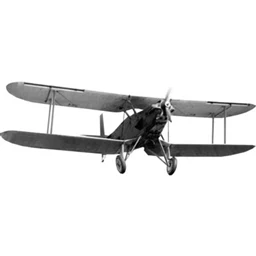
A.C.A armors,cars and aircraft
light modpack for aternos serverInstallOn a server

Bluenerds Farming Adventure
A Vanilla+ Style Modpack for farming and explorationInstallOn a server

Comet Client
An extremely customizable Lunar Client alternative!Install
Simple TFC
A lite modpack to make TFC easier !InstallOn a server

Galactica
Galactica brings together your favourite mods from Tekkit to Minecraft 1.12.2. Play Galacticraft, BuildCraft, IndustrialCraft, and more all in one place! Are you ready to journey into Galactica?InstallOn a server
A Dog's World
It's a mashup of Dog-related mods and a bit of randomness in one.InstallOn a server
Bruh Mc
involves magic and tech and exploration and advancement in technologiesInstallOn a server
Counter Block:Cube Offensive
In the long and short of it, me and a few friends wanted to play CSGO in Minecraft because why not so this modpack is all the mods that we think are suitable for a CSGO esque experience.InstallOn a server
Technocratica
Technocratica - A progressive "expert" Modpack without MagicInstallOn a server
Drdonutt
(discord\Credits: yt_nonw1cares|brickwall ) DrDonutt Pack combines fast-paced PvP action with enhanced exploration, offering unique combat mechanics and immersive world-building features.InstallOn a server

Lunar with mods
Lunar doesn't have these features let's fix thatInstall
One Block Mods
Modpack to add more things to do in One Block.InstallOn a server
CobblemonOneBlock
Ever Wanted a Cobblemon OneBlock Here it isInstallOn a server
Galacticraft 4 (Ad Astra)
Space modpack with CreateInstallOn a server
Ores, Gears & Backpacks
Adventure and Building in a Lightweight fashion.InstallOn a serverFAQ
How is a modpack different from a bunch of mods?
A modpack is already a tuned set: mod versions are matched to each other, configs are set up, and recipes and progression are tied together. Mods downloaded one by one you'll have to make work together yourself.
How do I install a modpack?
Click “Install” and Millida Launcher will download the modpack and the right Java for you and create a separate profile for it. No need to install the mods or loader separately.
How much memory should I allocate?
Light performance modpacks run on 4 GB, mid-sized ones on 6 GB, and big tech-and-magic ones need 8 GB or more. You can change memory in the Millida Launcher profile settings; the exact figure is usually in the modpack description.
Which modpack should I pick to play with friends?
Turn on the With a friend filter under What for to keep modpacks made for playing together: co-op survival, Create, adventures with shared progression. The modpack version must match for every player and the server.
Are there modpacks with quests in my language?
Modpacks with a quest book and a story are in the With quests theme. The quest language depends on the author: most packs ship in English, and other languages are usually added by a separate translation mod — check the modpack description.
Will a modpack run on a low-end PC?
A light one will. The For low-end PCs filter keeps modpacks with a small mod list and performance mods, and 4 GB of memory is enough for them. Big tech-magic modpacks need 6–8 GB and lag on a weak machine even if they start.
How do I run a modpack on my own server?
A modpack page has an On a server button: it installs the modpack on a Millida Hosting server and switches the core to match, and a copy of the old world is kept in backups. Players then install the same modpack in Millida Launcher and join the server address.
Minecraft modpacks
A modpack is a ready-made set of mods, configs and recipes put together by the author so that everything works together. Building a set like that by hand takes ages: mods clash over versions, need libraries and handle game mechanics in different ways. A modpack has already done that work for you — all that's left is to pick the game version and loader.
A modpack is not only for your own game: you can also run it on a server to play with friends. Next to Install on a modpack page there is an On a server button: it installs the same modpack on a Millida Hosting server together with the right core, and a copy of the old world is kept in backups. Your friends install the modpack in the launcher and join the server address — everyone gets the same version because it comes from one place.
Each modpack here is one page with every released version. The card shows which game version and loader it's built for, how big the archive is and who the author is. Modpacks aren't installed like individual mods: click “Install” and Millida Launcher downloads all the modpack's mods, the right loader and Java, and creates a separate profile for it without touching your others. Mind the memory requirements: heavy tech-and-magic modpacks need six gigabytes or more and simply won't start on the default two.