
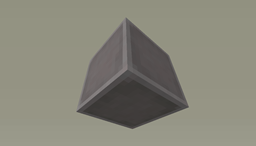
适用于 Minecraft 1.7.10 的 Ztones 模组
Ztones 添加现代、未来主义和奇幻风格的装饰建筑方块。新版本已发布!未来更新请查看 BetterBlockZ。
关于 Ztones 模组
⚠️ Ztones 1.21.1 Neoforge 延续版下载 👉 BetterBlockZ - Minecraft Mods - CurseForge [新套装、工具和重新纹理] ⚠️
Ztones 添加现代/未来/奇幻风格的装饰建筑方块。
特性:
链接:
MC 论坛
Imgur 相册
如何安装 Ztones
With Millida Launcher
Install Millida Launcher
The launcher is free: download it at millida.net/launcher and sign in with any nickname.
Click “Install” on this page
The launcher opens and installs the mod for Minecraft 1.7.10 automatically.
Launch the game
A profile with it appears in the launcher: click “Play”.
Manually
Download the file for your version
In the version list above, pick the file Ztones-1.7.10-2.2.1.jar (544 KB) for your game version.
Put it in the mods folder
The folder is inside .minecraft (Windows: %appdata%\.minecraft\mods). If it does not exist, create it.
Launch the loader profile
Open “Mods” in the main menu: Ztones should be in the list.
Minecraft 1.7.10 runs on Java 8: with a different Java version the game may close right after launch.
版本
含依赖项
| Minecraft | 加载器 | 文件 | 日期 | 操作 |
|---|---|---|---|---|
| 1.7.10 | — | Ztones-1.7.10-2.2.1.jar544 KB 1 |
常见问题
Which Minecraft versions does Ztones work on?
Only Minecraft 1.7.10: there are no files for other versions.
Which Java does Ztones need?
Minecraft 1.7.10 runs on Java 8. If the game closes right after launch, the usual cause is the wrong Java version in the profile settings.
Where can I download Ztones safely?
On this page: the file Ztones-1.7.10-2.2.1.jar (544 KB) is stored on Millida’s server, with no link shorteners. SHA-1 checksum: 33a1fbcc7e153037e5092f3b59a61365c6500e96.
评价
成为第一个评价 Ztones 的人


