
关于 YUNoMakeGoodMap 模组
你是否玩过空岛生存地图,结果遇到某个讨厌的家伙跑过来,站在虚空边缘的旱地上?
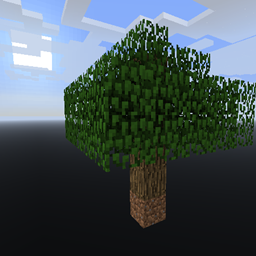
那么这个模组就能解决这个问题,它会让整个世界完全生成成虚空。
你可以选择自己的起始建筑,然后就可以出发了。
这个模组单靠自己用处不大,但如果你有 Ex Nihilo 之类的东西,就可以想造什么就造什么。
官方下载页面在这里。通过广告直接支持我。并且包含所有旧版本的存档。不过这个项目是为了帮助使用 Curse 系统制作整合包的人而创建的。所以请随意制作整合包并链接这个模组!作为用户你也可以在这里下载。所有未来版本都会同时发布到这两个网站。
如何安装 YUNoMakeGoodMap
With Millida Launcher
Install Millida Launcher
The launcher is free: download it at millida.net/launcher and sign in with any nickname.
Click “Install” on this page
The launcher opens and installs the mod for Minecraft 1.12 automatically.
Launch the game
A profile with it appears in the launcher: click “Play”.
Manually
Download the file for your version
In the version list above, pick the file YUNoMakeGoodMap-1.12-6.3.0.29.jar (175 KB) for your game version.
Put it in the mods folder
The folder is inside .minecraft (Windows: %appdata%\.minecraft\mods). If it does not exist, create it.
Launch the loader profile
Open “Mods” in the main menu: YUNoMakeGoodMap should be in the list.
Minecraft 1.12 runs on Java 8: with a different Java version the game may close right after launch.
版本
含依赖项
| Minecraft | 加载器 | 文件 | 日期 | 操作 |
|---|---|---|---|---|
| 1.12 | — | YUNoMakeGoodMap-1.12-6.3.0.29.jar175 KB |
常见问题
Which Minecraft versions does YUNoMakeGoodMap work on?
Only Minecraft 1.12: there are no files for other versions.
Which Java does YUNoMakeGoodMap need?
Minecraft 1.12 runs on Java 8. If the game closes right after launch, the usual cause is the wrong Java version in the profile settings.
Where can I download YUNoMakeGoodMap safely?
On this page: the file YUNoMakeGoodMap-1.12-6.3.0.29.jar (175 KB) is stored on Millida’s server, with no link shorteners. SHA-1 checksum: 88ce46b28d23200bcfde8472fed25decf05d3092.
评价
成为第一个评价 YUNoMakeGoodMap 的人


