
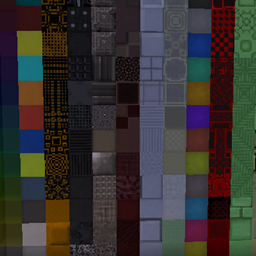
适用于 Minecraft 1.20.1, 1.19.2 的 Xtones Reworked 模组
Xtones 模组的移植版,添加了各种现代、未来和奇幻风格的装饰建筑方块
 NeoForge
 Forge
关于 Xtones Reworked 模组
模组更新已停止。请使用 riciJak 的 BetterBlockZ 模组:
https:/www.curseforge.com/minecraft/mc-mods/betterblockz

Xtones Reworked
Xtones Reworked 是一个适用于 Minecraft 1.19.2 及以上版本的模组,添加了各种现代、未来和奇幻风格的装饰建筑方块以及一盏灯!
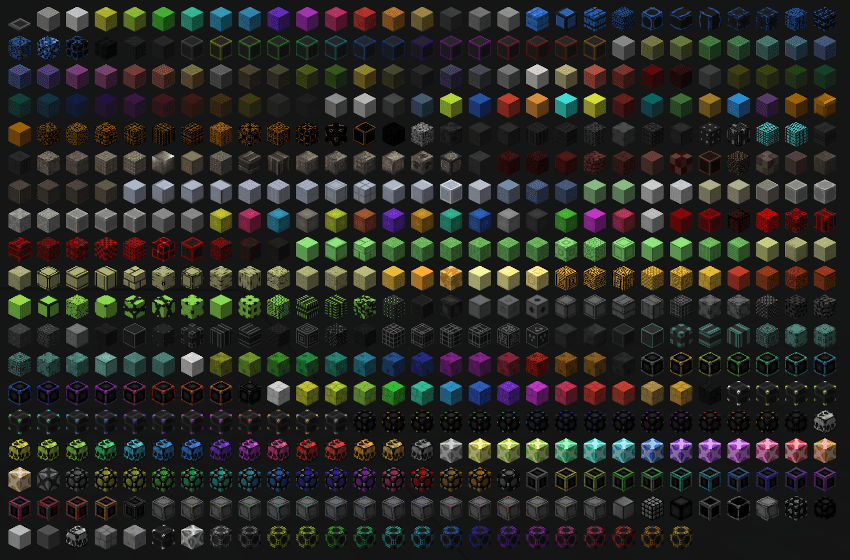
这个模组将添加 512 种不同的建筑方块,可用于建筑和装饰。你将找到原版 Xtones 模组中全部 34 种原始方块种类及其 15 种子变体。
你可以通过基础配方合成 Agon 或 Kryp 等基础方块,然后使用染料配方或切石机将它们改为不同的变体。
这是 TehNut 的 Xtones 模组的移植版本。代码从头重写,并保留了原有的材质。
注意
我不会继续支持 Forge,将专注于 Neoforged,但我会开始为这个模组支持一个 Fabric 项目。
如何安装 Xtones Reworked
With Millida Launcher
Install Millida Launcher
The launcher is free: download it at millida.net/launcher and sign in with any nickname.
Click “Install” on this page
The launcher opens and installs the mod for Minecraft 1.19.2–1.21.10 on Forge or NeoForge automatically.
Launch the game
A profile with it appears in the launcher: click “Play”.
Manually
Install Forge or NeoForge
The loader must match the game version of the mod file, for example Minecraft 1.21.10. After installing it, a separate profile appears in your launcher.
Download the file for your version
In the version list above, pick the file xtonesreworked-1.0.0-1.21.9.jar (1.3 MB) for your game version and loader.
Put it in the mods folder
The folder is inside .minecraft (Windows: %appdata%\.minecraft\mods). If it does not exist, create it.
Launch the loader profile
Open “Mods” in the main menu: Xtones Reworked should be in the list.
Minecraft 1.21.10 runs on Java 21: with a different Java version the game may close right after launch.
版本
含依赖项
| Minecraft | 加载器 | 文件 | 日期 | 操作 |
|---|---|---|---|---|
| 1.21.9 | NeoForge | xtonesreworked-1.0.0-1.21.9-1.21.x.jar1.3 MB | ||
| 1.20.1 | Forge | xtonesreworked-1.0.4-F_1.20.1-47.2.0.jar1.3 MB | ||
| 1.19.2 | — | xtonesreworked-1.0.1-1.19.2.jar1.3 MB |
评价
成为第一个评价 Xtones Reworked 的人


