
- 次浏览
- 18 次浏览
- 已更新
- 已更新 18.10.2026
- 1.12 — 1.12.2
 Forge
Forge
描述
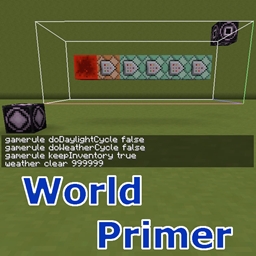
World Primer 可以在首次创建新世界时、每次加载世界时或每次加载维度时自动运行一组命令。
配置
要运行的命令在以下配置选项中设置。它们也都可以通过游戏内配置菜单进行配置:
- dimensionLoadingCommands - 每次加载维度时要运行的命令
- earlyWorldCreationCommands - 在初次创建世界时运行的命令,在出生点区块生成或加载之前运行。如果启用了维度加载跟踪,那么这甚至会在任何维度被加载/初始化之前发生。
- earlyWorldLoadingCommands - 每次加载世界时(即服务器启动时)要运行的命令。这些命令在服务器启动时、任何世界被加载之前运行。
- postWorldCreationCommands - 在初次创建世界时运行的命令,在出生点区块生成并加载之后运行。
- postWorldLoadingCommands - 每次加载世界时(即服务器启动时)要运行的命令。这些命令在服务器已启动且主世界出生点区块已加载后运行。
还有一些单独的配置选项可以启用或禁用所有这些命令,这样如果你想临时禁用它们,就不必删除所有命令:
- enableDimensionLoadingCommands
- enableDimensionLoadTracking - 启用对维度加载次数的跟踪,以及服务器启动次数(即世界被加载的次数)的跟踪。
- enableEarlyWorldCreationCommands - 启用早期世界创建命令,这些命令在任何维度被加载之前执行,因此也在任何区块生成或加载之前执行
- enableEarlyWorldLoadingCommands - 启用早期世界加载命令,这些命令在每次服务器启动时执行一次,在任何维度被加载之前
- enablePostWorldCreationCommands - 启用晚期世界创建命令,这些命令在维度加载之后、主世界出生点区块生成之后执行
- enablePostWorldLoadingCommands - 启用晚期世界加载命令,这些命令在每次服务器启动时执行一次,在所有维度以及主世界出生点区块加载之后。
除此之外,还有 enableDebugLogging 选项,它会打印来自各种事件的日志消息,因此很容易跟踪发生了什么以及何时发生。
维度加载命令
维度加载命令可以通过这样指定命令来仅针对特定维度加载时运行:worldprimer-dim-command <dim id> <the actual command>。例如:worldprimer-dim-command 1 say The End dimension has loaded!
如果你只给出命令而不带前缀,那么它会在任何维度加载时运行,例如:say Some dimension has loaded!
从 0.3.0 版本开始,现在还有另一种维度加载命令变体,它可以在特定次数的维度加载时运行命令,或在给定值的任意倍数时运行。注意:此变体需要启用 enableDimensionLoadTracking 选项!其语法为:worldprimer-dim-command-nth <dim id> <load count> <the actual command>
因此,要仅在末地第一次加载时运行命令,你可以使用:worldprimer-dim-command-nth -1 1 say The Nether has loaded for the first time!
或者在末地第 6 次加载时:worldprimer-dim-command-nth 1 6 say The End has loaded for the sixth time!
要在给定值的任意倍数时运行命令,请在值前加上 '%':worldprimer-dim-command-nth 1 %5 say The End has loaded a multiple of 5 times!
从 0.4.0 版本开始,还支持将维度 id 或当前世界出生点坐标替换到命令中。替换字符串为:{DIMENSION}、{SPAWNX}、{SPAWNY} 和 {SPAWNZ}。它们还支持对常量数值进行简单的加法和减法。
例如,你现在可以在 postWorldCreationCommands 中这样做,让玩家在地下 5x5x3 的房间中出生:gameRule spawnRadius 0(这将出生点模糊范围设为 0,因此玩家会正好出生在那个小房间的中心,而不是在地表该点周围的随机位置)setworldspawn {SPAWNX} 7 {SPAWNZ}(将世界出生点向下移动到 y = 7)fill {SPAWNX}-2 7 {SPAWNZ}-2 {SPAWNX}+2 9 {SPAWNZ}+2 minecraft:air(在地下挖出一个 5x5x3 的空气房间,或者该位置恰好存在的任何东西)
内置命令
从 0.5.0 版本开始,有一个新的内置命令:worldprimer-load-chunks <chunkXMin> <chunkZMin> <chunkXMax> <chunkZMax>。
它可以用来加载一定范围的区块,以便其他一些命令能够实际工作。例如,原版的 /fill 命令只在已加载的区块中工作,因此可以用它在执行 fill 命令之前加载区块。这些区块也会立即排队等待卸载,因此它们甚至不会保持加载到下一次世界保存(每 45 秒一次),而是会在下一个游戏刻卸载。
坐标是区块坐标(即方块坐标除以 16)。范围是包含端点的,即从最小值到最大值(含最大值)。注意,这不是一个实际注册的命令,因此无法通过聊天/服务器控制台使用,而只会在配置的命令中找到时在内部使用。
以下是一个示例,说明如何在末地维度第一次加载时在 0,0 处建造一个基岩盒子。这些将作为 dimensionLoadingCommands 添加:worldprimer-dim-command-nth 1 1 worldprimer-load-chunks -1 -1 0 0 worldprimer-dim-command-nth 1 1 fill 10 0 10 -10 7 -10 minecraft:bedrock worldprimer-dim-command-nth 1 1 fill 9 1 9 -9 6 -9 minecraft:air worldprimer-dim-command-nth 1 1 say Finished building your box!
命令:/worldprimer spread-player
此命令从 0.6.0-dev.20190814.220944 版本开始存在。以下是可用选项的说明,以及该命令的工作方式:
/worldprimer spread-player [options] <playername1 playername2 ...> 该命令有两种位置搜索/选择模式:网格和随机。如果给出了 grid 选项及其网格大小,则使用网格模式。否则使用随机位置模式。
选项:
- --find-surface=<true | false> - 如果为 true,则 y 位置设置为找到的 x/z 位置上的顶部固体方块。
- --grid=<integer> - 如果给出,则使用向外螺旋的网格搜索模式,而不是随机位置。
- --max-radius=<integer> - 距 [0, 0] 的最大距离(按轴计算,而不是绝对距离)。
- --min-separation=<integer> - 与之前玩家分散位置以及同一维度中任何当前在线玩家的最小距离。
- --new - 如果给出,则如果对之前已分散的玩家再次运行该命令,则会生成一个新位置,而不是将他们传送
- 回原来的分散位置。
- --y=<integer> - 如果给出,则使用此固定 y 高度。
- --y-offset=<integer> - 如果给出,且 --find-surface=true,则此偏移值将添加到地表 y 位置。
- 例如,这允许将位置偏移到地下一定距离。
- --y-max=<integer> - 限制 --find-surface=true 情况下的(可能已偏移的)y 位置。
- --y-min=<integer> - 限制 --find-surface=true 情况下的(可能已偏移的)y 位置。
如果你有想法、问题或反馈,或者只是想聊聊天,可以加入我们的 Discord:
如何安装 World Primer
With Millida Launcher
Install Millida Launcher
The launcher is free: download it at millida.net/launcher and sign in with any nickname.
Click “Install” on this page
The launcher opens and installs the mod for Minecraft 1.12–1.12.2 on Forge automatically.
Launch the game
A profile with it appears in the launcher: click “Play”.
Manually
Install Forge
The loader must match the game version of the mod file, for example Minecraft 1.12.2. After installing it, a separate profile appears in your launcher.
Download the file for your version
In the version list above, pick the file worldprimer-1.12.2-0.6.0-dev.20200122.211517.jar (99 KB) for your game version.
Put it in the mods folder
The folder is inside .minecraft (Windows: %appdata%\.minecraft\mods). If it does not exist, create it.
Launch the loader profile
Open “Mods” in the main menu: World Primer should be in the list.
Minecraft 1.12.2 runs on Java 8: with a different Java version the game may close right after launch.
版本
含依赖项
| Minecraft | 加载器 | 文件 | 日期 | 操作 |
|---|---|---|---|---|
| 1.12.2 | Forge | worldprimer-1.12.2-0.6.0-dev.20200122.211517.jar98.8 KB | ||
| 1.12.2 | — | worldprimer-1.12.2-0.6.0-dev.20190525.121747.jar91.9 KB | ||
| 1.12.2 | — | worldprimer-1.12.2-0.6.0-dev.20180503.005000.jar82.7 KB | ||
| 1.12.1 | — | worldprimer-1.12.2-0.5.0.jar24.6 KB |
常见问题
Which Minecraft versions does World Primer work on?
There are files for 1.12.2, 1.12.1, 1.12. The newest is 1.12.2.
Is World Primer for Forge or Fabric?
Only for Forge: 1.12.2. There are no files for Fabric or NeoForge: a mod for another loader will not start.
Does World Primer need other mods?
The author lists no required dependencies: the Forge loader is enough.
Which Java does World Primer need?
Minecraft 1.12.2 runs on Java 8. If the game closes right after launch, the usual cause is the wrong Java version in the profile settings.
Where can I download World Primer safely?
On this page: the file worldprimer-1.12.2-0.6.0-dev.20200122.211517.jar (99 KB) is stored on Millida’s server, with no link shorteners. SHA-1 checksum: 4a8a76e897b0b03623b51f5f0d737cd36e237e54.
评价
成为第一个评价 World Primer 的人


